


Mobile Device Management (MDM) System
The main purpose of this system is to help a device seller, shop owner, or financing provider monitor registered devices, track installment payment progress, and remotely manage…
Item Description
MDM APP AND CONTROL PANEL OVERVIEW
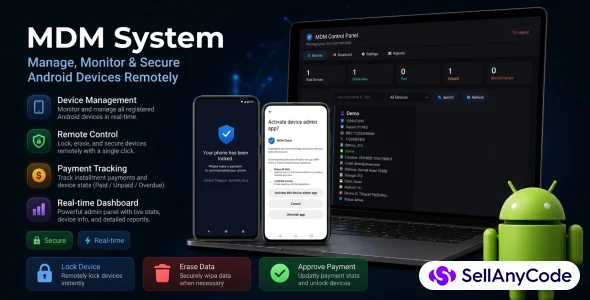
This project is a Mobile Device Management (MDM) system built for managing Android devices that are sold using an installment or financing model. It includes an Android MDM client app installed on the customer device and a web control panel used by the administrator.
The main purpose of this system is to help a device seller, shop owner, or financing provider monitor registered devices, track installment payment progress, and remotely manage devices when payments are unpaid, overdue, or fully completed.
ANDROID MDM CLIENT APP
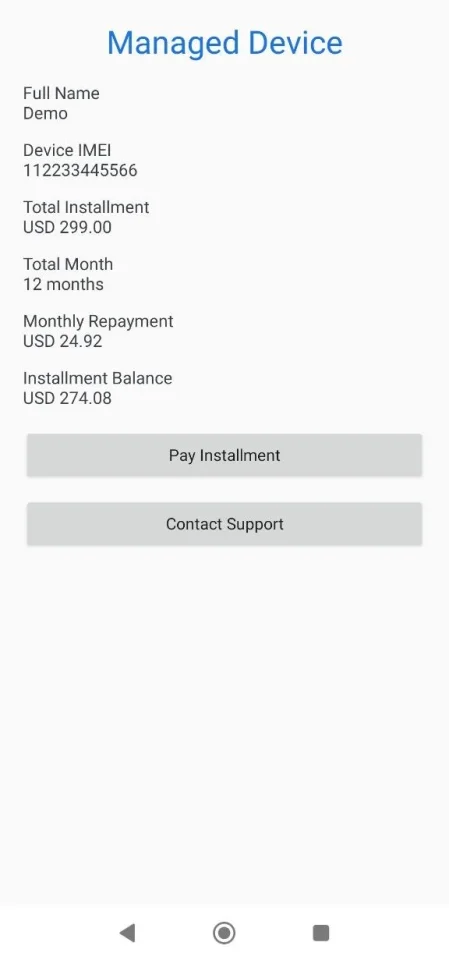
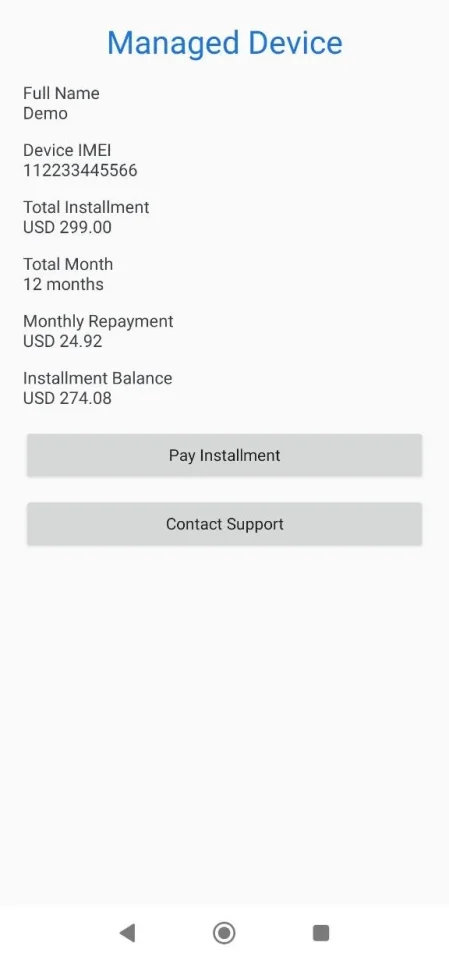
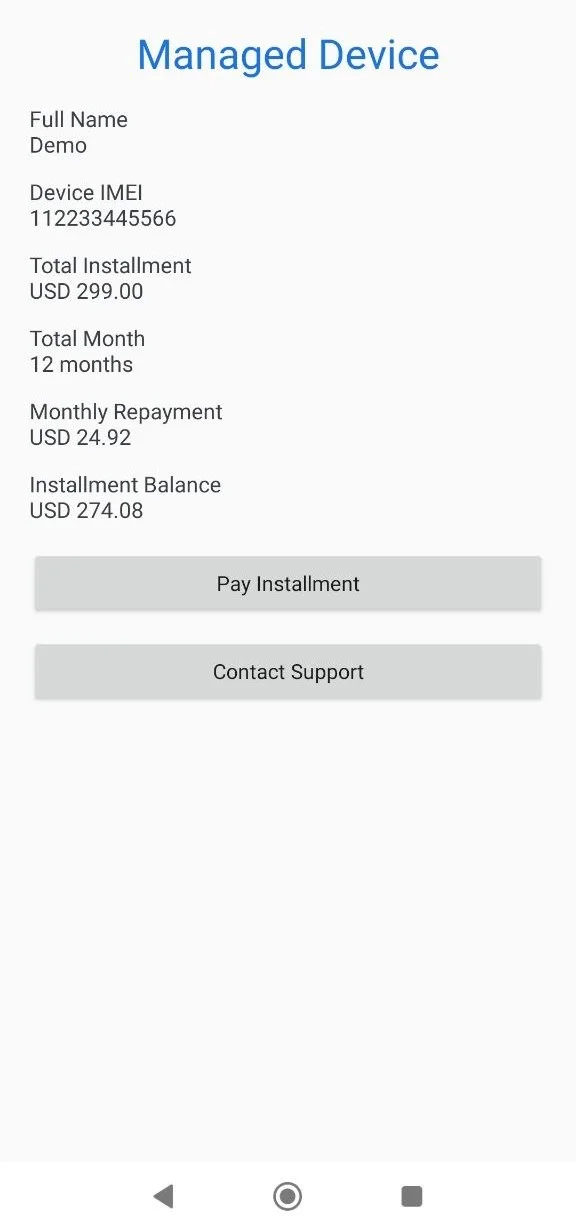
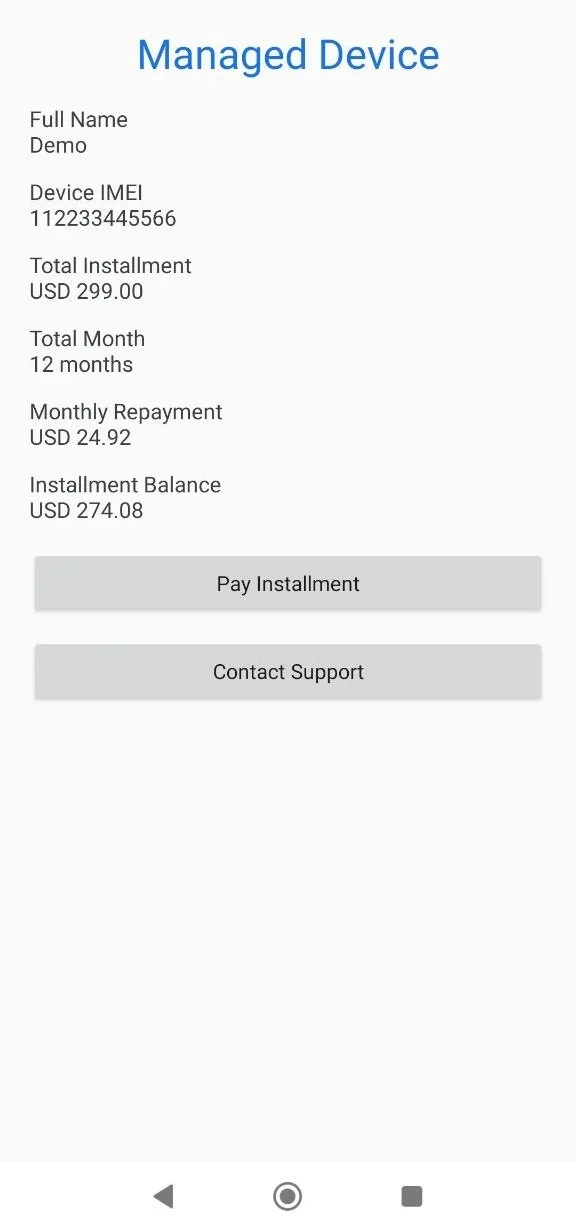
The Android MDM app is installed on the customer phone and connects to the MDM Control Panel. During registration, the app collects required customer and device details such as full name, national ID, phone number, email, address, device IMEI, model, storage, color, total installment amount, and installment month count.
After the MDM service is started, the app runs in the background and sends device status updates to the server. The app can report device battery level, online status, last seen time, and live location data to the control panel.
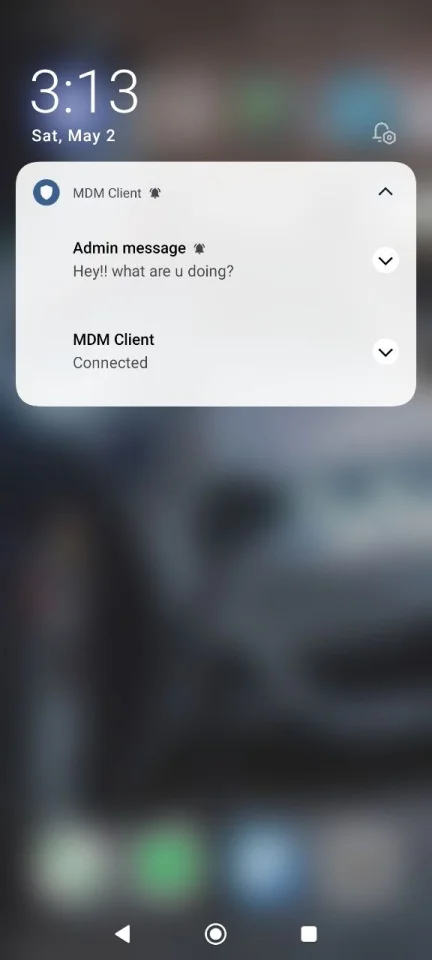
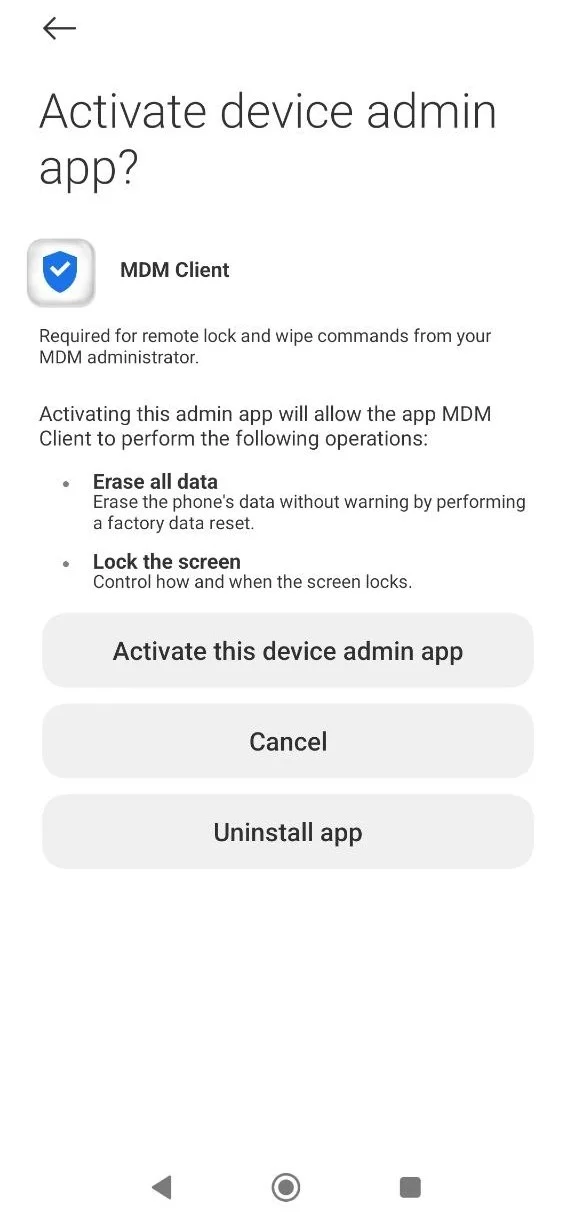
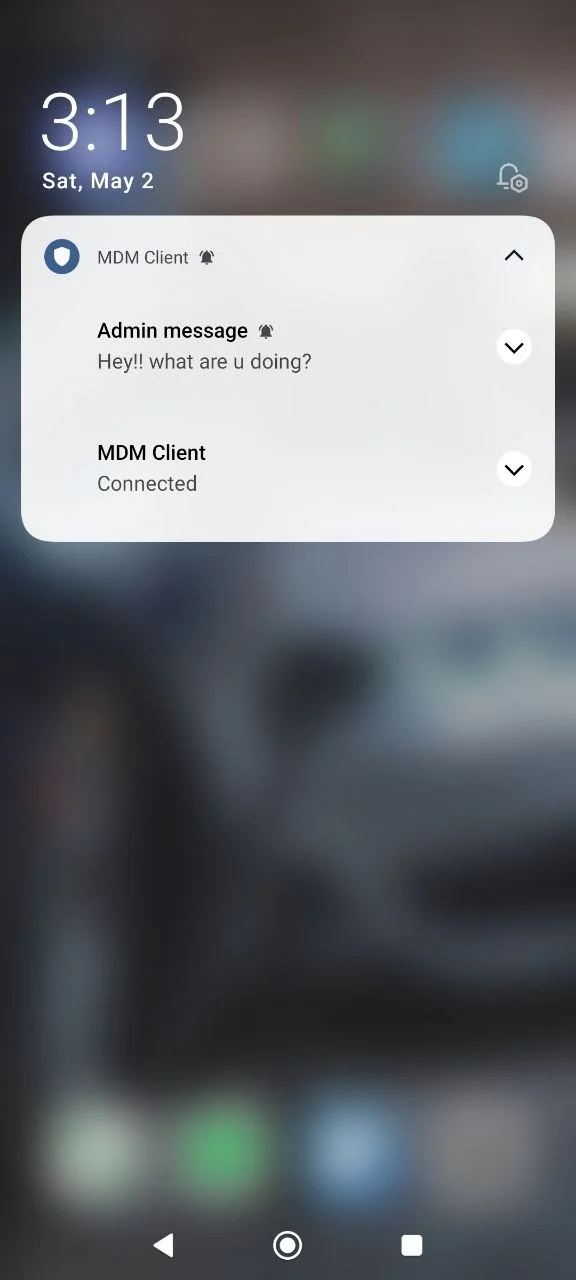
The app can also receive commands from the admin panel, including locking, unlocking, locating, messaging, wiping, and releasing the device after full payment is completed.
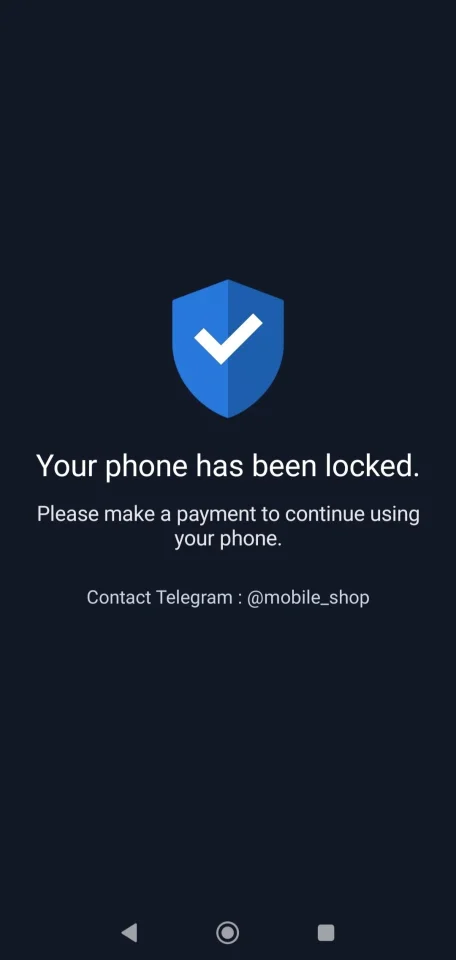
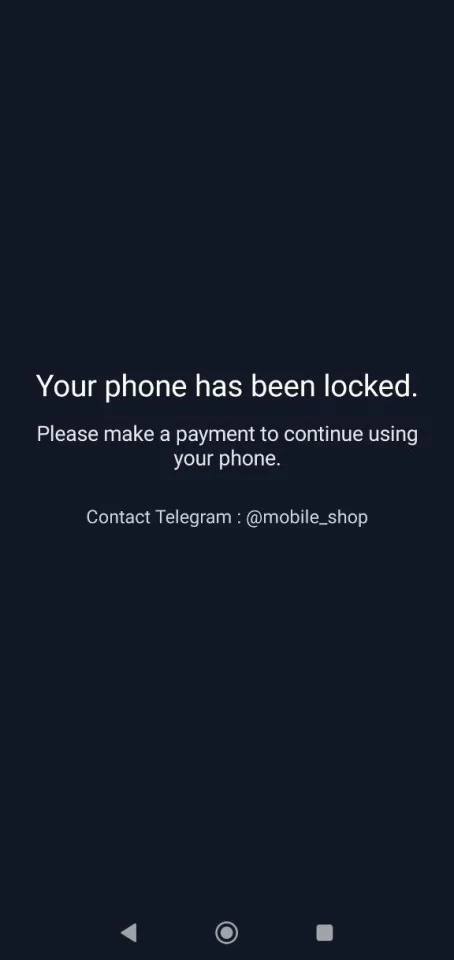
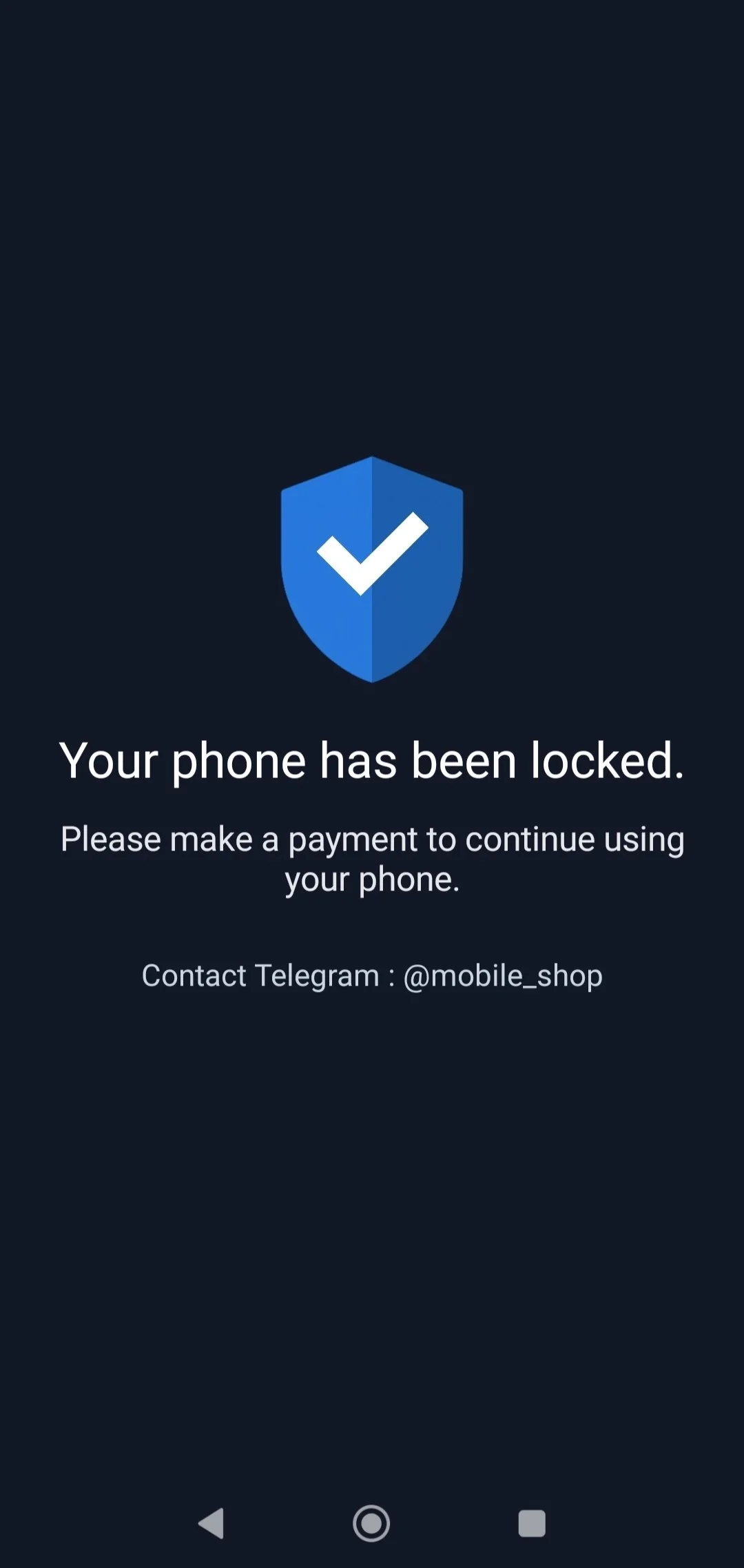
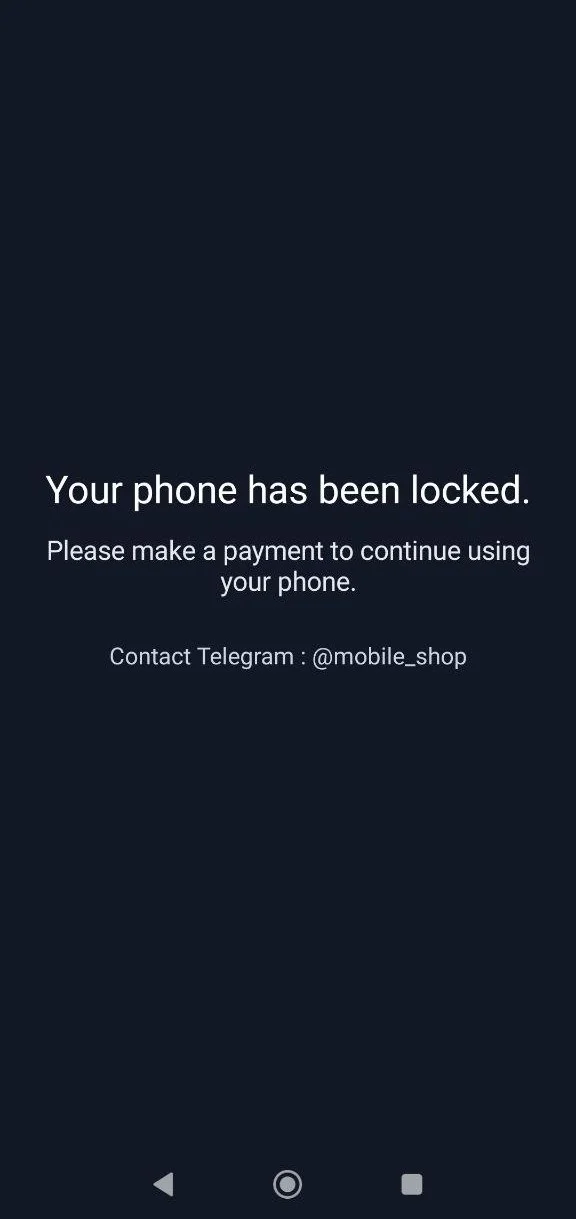
When a device is locked, the customer sees a lock screen message asking them to make payment. Once the admin unlocks the device or the payment is completed, the device can return to normal use.
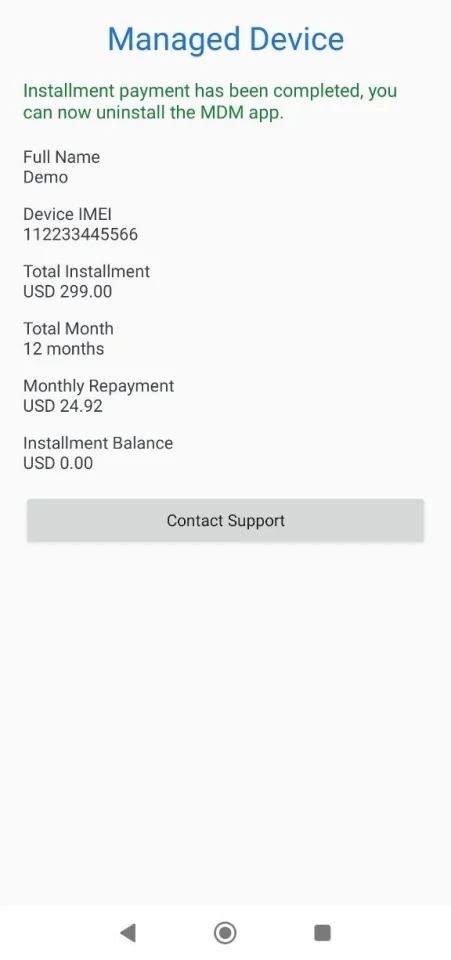
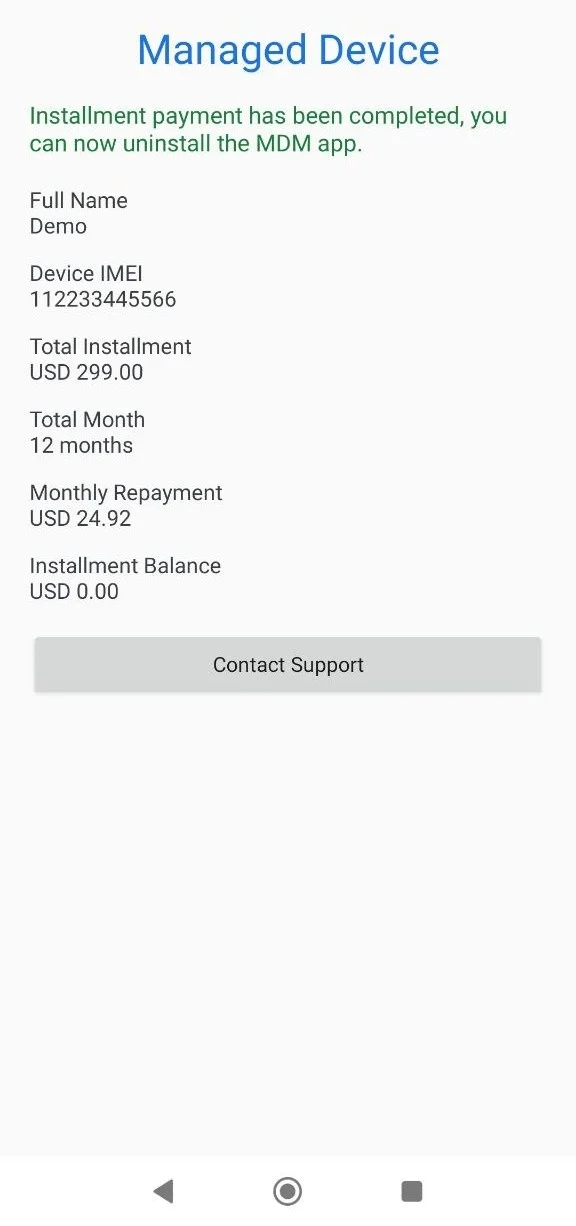
When the customer has fully paid the installment, the app changes to a completed-payment screen and allows the user to uninstall the MDM app.
MDM CONTROL PANEL
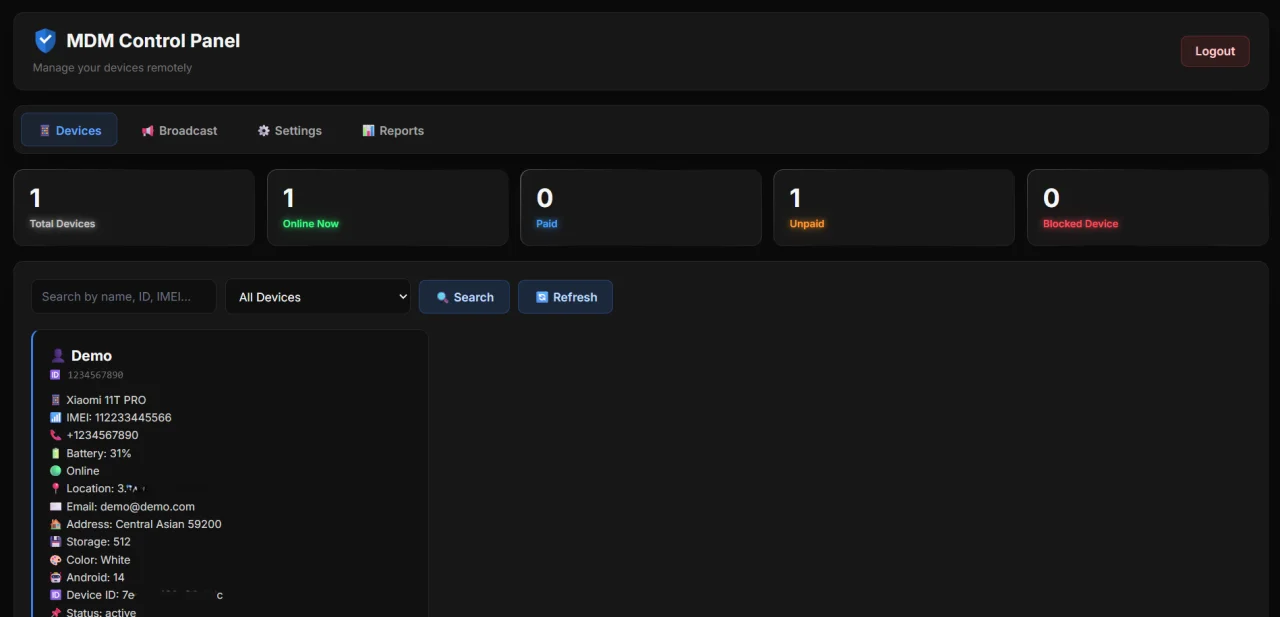
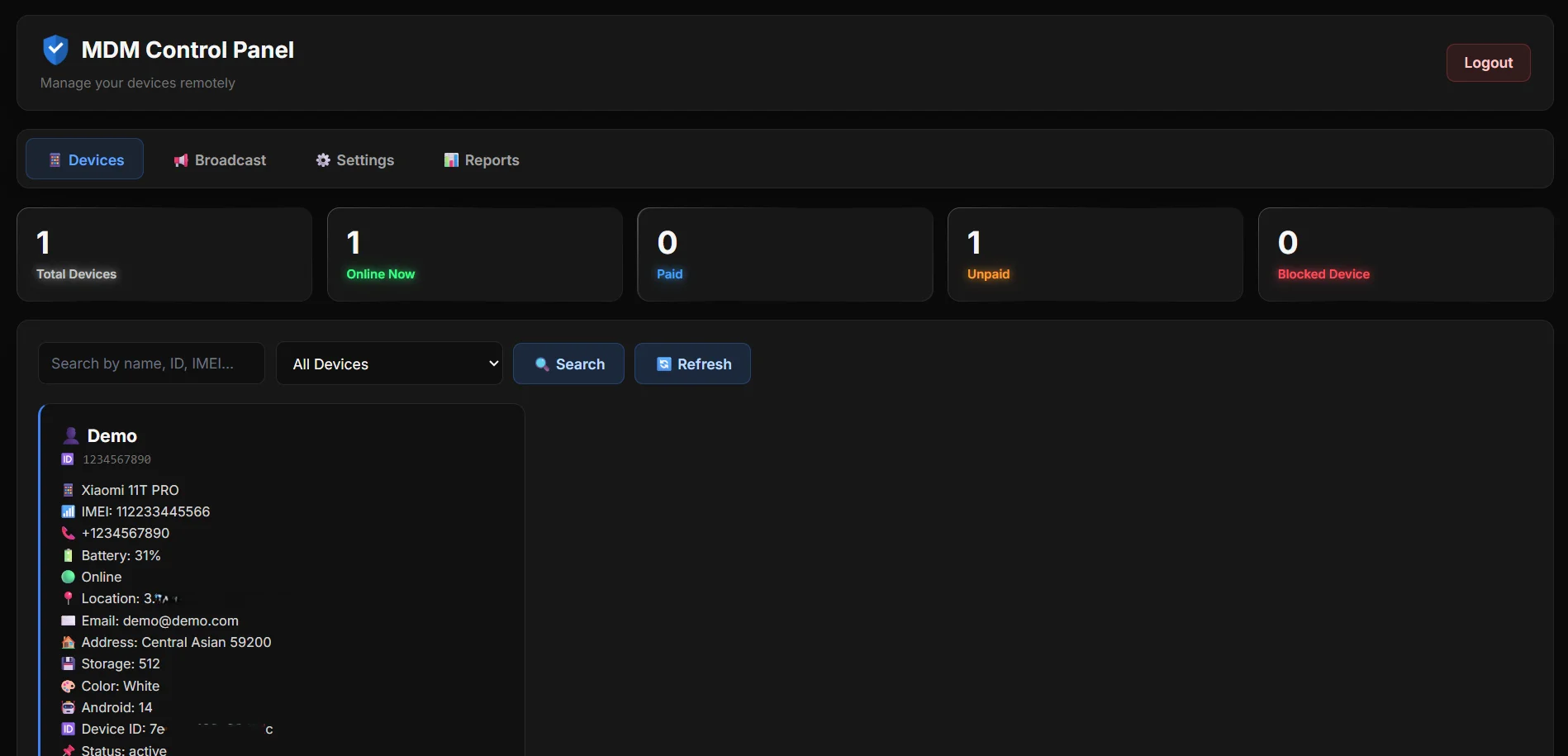
The MDM Control Panel is a web-based admin dashboard. It allows the administrator to manage all registered devices from one place.
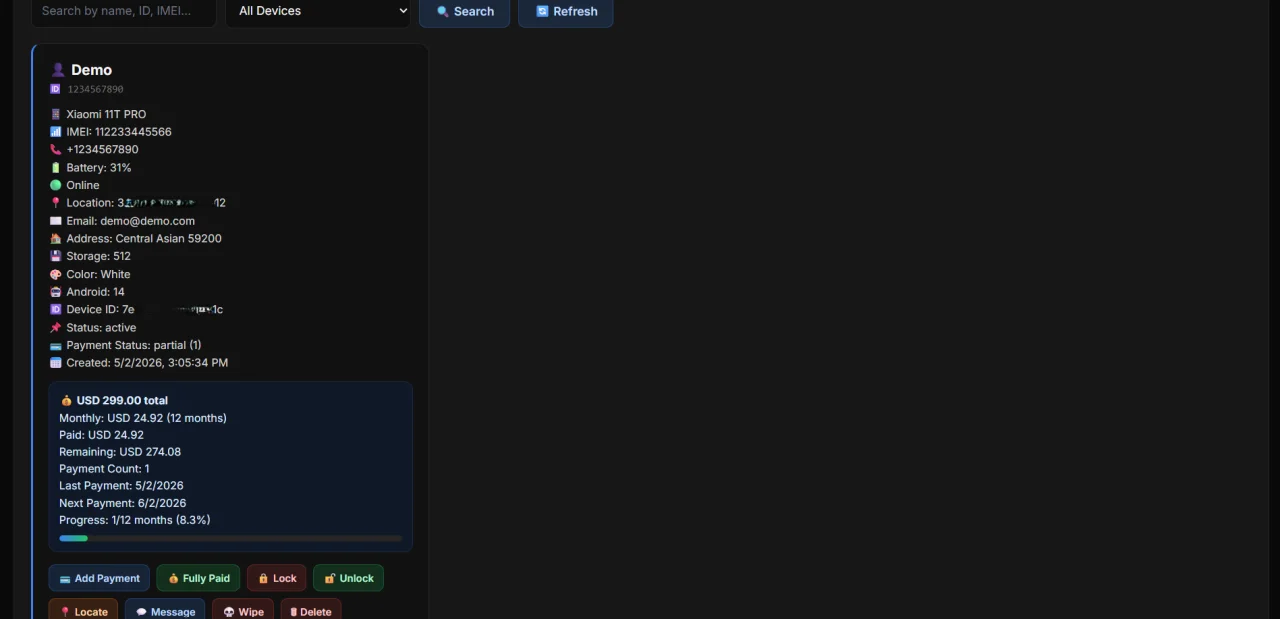
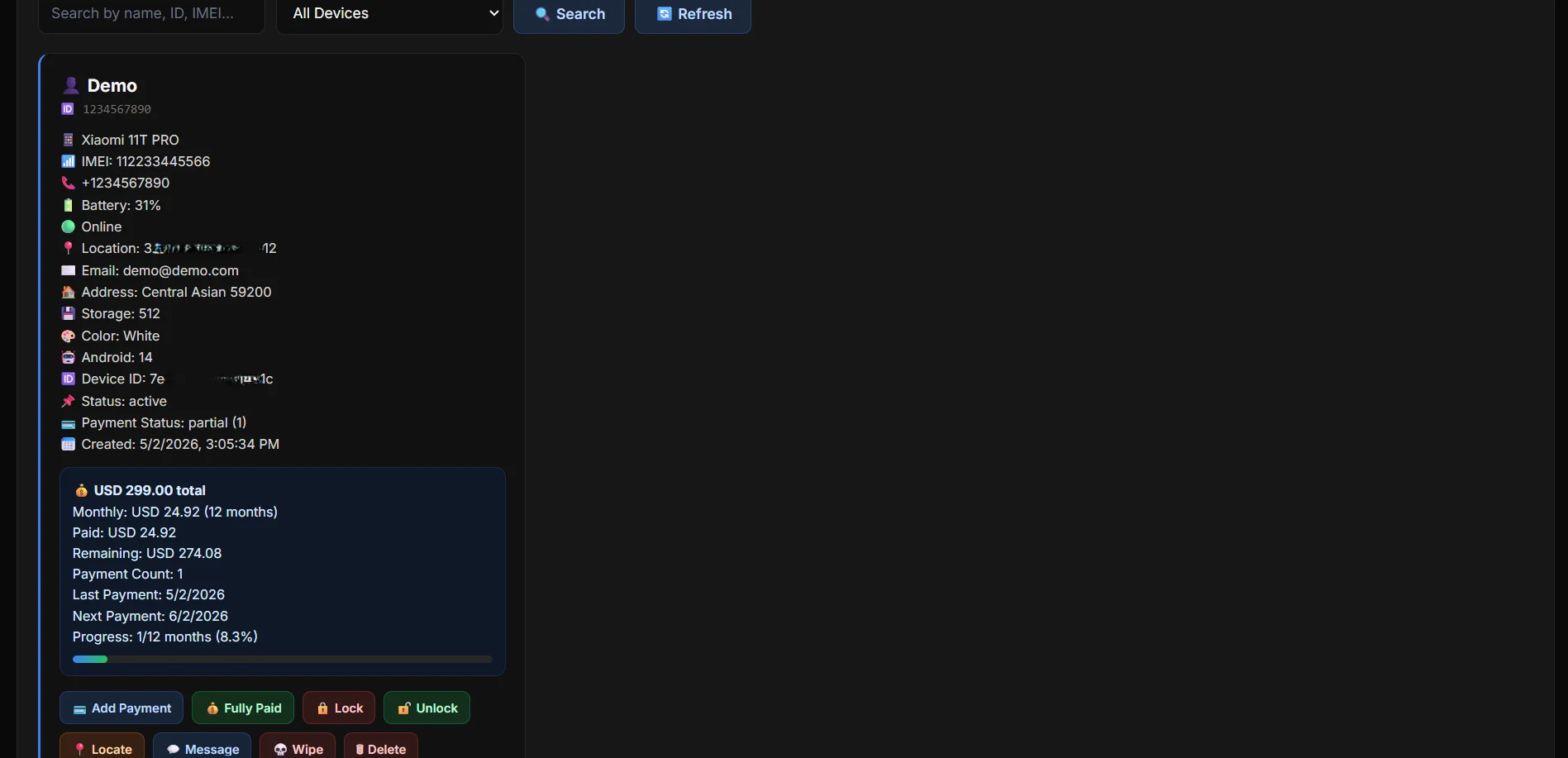
The panel shows device cards with customer information, device information, payment details, online/offline status, battery percentage, location, payment progress, remaining balance, and device status.
The panel also includes settings for currency, payment URL, Telegram support contact, and admin account username/password.
WHO THIS SYSTEM IS FOR
This system is suitable for:
- Phone shops selling devices by installment.
- Financing companies managing customer devices.
- Rental device businesses.
- Organizations that need controlled Android device management.
- Businesses that need payment-based device locking and unlocking.
IMPORTANT USAGE NOTE
This system should only be used on devices that are legally owned, financed, rented, or managed by the business, and only with proper customer agreement and authorization. The administrator should follow local laws and clearly inform customers that the device is managed by an MDM system during the installment period.
Features
MAIN SYSTEM FEATURES
- Device Registration
- Register Android devices into the MDM system.
- Store customer details and device details.
- Save installment amount, monthly repayment, and total month count.
- Device Monitoring
- View total registered devices.
- View currently online devices.
- View paid, unpaid, and blocked devices.
- Track battery percentage.
- Track live location.
- Track last seen time.
- Payment Management
- Add received payment amounts.
- Automatically calculate paid amount, remaining balance, and payment progress.
- Detect fully paid devices.
- Release device ownership after full payment.
- Show completed-payment page on the customer app when payment is complete.
- Remote Device Commands
- Lock device.
- Unlock device.
- Locate device.
- Send message to device.
- Trigger alarm/vibration commands.
- Send wipe command.
- Release ownership after full payment.
- Automatic Overdue Handling
- Detect overdue payments.
- Mark unpaid/overdue devices.
- Automatically send lock command when payment is overdue.
- Customer Payment and Support Flow
- Customer can open payment URL from the app.
- Customer can contact support using the Telegram contact configured in the panel.
- Admin can change payment link and Telegram support from panel settings.
- Reports
- Generate PDF device status reports.
- Report includes unpaid devices, paid devices, blocked devices, and total registered devices.
- Recent activity shows device IMEI and registration/check-in time.
- Admin Tools
- Admin login.
- Change admin username and password.
- Search devices by name, ID, IMEI, and other details.
- Hide device cards while keeping user data stored in the database.
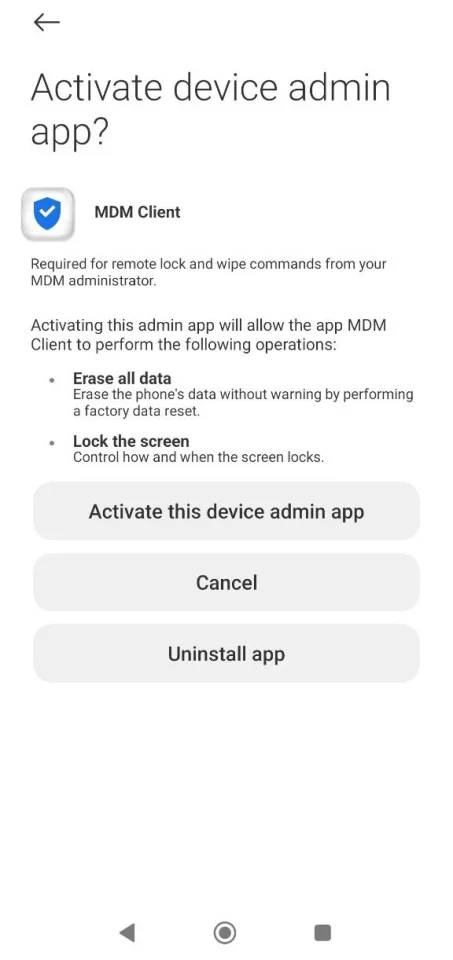
The MDM Client App cannot be uninstalled on a user device without admin approval. Approval can only be done in the MDM Panel.
$ 99
- Verified source code
- Join 35240+ buyers which trust us!
- Download code immediately

100% Guarantee For Item!
Satisfaction guarantee policy.
Satisfaction guarantee policy.
Information
| Category | Scripts & Code / Java |
| First Release | 27 April 2026 |
| Platforms | Android 4.1.x, Android 4.2.x, Android 4.3.x, Android 4.4, Android 5.0, Android 6.0, Android 7.0, Android 8.0, Android 9.0, Android 10.0 |
| Files included | .php, .html, .css, .sql, .cs, .apk, .java, build.settings, .c |
| Framework HTML/CSS | Bootstrap |
| Software version | PHP 4.x, PHP 5.x, PHP 5.0, PHP 5.1, PHP 5.2, PHP 5.3, PHP 5.4, PHP 5.5, PHP 5.6, PHP 7.0, PHP 7.1, PHP 7.2, PHP 7.3, PHP 7.4 |
| File Size | 1 MB |
| Database version | MySQL 4.x, MySQL 5.x |
| Frameworks | Java |
Similar Items




Formizer
$25