

DocVera Assist - PHP AI Chatbot for Any Website
Self-hosted PHP AI chatbot trained on your site: OpenAI, Claude, Gemini, Ollama
Item Description
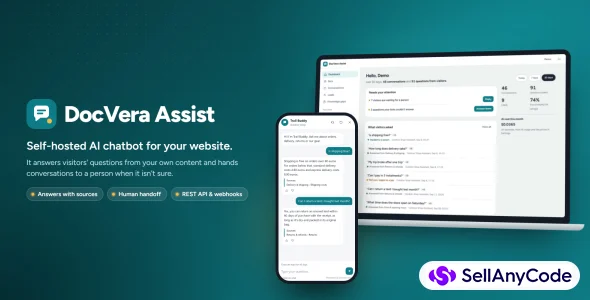
DocVera Assist is a self-hosted PHP chatbot platform for website support. Add web pages, a sitemap, documents or question-and-answer pairs to build a knowledge base for each bot.
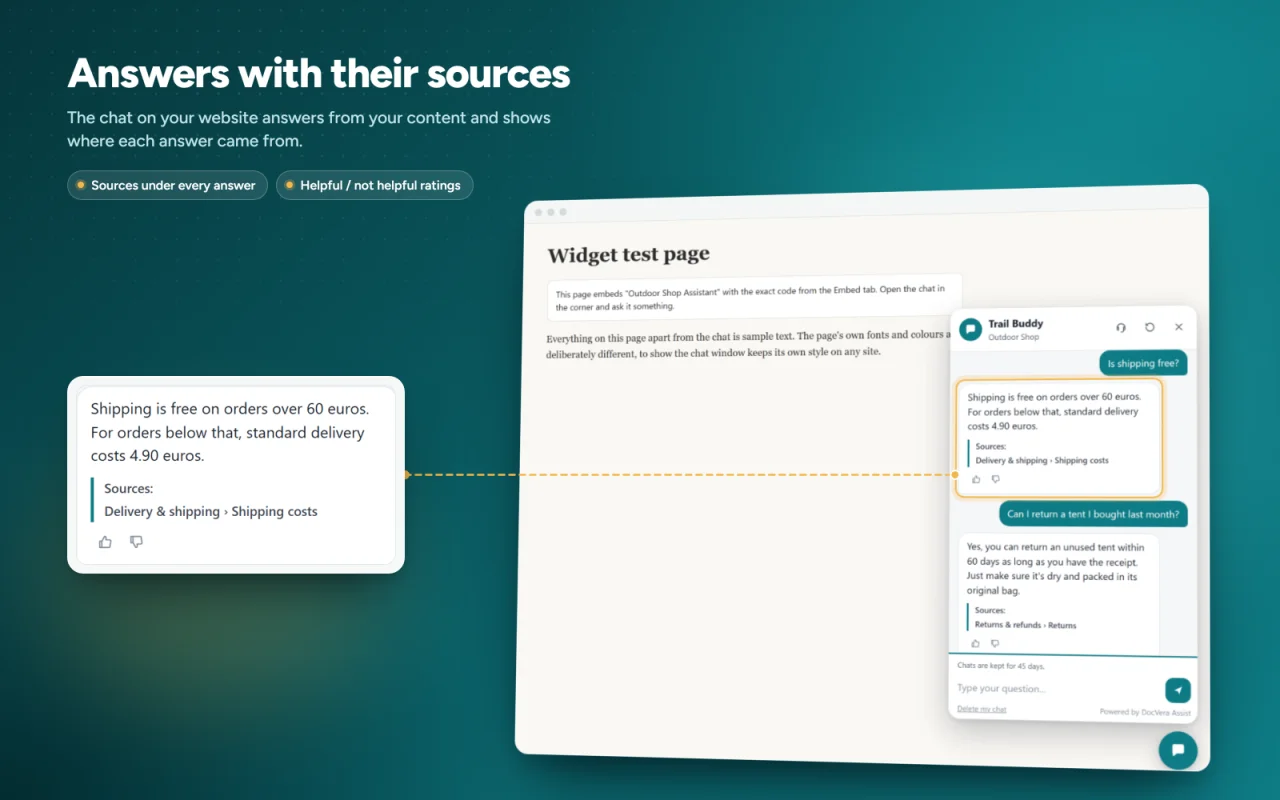
The chatbot retrieves relevant content and displays source links. It includes fallback responses, a human-handoff option and a list of unanswered questions to help improve the knowledge base. Responses from external AI models should be reviewed for accuracy.
Install the application on PHP hosting with SQLite or MySQL/MariaDB. The browser installer checks requirements and configures the database, administrator and first bot. No Composer, Node.js or build step is required for the standard installation.
Choose OpenAI, Anthropic Claude, Google Gemini, Groq, an OpenAI-compatible API or an Ollama server. A local demo provider is included for setup and evaluation. External provider accounts, API usage and optional crawling services may incur separate costs.
Embed the JavaScript chat widget on a site that allows custom scripts, or integrate through the REST API. The editable source package includes English installation and administration documentation, sample deployment configuration and API reference files.
Requirements
- PHP 8.1 or newer (tested on PHP 8.1 and 8.3)
- PHP extensions: sodium, mbstring, DOM / libxml
- PDO SQLite (with FTS5) or PDO MySQL
- MySQL 5.7+ or MariaDB 10.3+ (only if you don't use SQLite)
- cURL (needed for real AI providers and website crawling)
- ZipArchive (optional, for DOCX uploads)
- A writable storage folder
- Apache, LiteSpeed or nginx (sample nginx config included)
- An API key from OpenAI, Anthropic, Google Gemini or Groq, or a local Ollama server (optional, the Demo AI works without a key)
The installer checks your server for you before setup.
Installation
- Upload the docvera-assist folder to PHP hosting and make its storage directory writable by PHP.
Open the application URL and follow the installer: server check, database, administrator account and first bot.
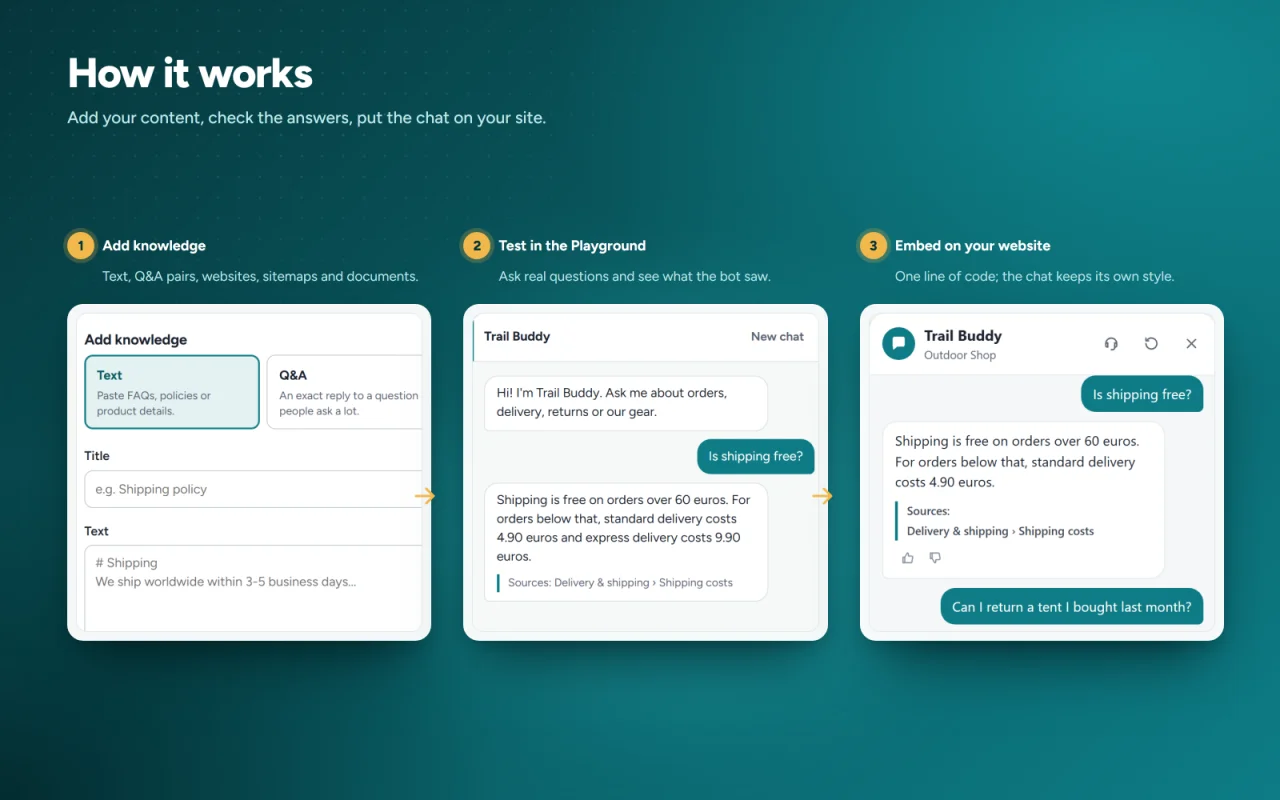
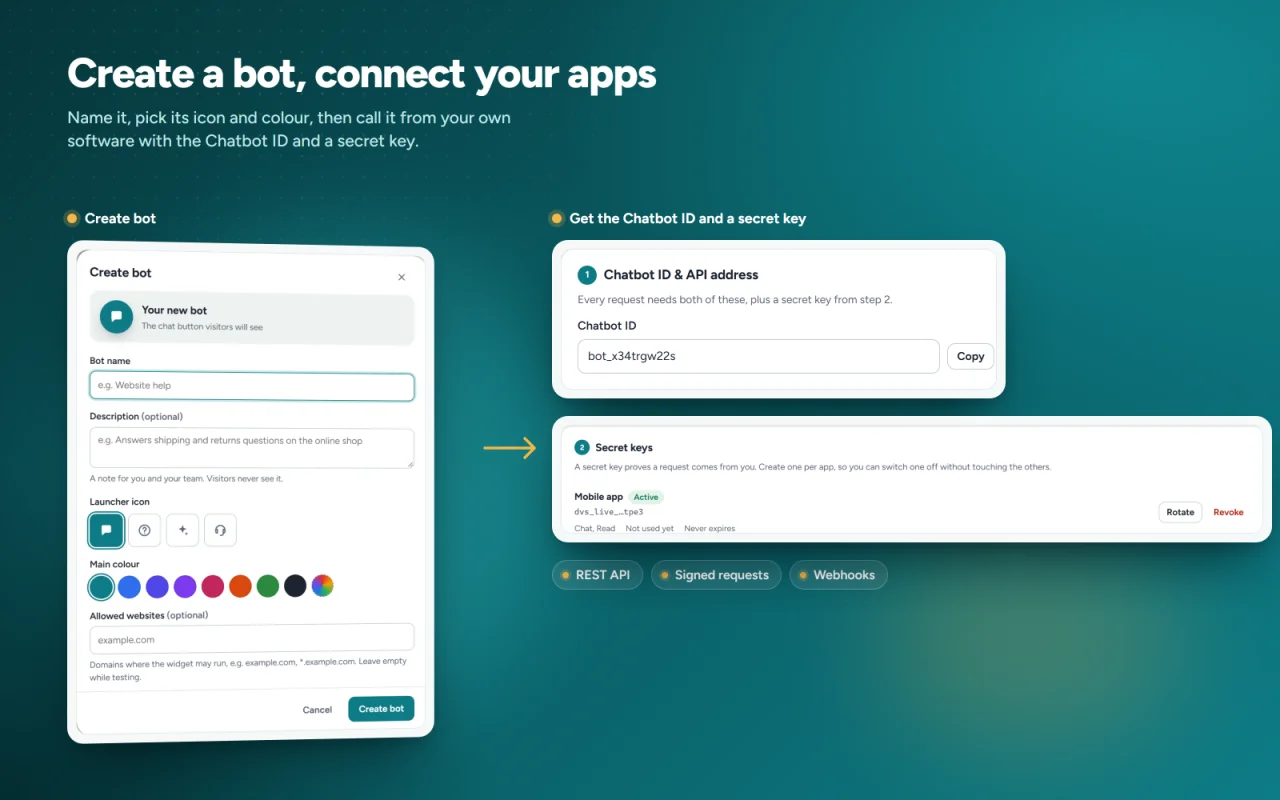
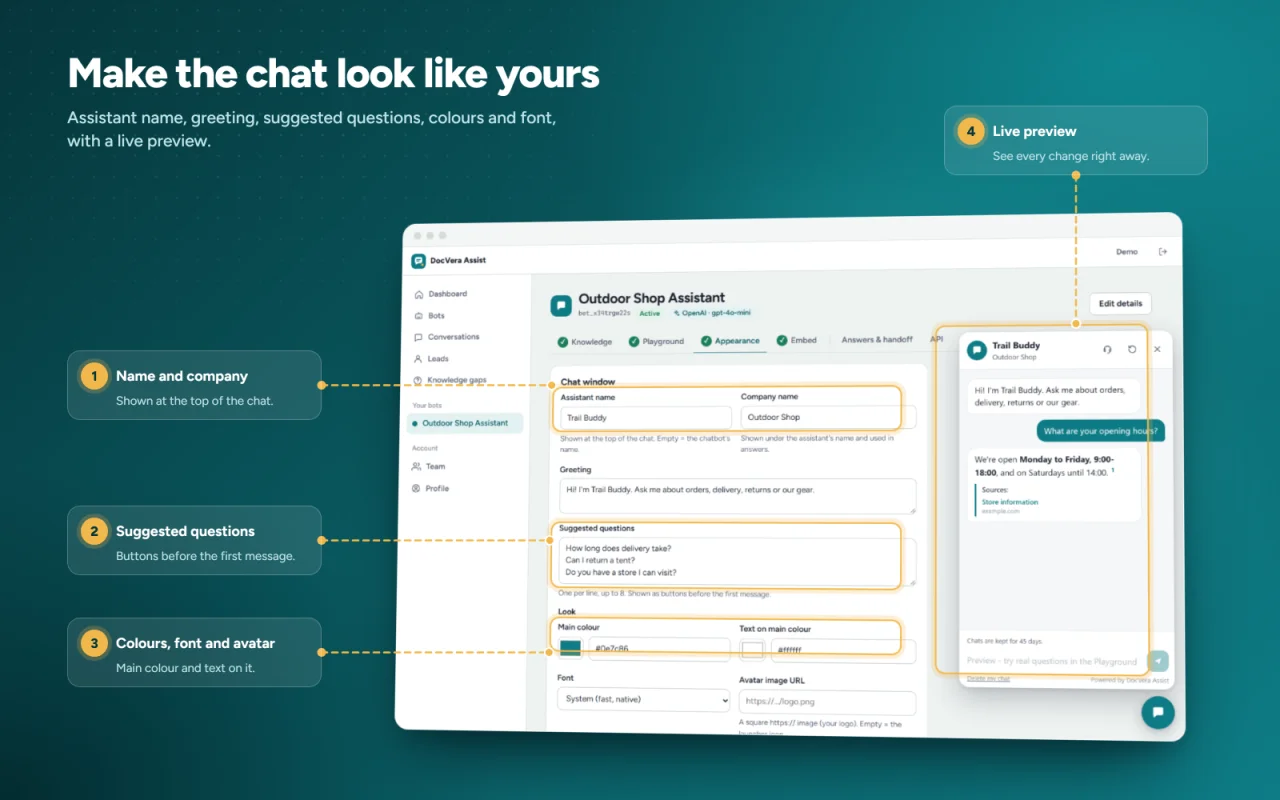
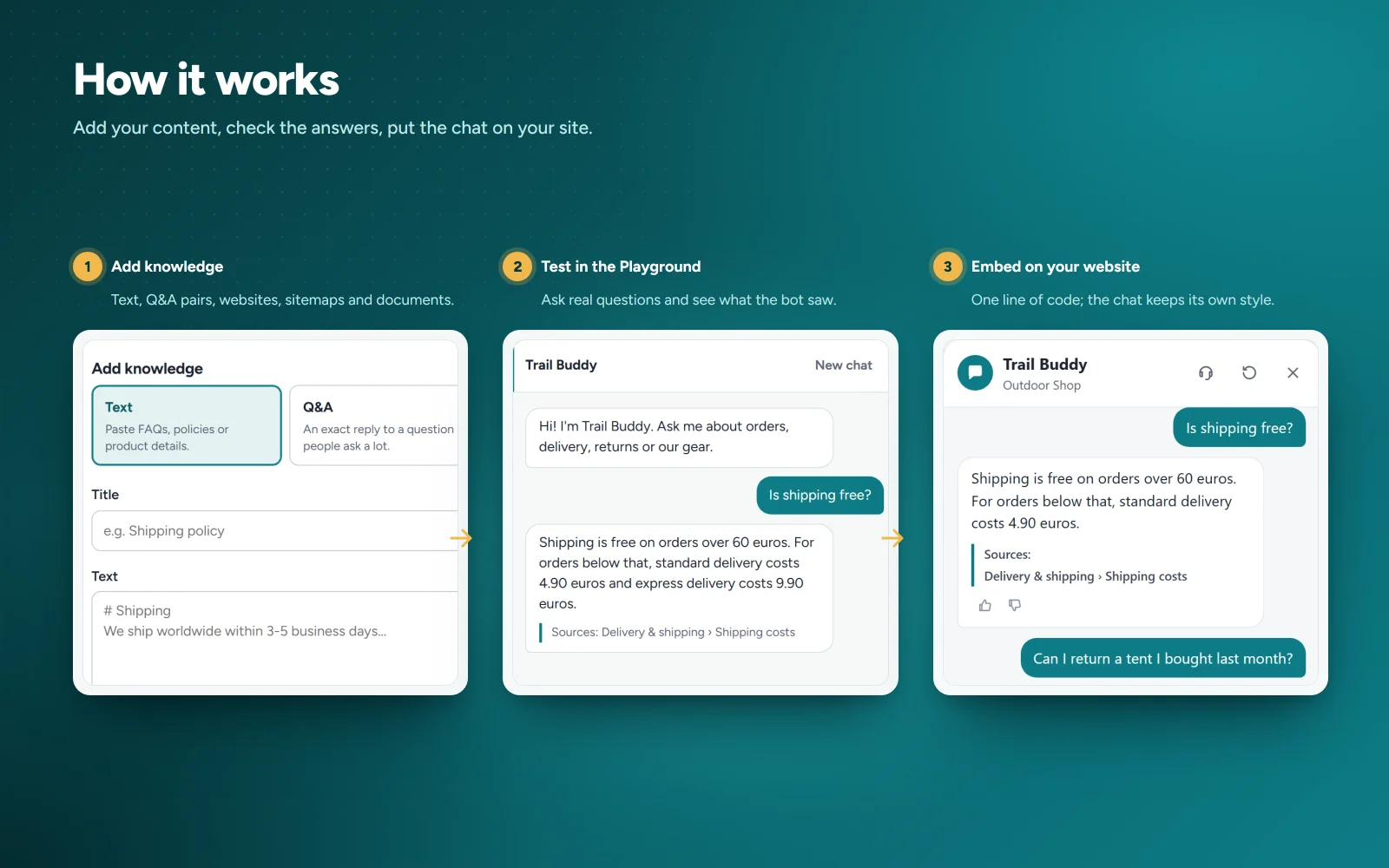
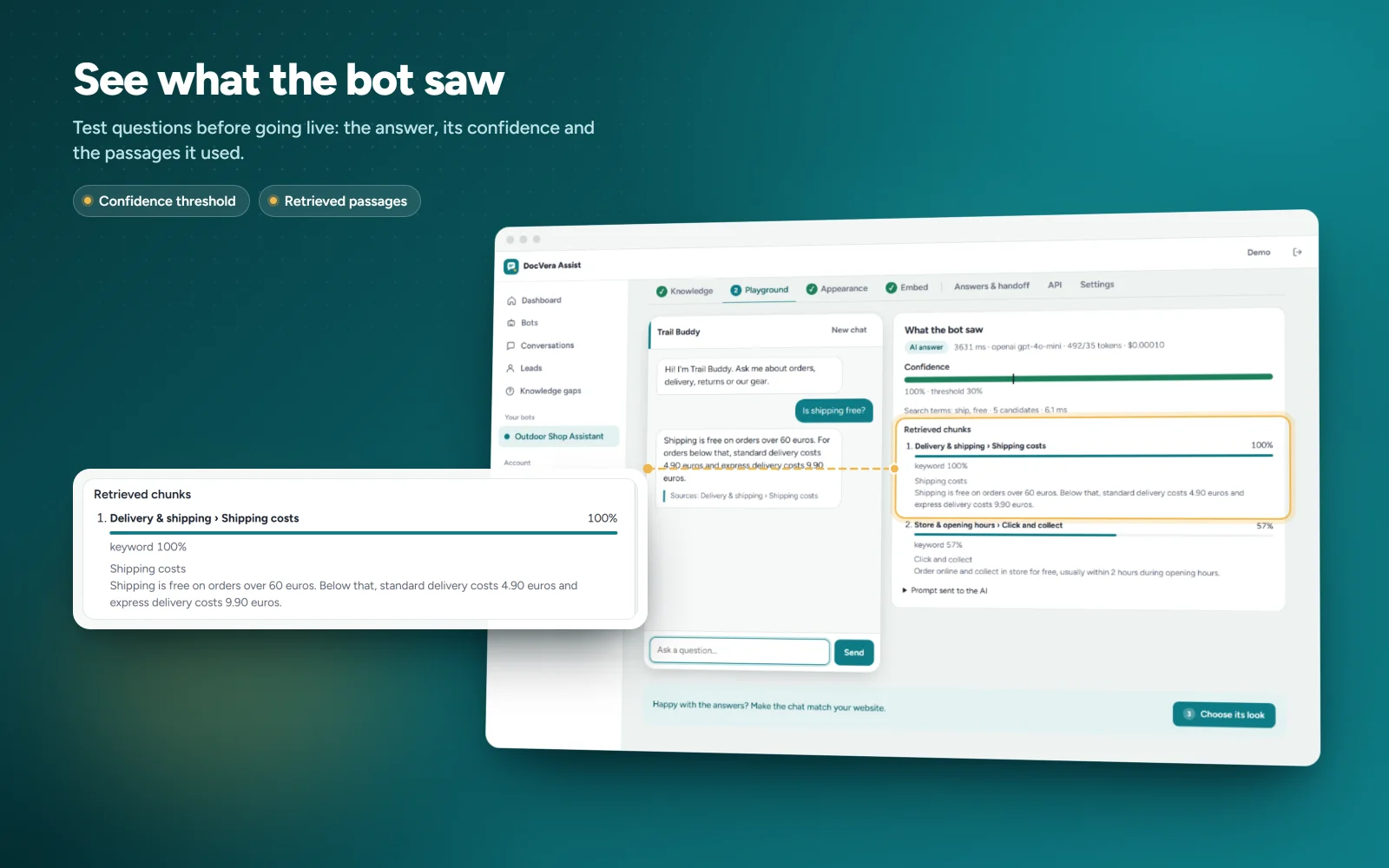
Add content on the Knowledge tab and test questions in the Playground. Configure the widget appearance and allowed website domains.
Copy the code from the Embed tab into your website before the closing body tag. Configure an AI provider and your own API credentials when ready to replace the demo provider.
Read the included documentation for server requirements, nginx configuration, administration and deployment options.
Features
Chatbot and knowledge base
- Create multiple chatbots, each with its own content, look and AI provider
- Train from website pages (crawler), sitemap.xml, PDF, DOCX, TXT, MD, text and Q&A pairs
- Q&A pairs give exact answers without an AI call
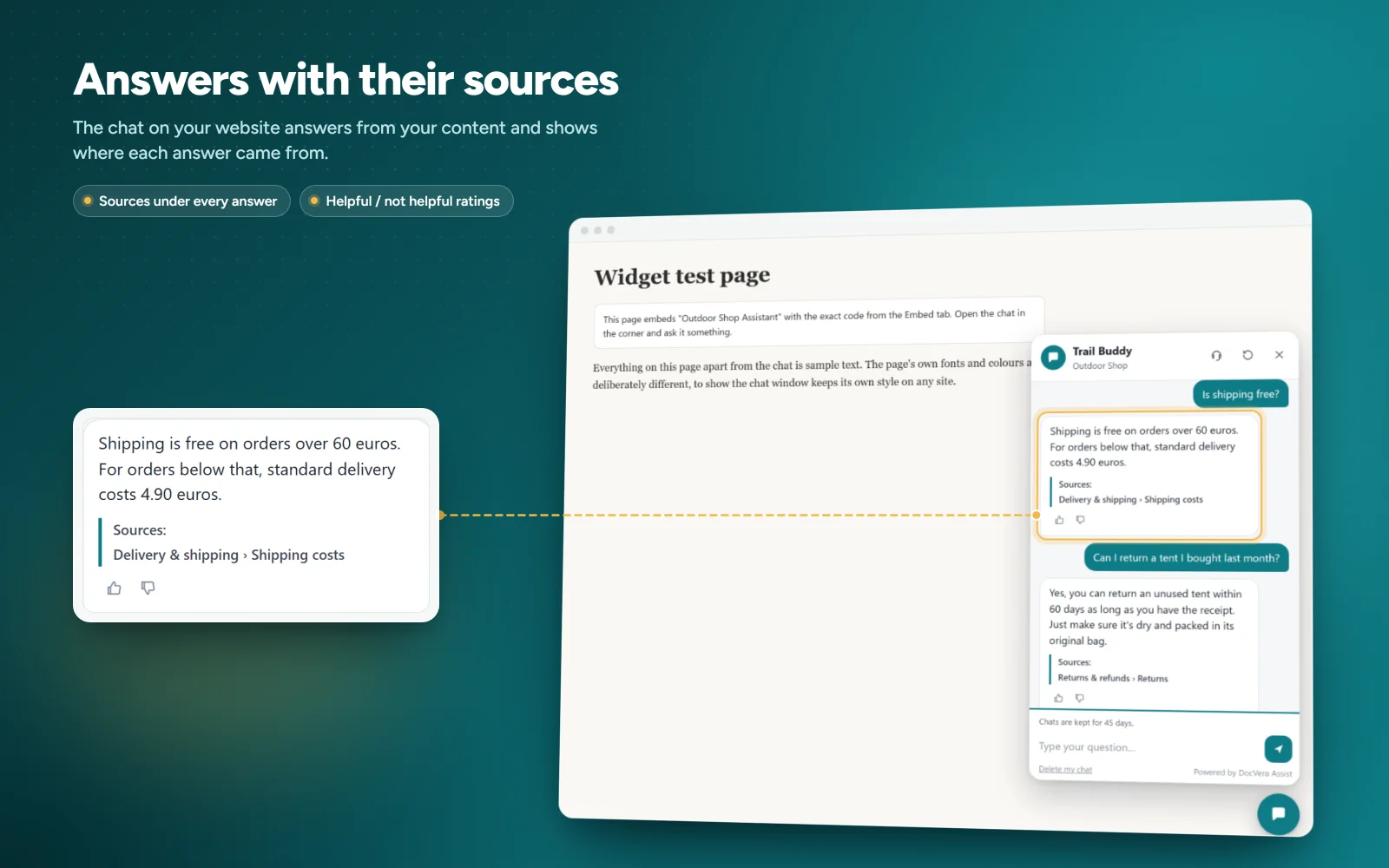
- Content retrieval with numbered source links
- Fallback responses for unanswered questions
- Optional embeddings search, so a question in one language can find content in another
- Optional Firecrawl support for JavaScript websites
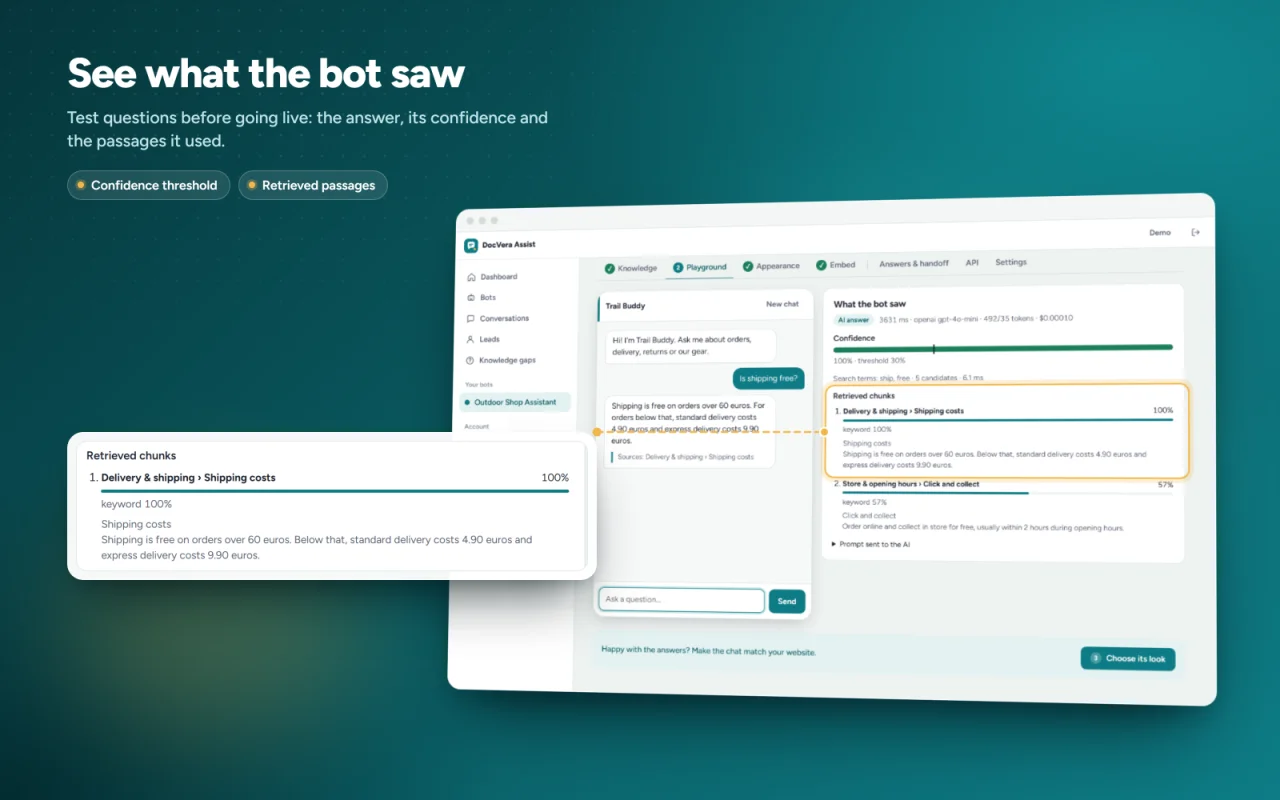
- Playground to test questions and see which passages were used
Chat widget
- One line of code to add it to any website
- Streaming answers, suggested questions, thumbs up / down
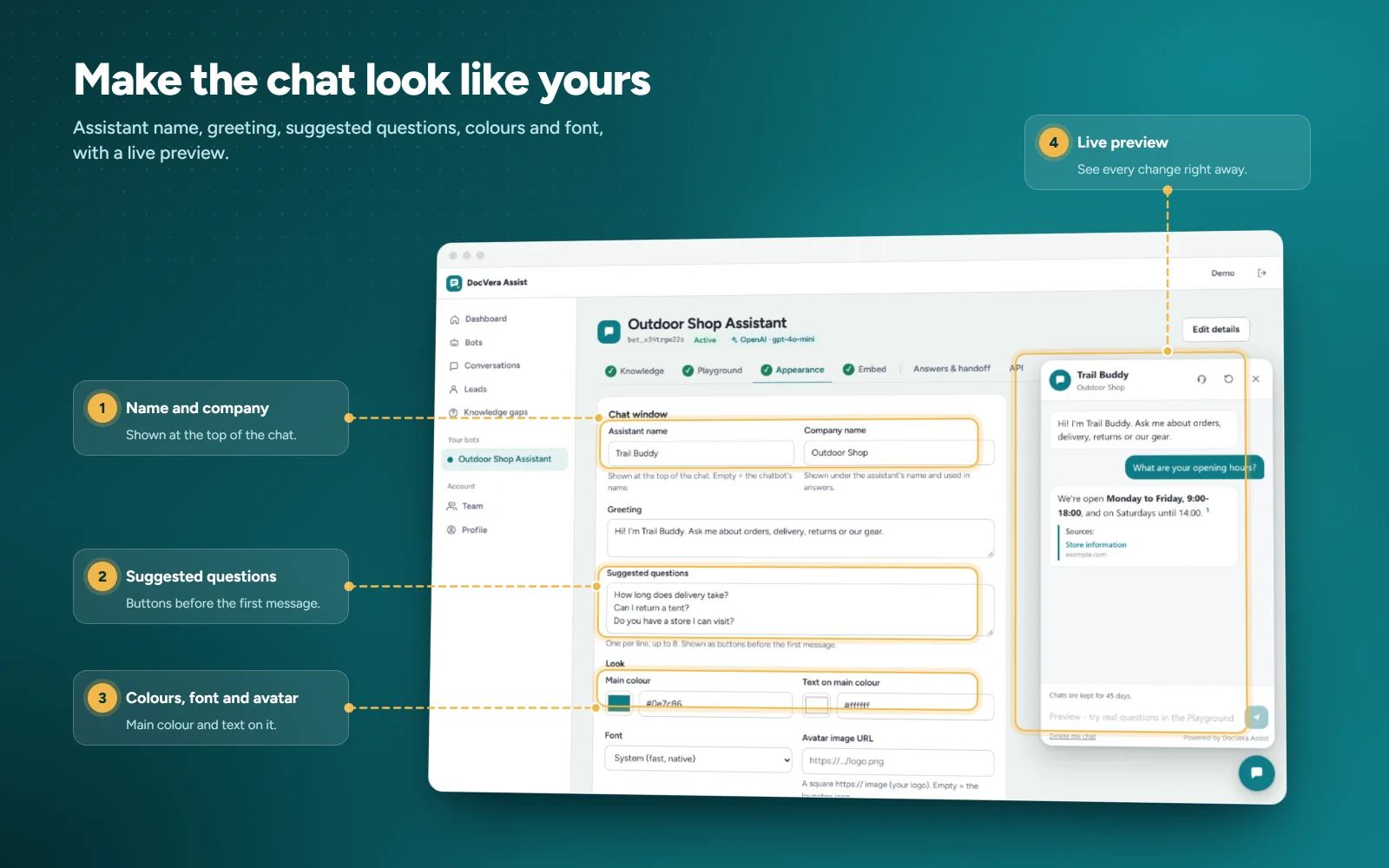
- Custom colors, name, greeting, avatar, launcher icon and position, with live preview
- Full screen on phones
- Your site's CSS can't break it (Shadow DOM)
- Works only on the websites you allow
- JavaScript API: open, close, ask a question, start a new chat
- English, Spanish and French
Human handoff and leads
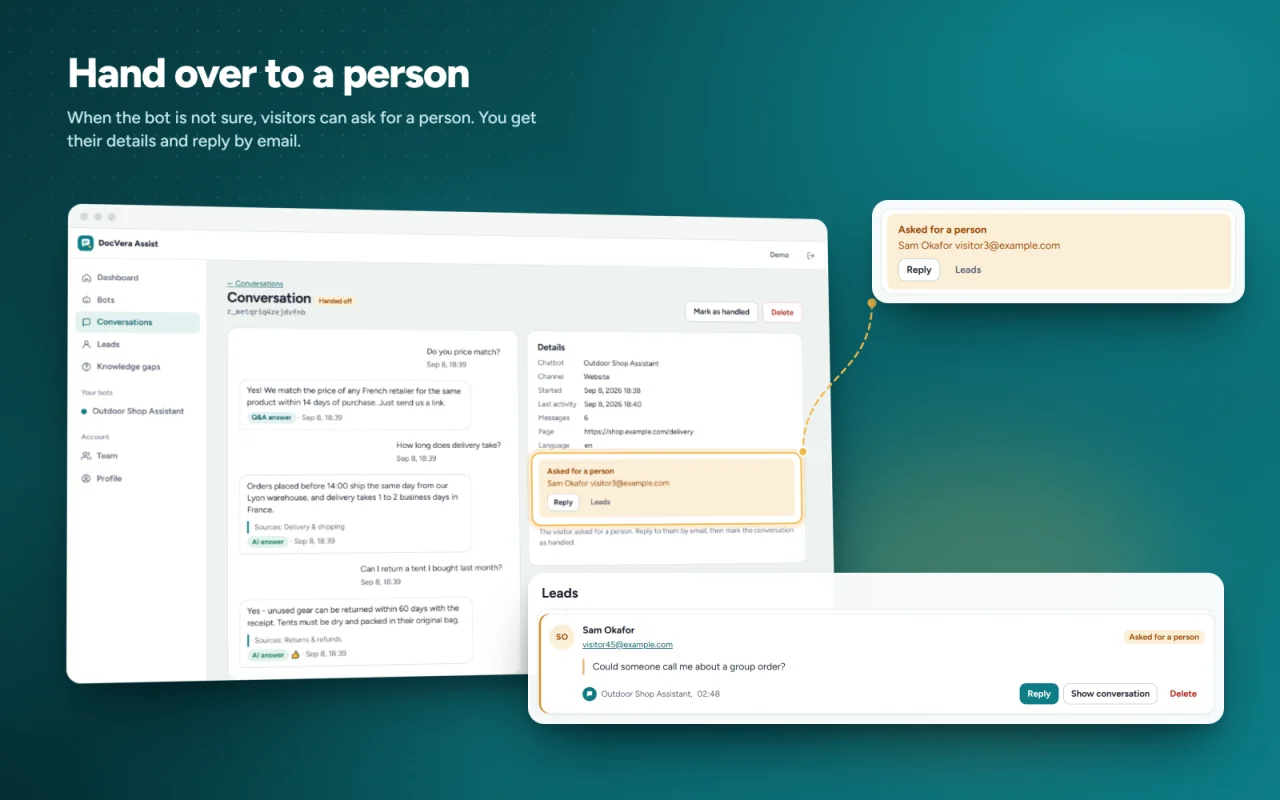
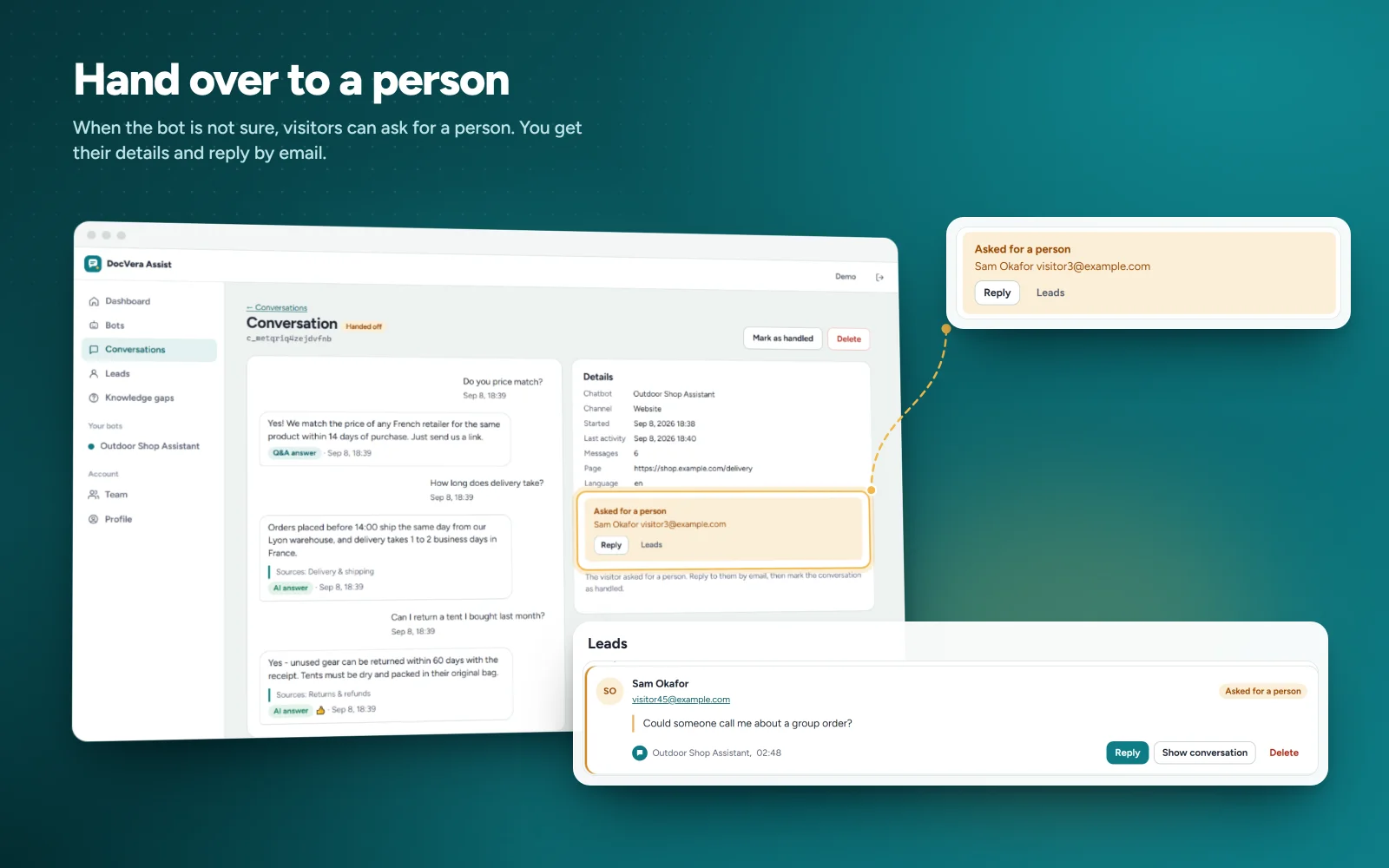
- "Talk to a person" button
- Handoff alerts by email and Slack (also Mattermost and Discord)
- Optional pre-chat form to collect contact details
- Leads list with search, filters and CSV export
Knowledge gaps
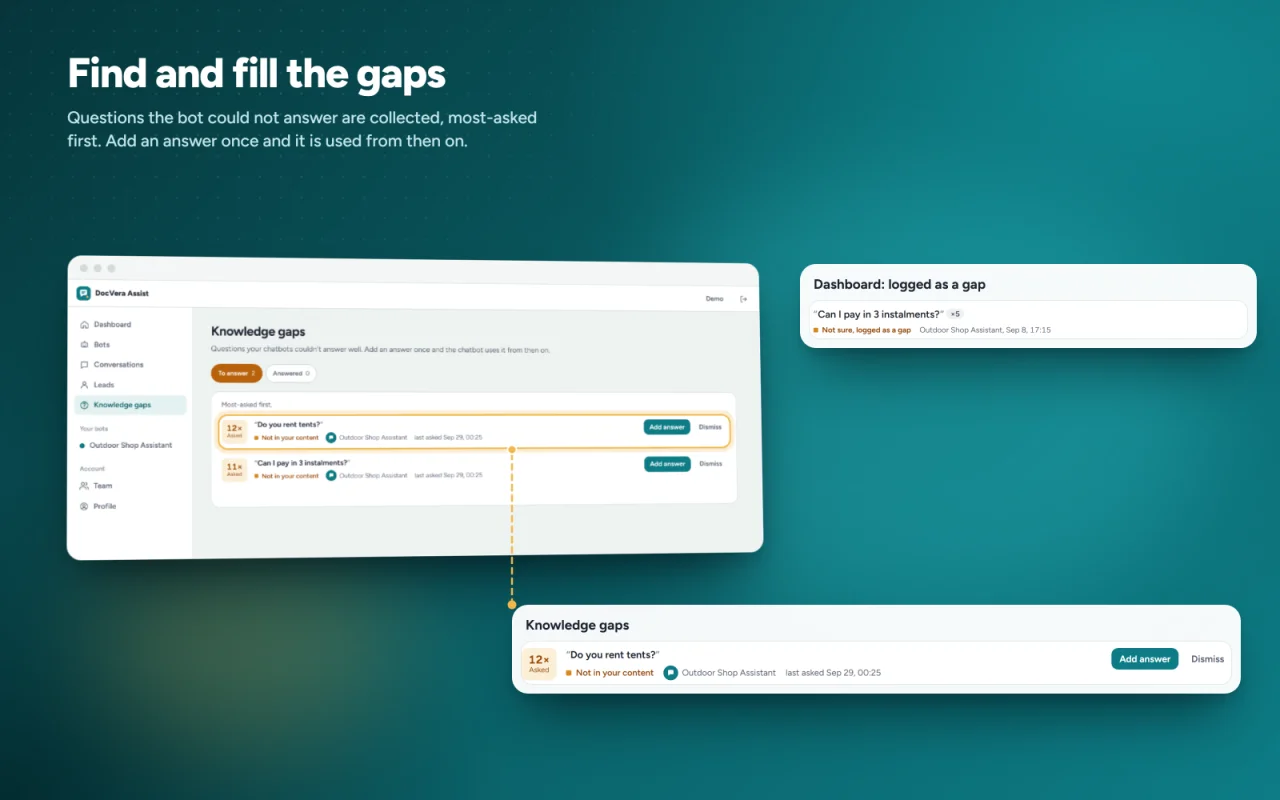
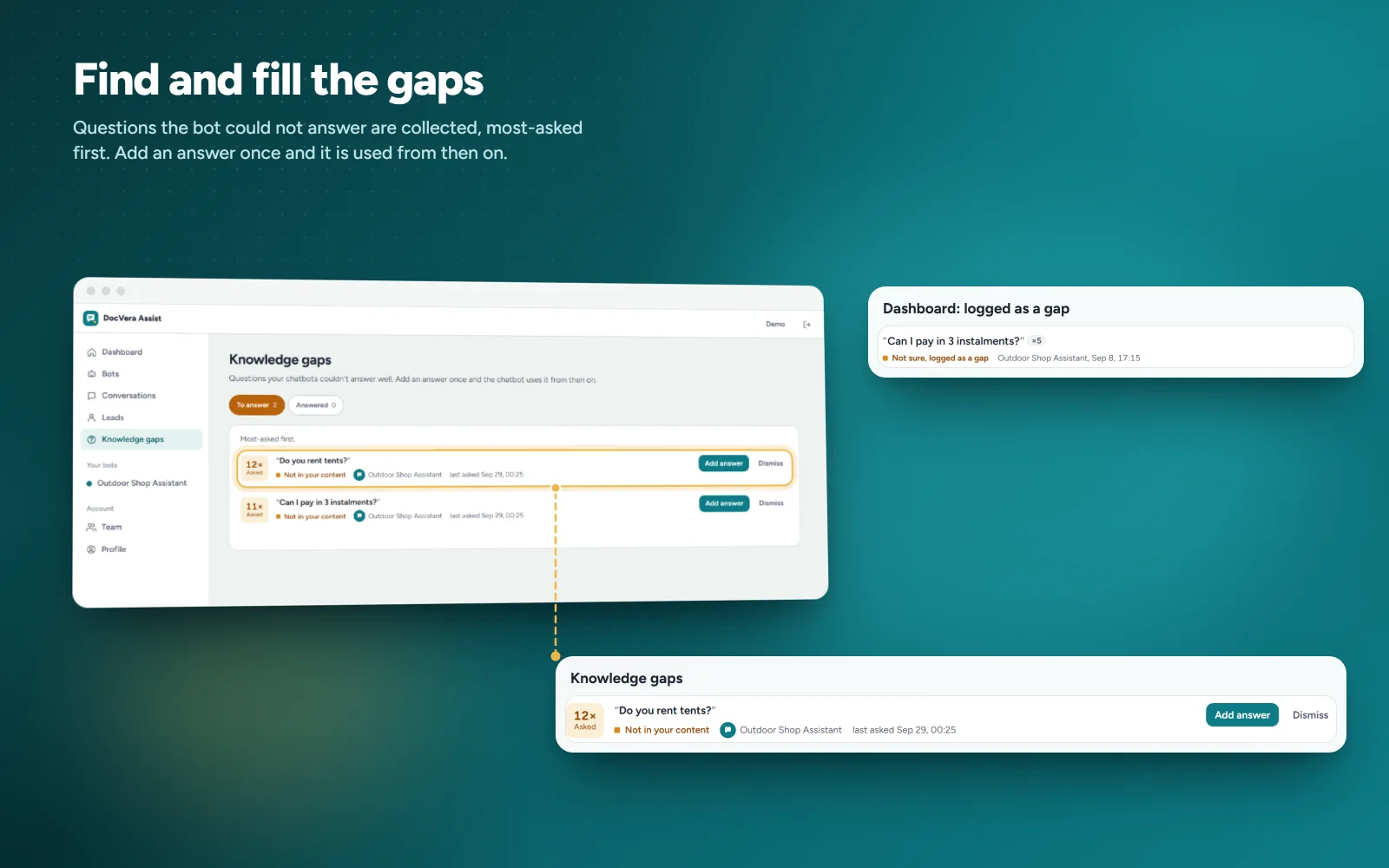
- Lists questions the bot couldn't answer or got a thumbs down
- Add the answer once and the bot uses it from then on
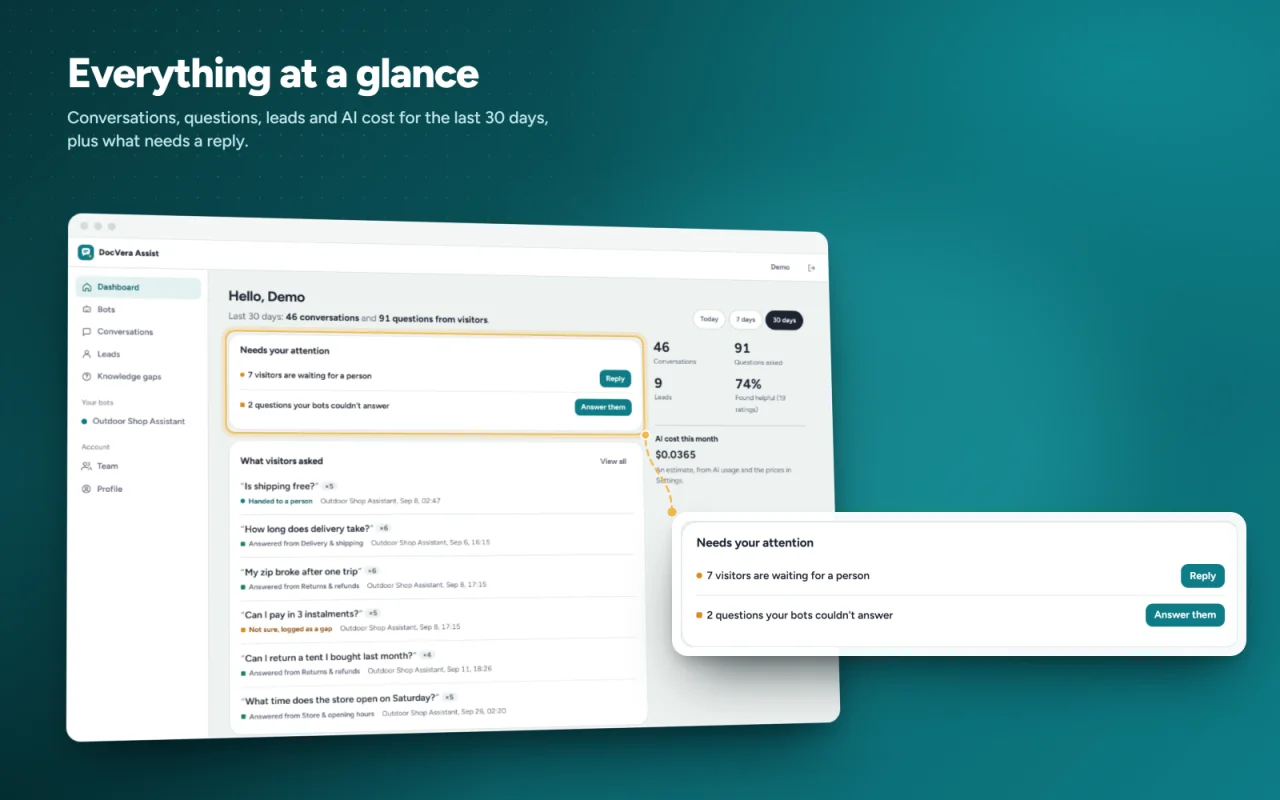
Dashboard and conversations
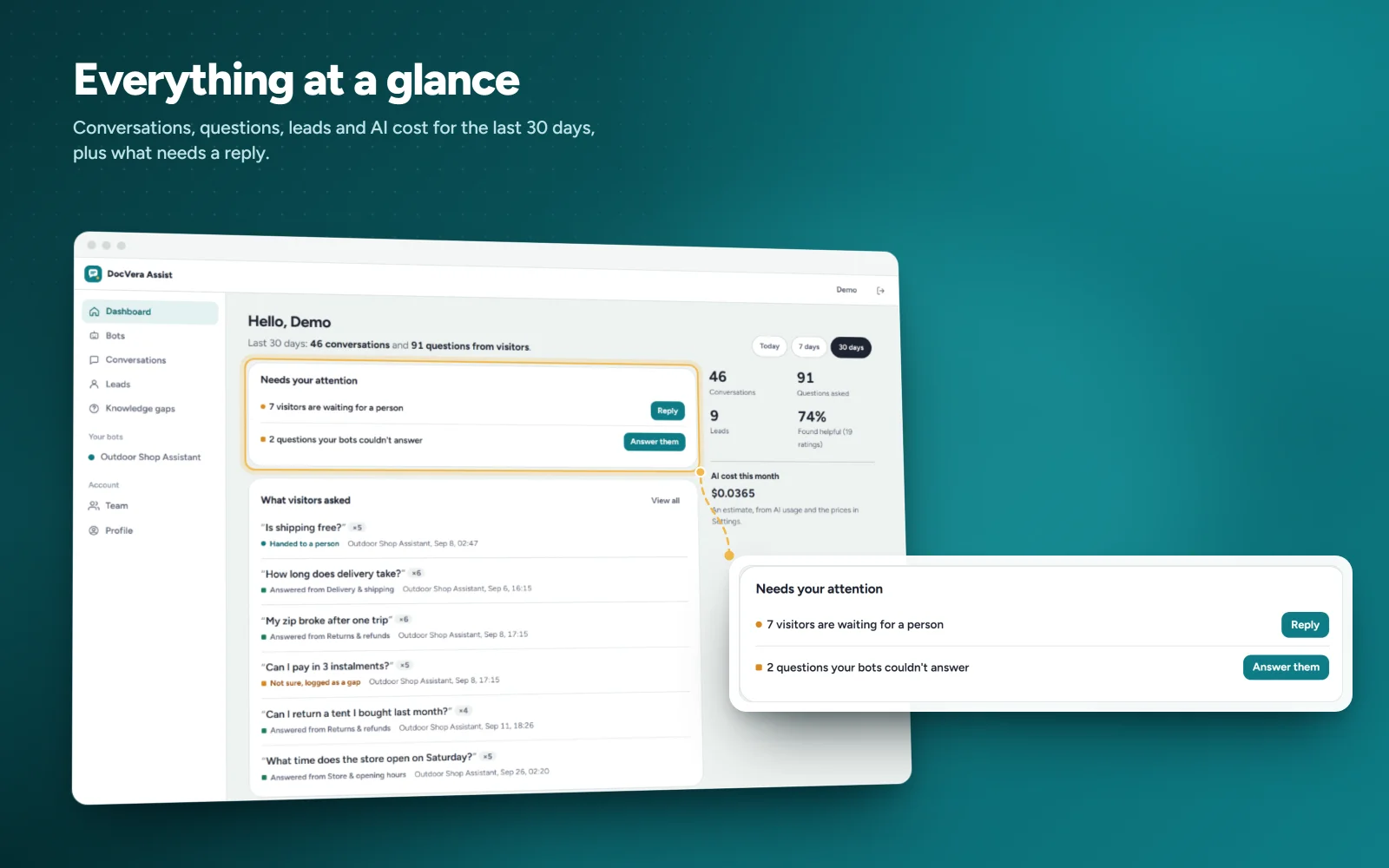
- Recent questions and what happened to each one
- Conversations, leads, helpful rate and estimated AI cost
- 30-day chart
- Search and filter all chats, export to CSV
AI providers
- OpenAI, Anthropic Claude, Google Gemini, Groq / OpenAI-compatible, Ollama (local)
- Demo AI with no API calls
- Different provider and model per bot
- Use your own API keys for everyone, or let users bring their own
Users, team and limits (SaaS-ready)
- Super admin, user and agent roles
- Each user sees only their own bots and data
- Per-user limits: bots, pages, messages per month, AI spend per month
- Invite team agents to handle chats and leads
- Optional self-registration
- Sign in as a user for support (logged)
- Audit log
Developer REST API
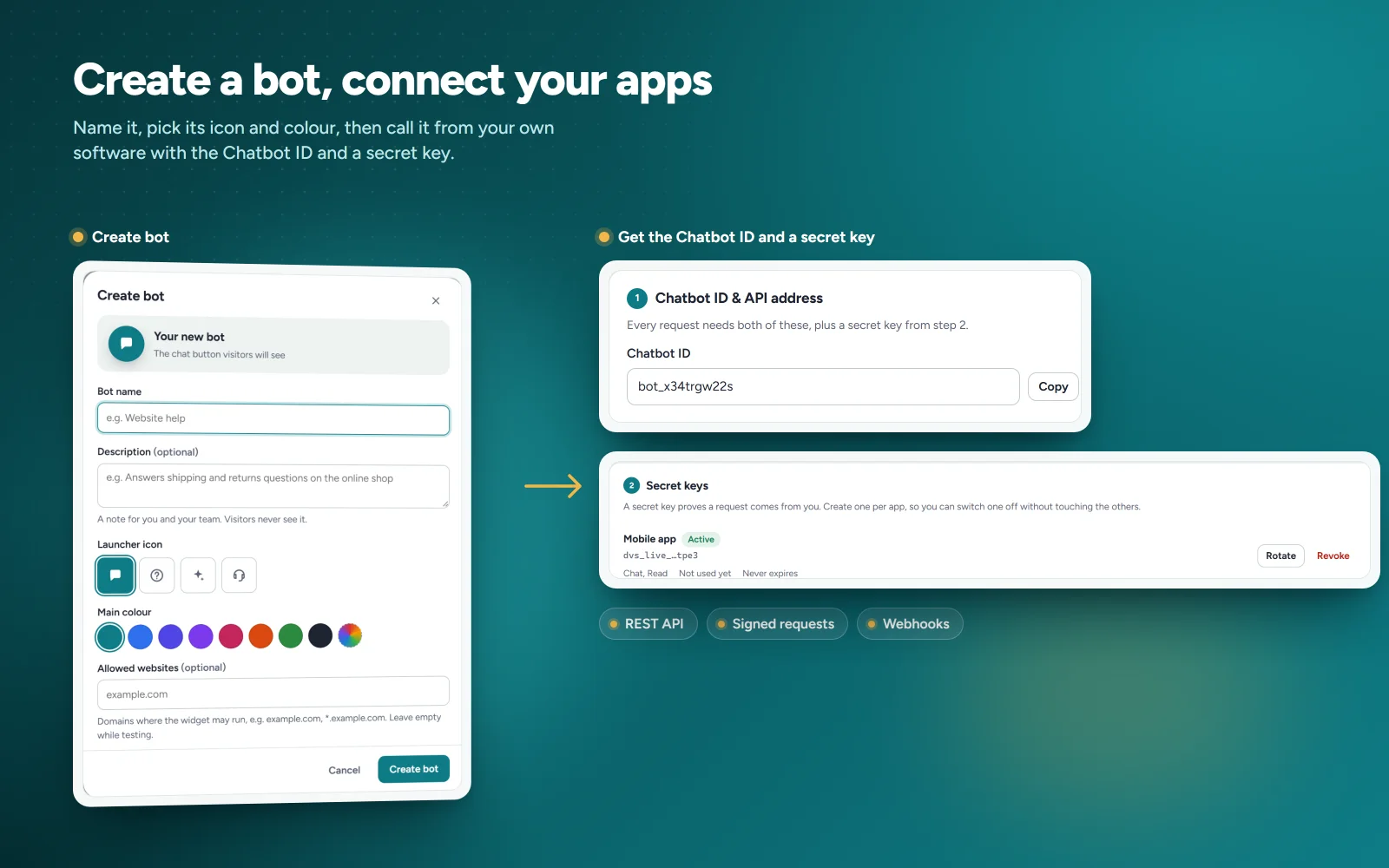
- Chatbot ID and Chatbot Secret per bot
- Scopes, expiry, key rotation and optional HMAC signing
- Signed webhooks and a log of recent calls
- OpenAPI 3.1 file and Postman collection included
Security and privacy
- API keys and secrets stored encrypted
- CSRF protection, bcrypt passwords, login lockout
- Rate limits and monthly spending caps
- Emergency stop to pause all bots at once
- No visitor IP addresses stored and no cookies set on visitors
- Visitors can delete their own chat, plus automatic chat retention
Other
- Admin in English, Spanish and French
- SMTP email settings
- Optional cron job for re-crawls and cleanup
- Demo mode with sample data
- Docker and Render.com files included
$ 0
- Verified source code
- Join 35204+ buyers which trust us!
- Download code immediately

100% Guarantee For Item!
Satisfaction guarantee policy.
Satisfaction guarantee policy.
Information
| Category | Scripts & Code / PHP Scripts |
| First Release | 15 October 2026 |
| Files included | .php, .html, .css, .cs, .c |
| Software version | PHP 7.4 |
| File Size | 4 MB |
| Database version | MySQL 5.x |
| Frameworks | PHP Scripts |
Similar Items