
 Spotlight
Weather
$20


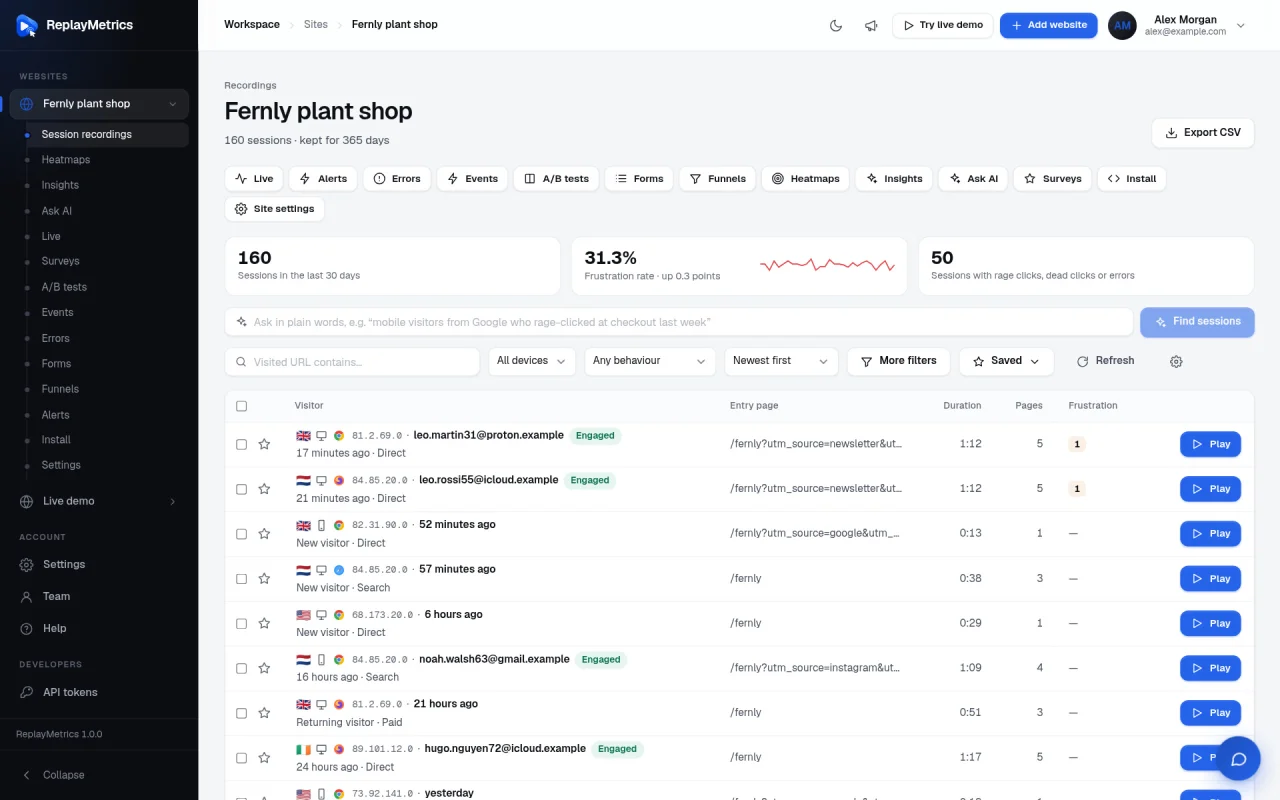
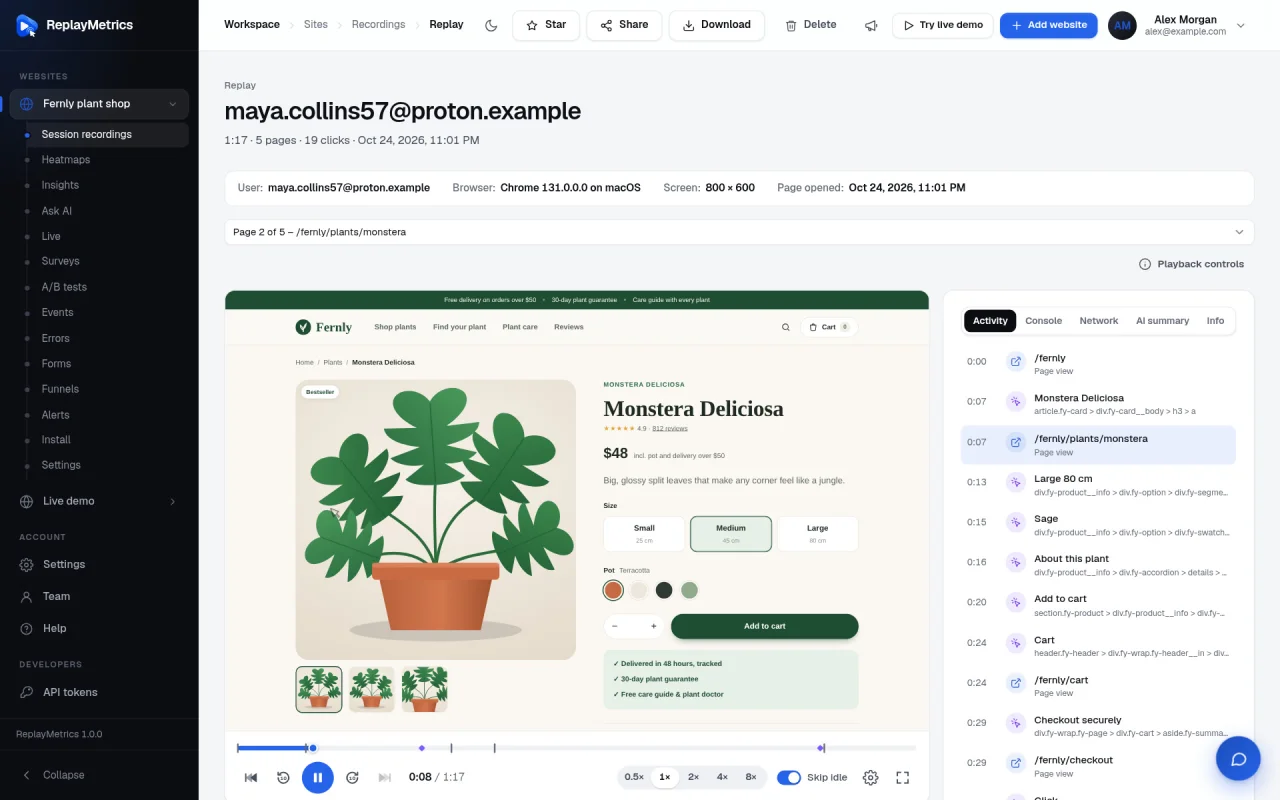
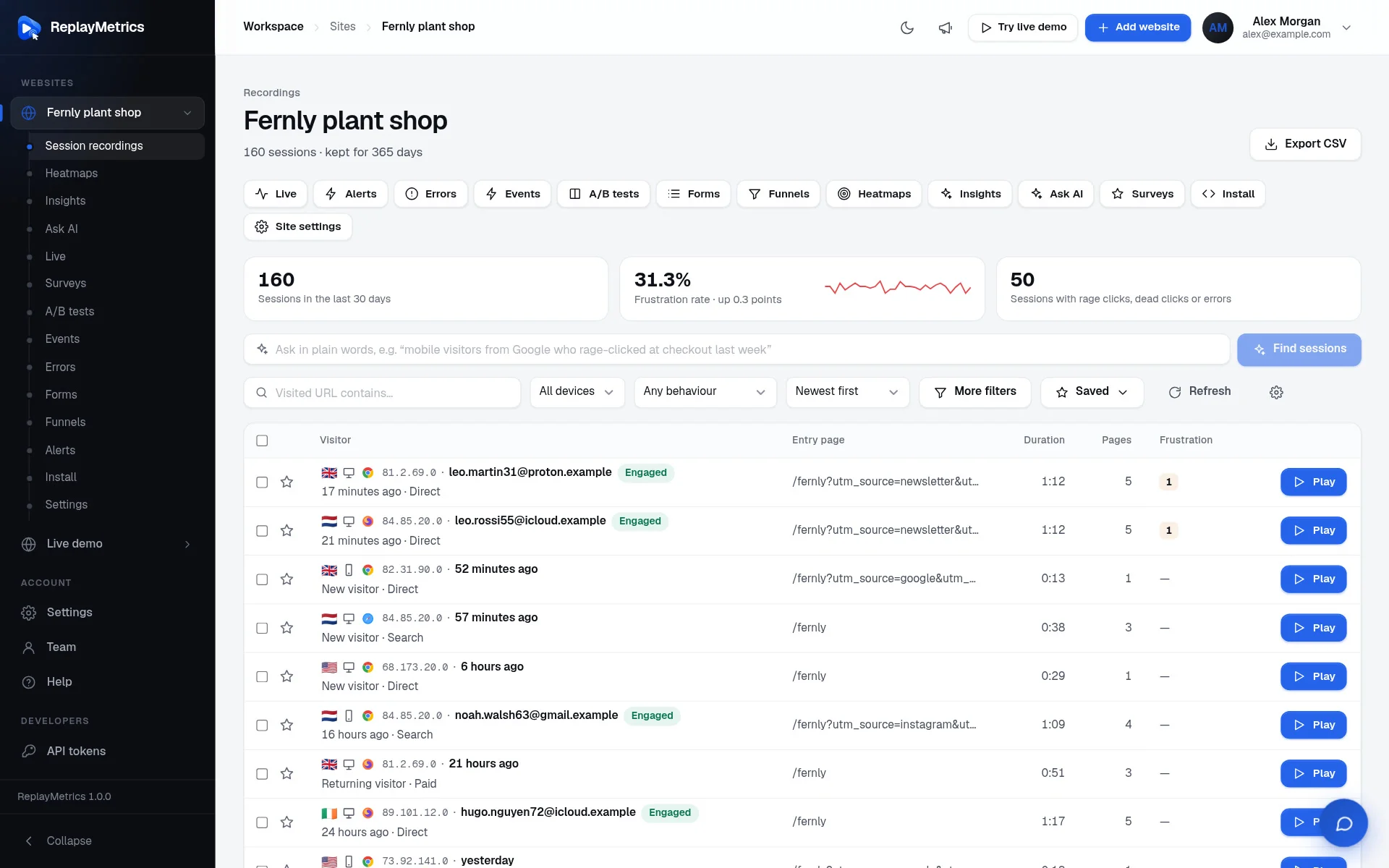
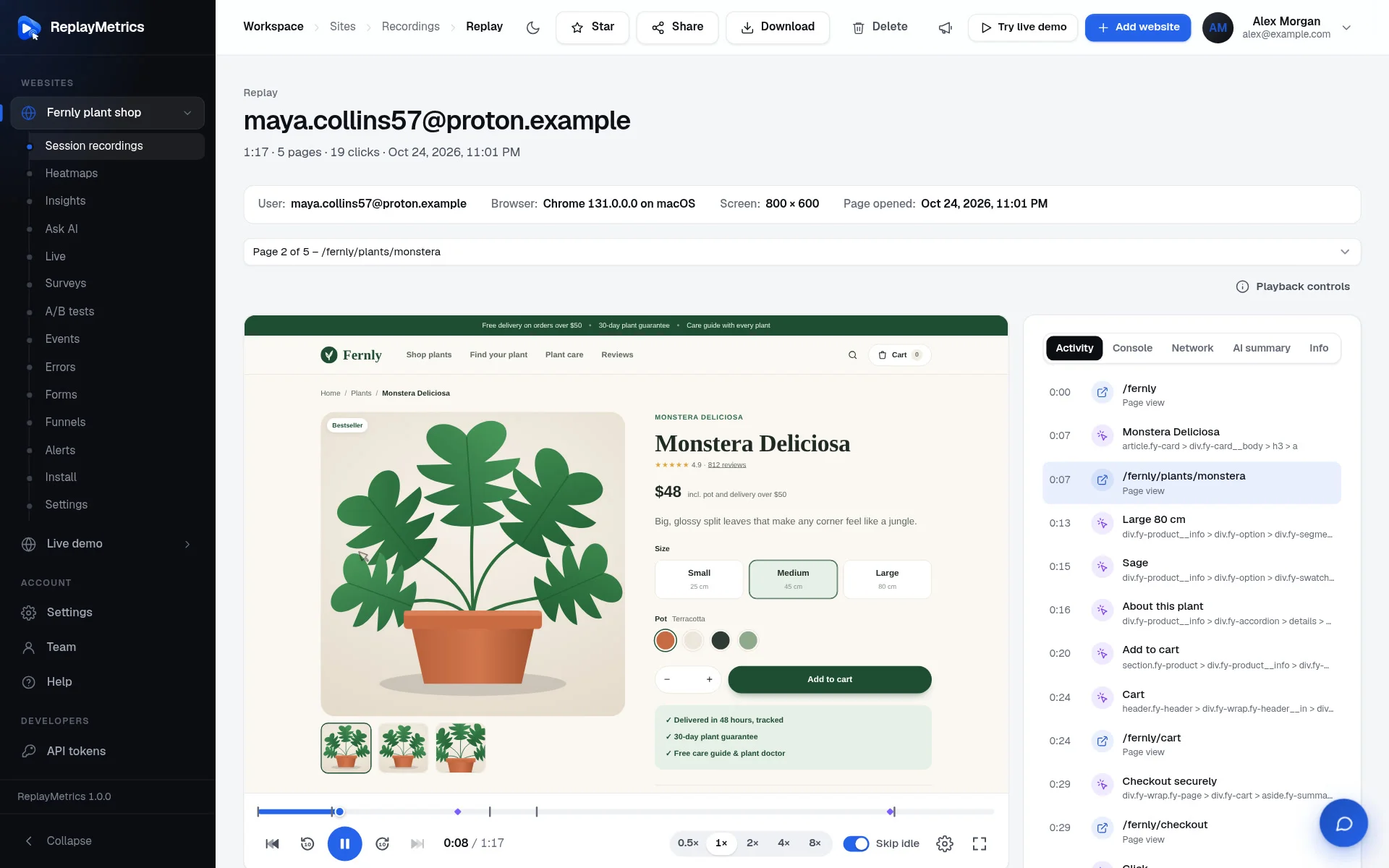
ReplayMetrics records what visitors do on your website (every page, scroll, click and form field) and plays it back like a video.
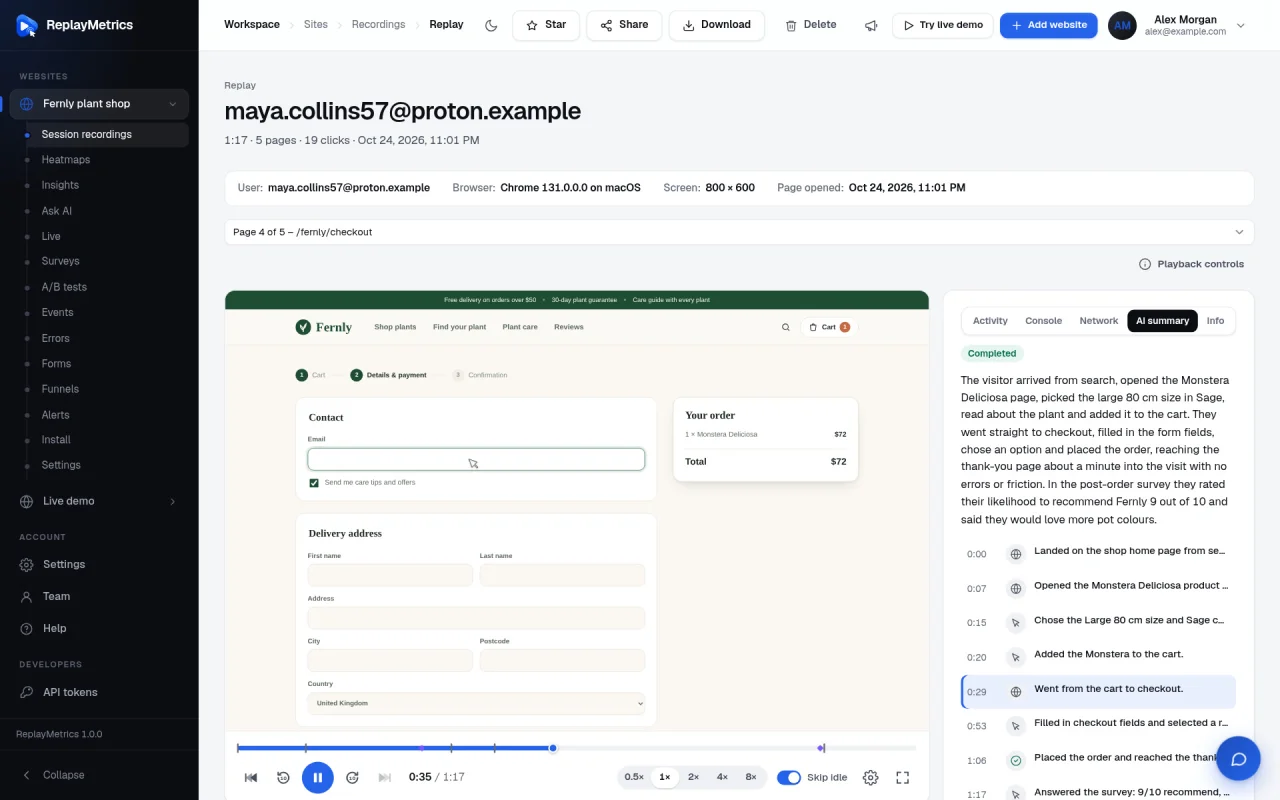
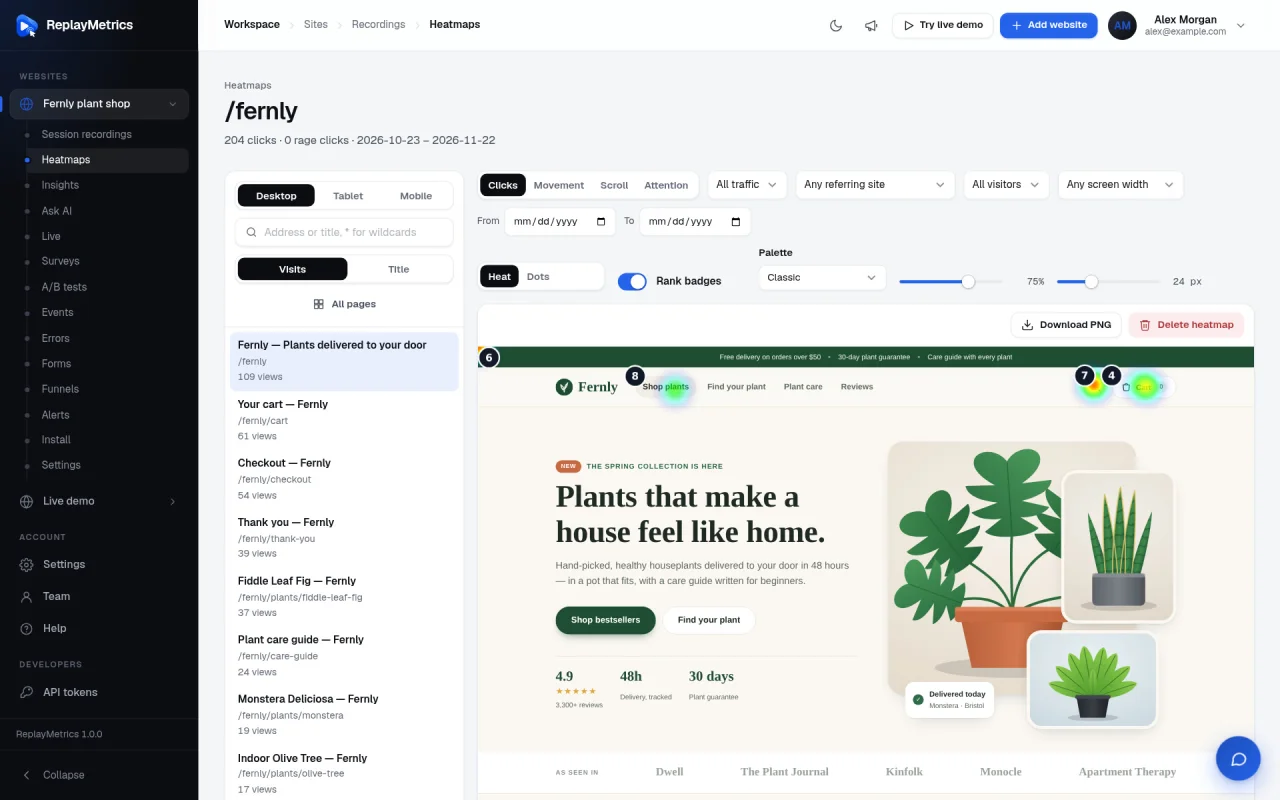
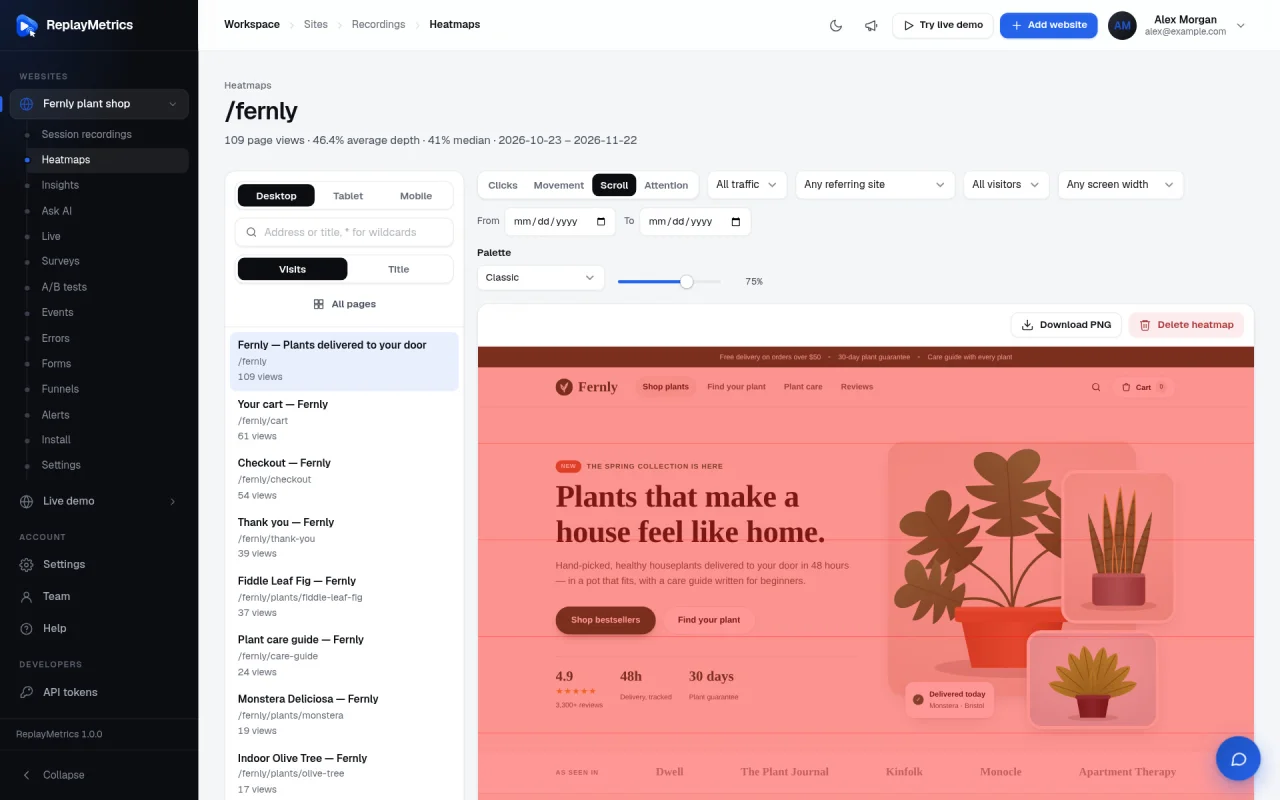
ReplayMetrics records what visitors do on your website (every page, scroll, click and form field) and plays it back like a video. Add one line of code to your site and see why people leave, where they get stuck and what makes them buy. Heatmaps, funnels, form analytics, error tracking, surveys, A/B tests and AI summaries are included.
Everything runs on your own server: the recordings never leave it, there are no monthly fees per session, and you decide how long data is kept.
__sr.push(['event', 'order_placed']))php artisan replaymetrics:install)php artisan queue:work) and a cron entry for the schedulerRecord website visitor sessions
Watch visitor activity in real time or through recordings
Mouse movements and click tracking
Scroll behavior tracking
Keyboard interaction tracking with sensitive-data masking
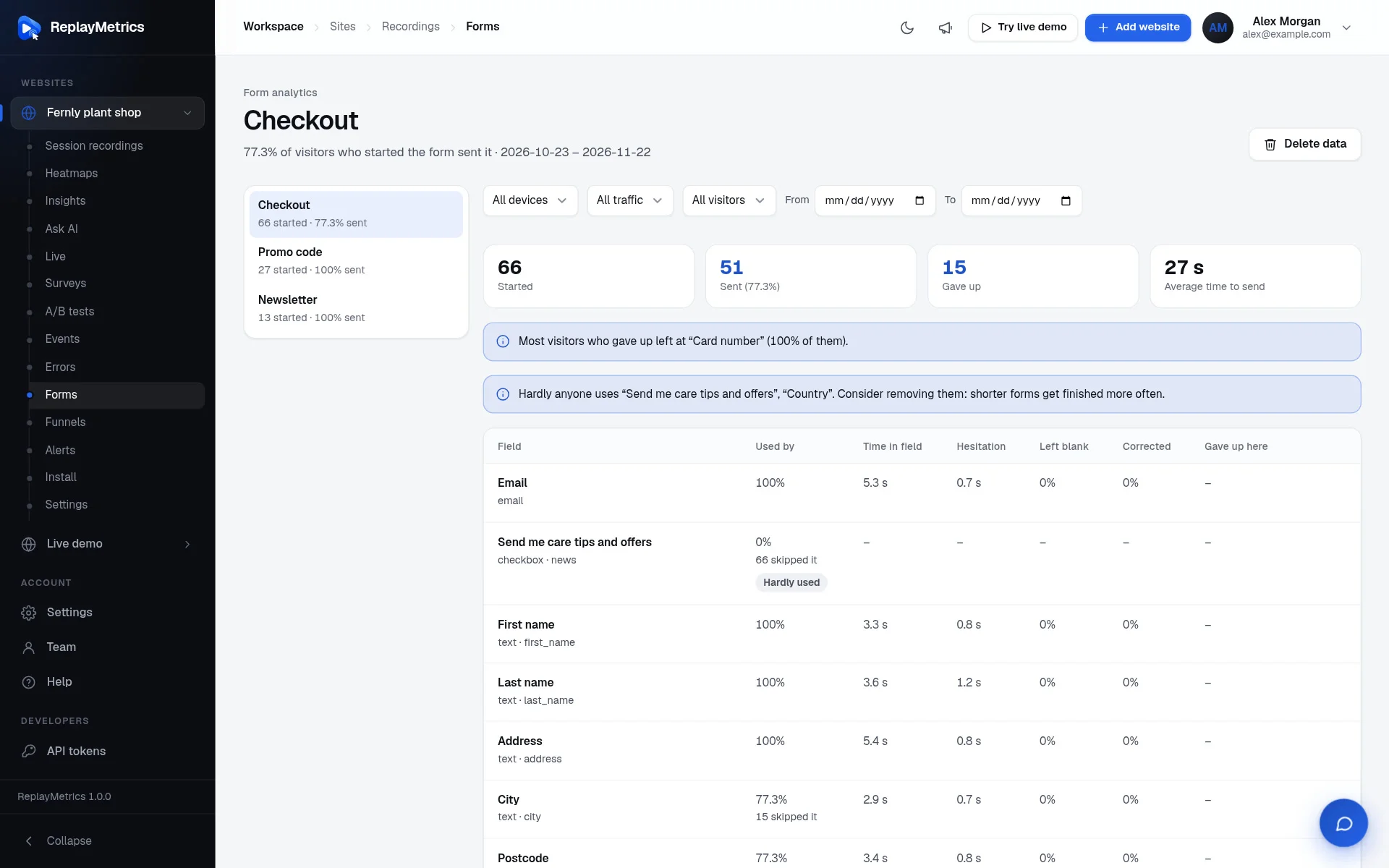
Form interaction tracking
Page navigation recording
Full session timeline
Playback speed controls (1×, 2×, 4×, 8×)
Pause, rewind, and skip inactivity
Filter and search recordings
Device and browser information
Session duration and activity statistics
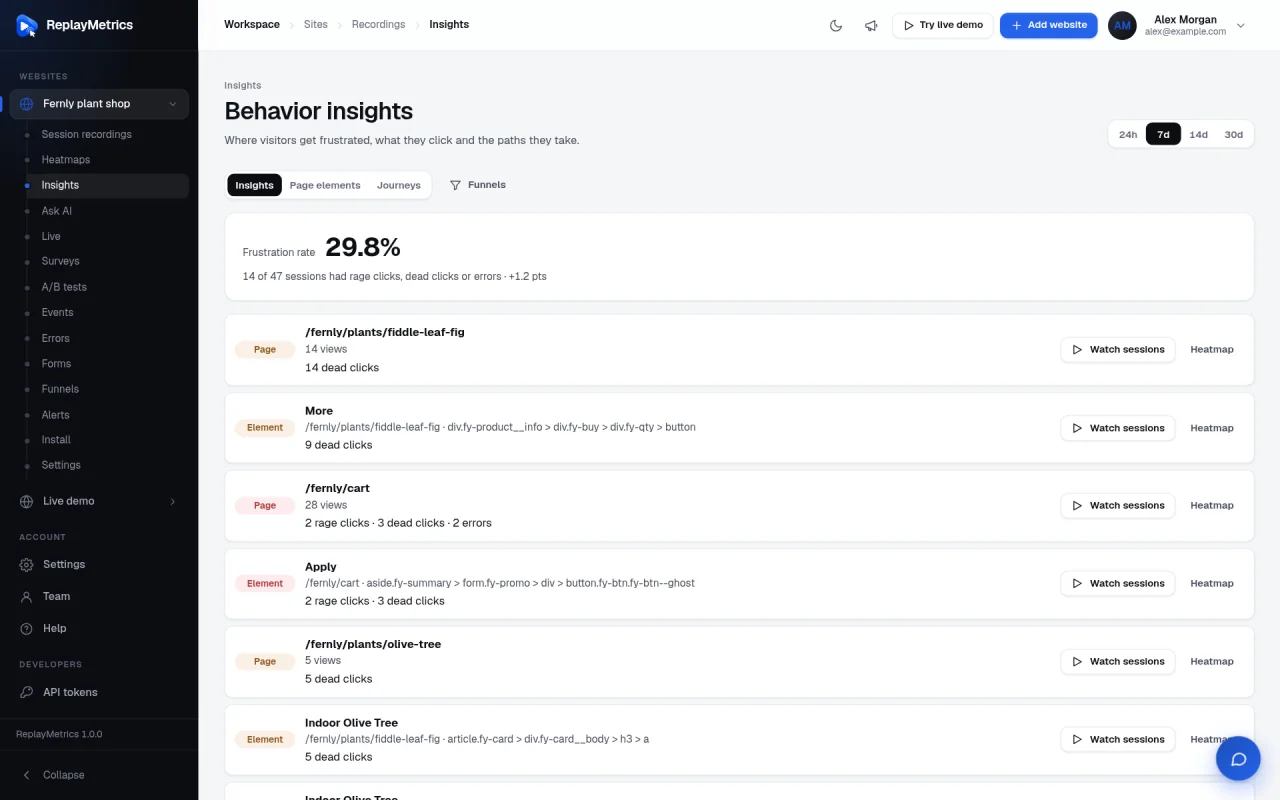
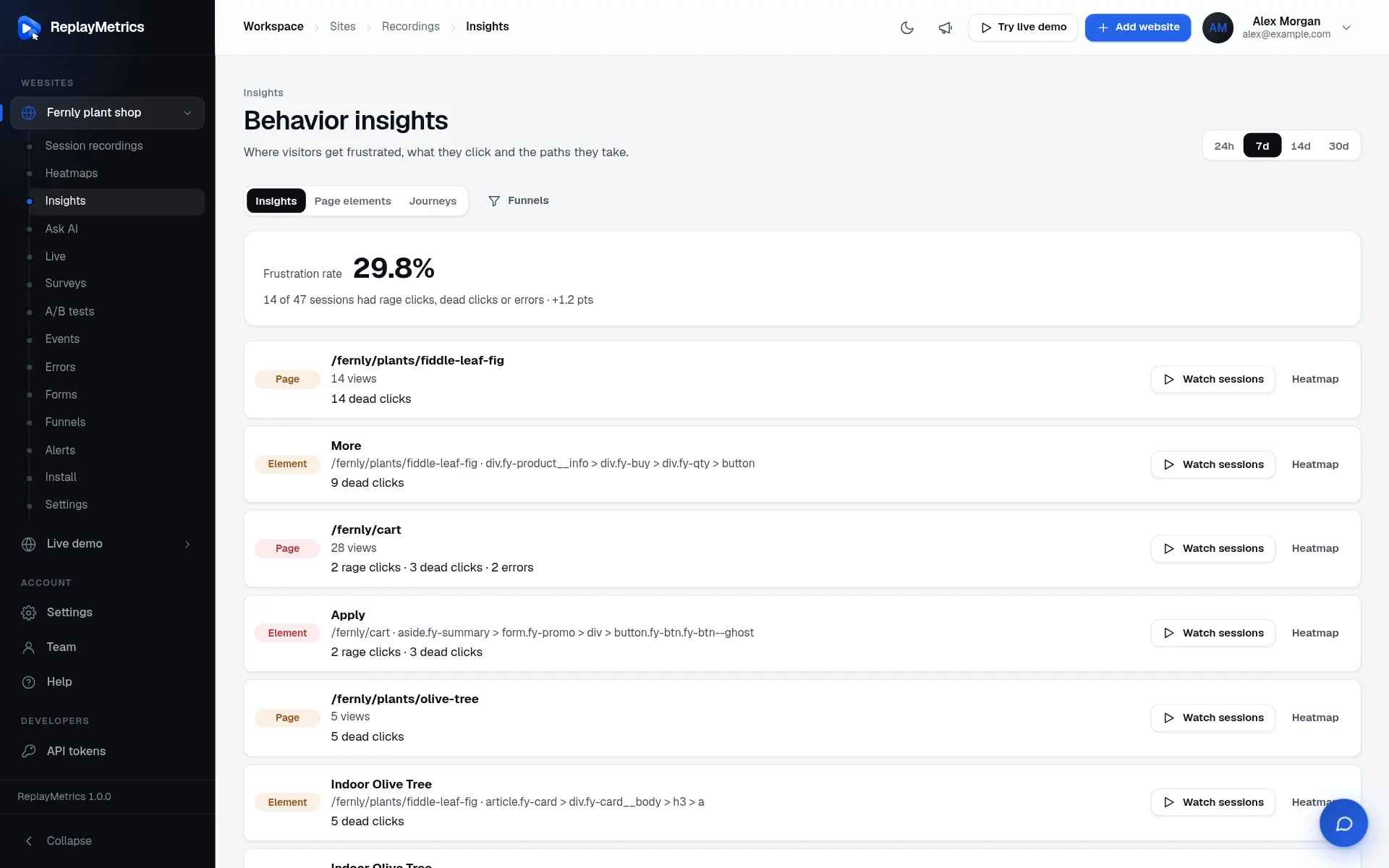
Identify rage clicks and dead clicks
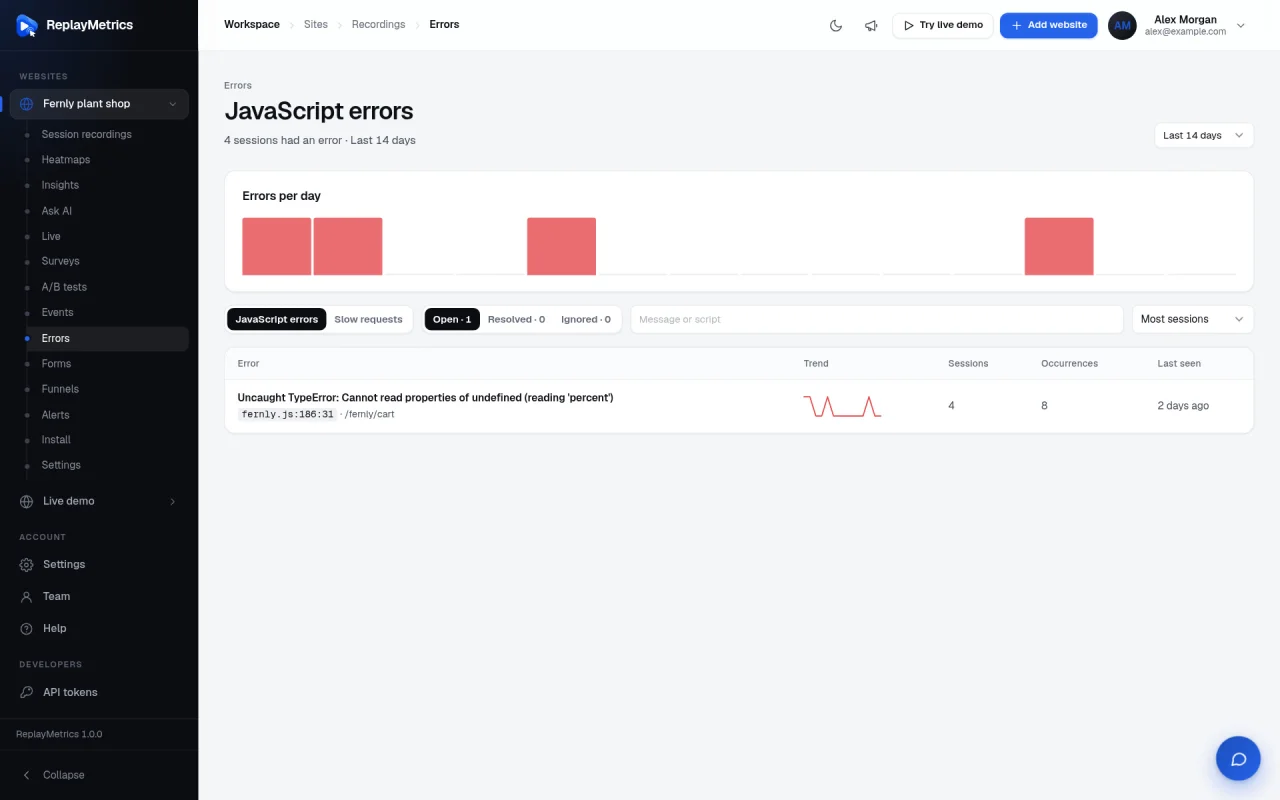
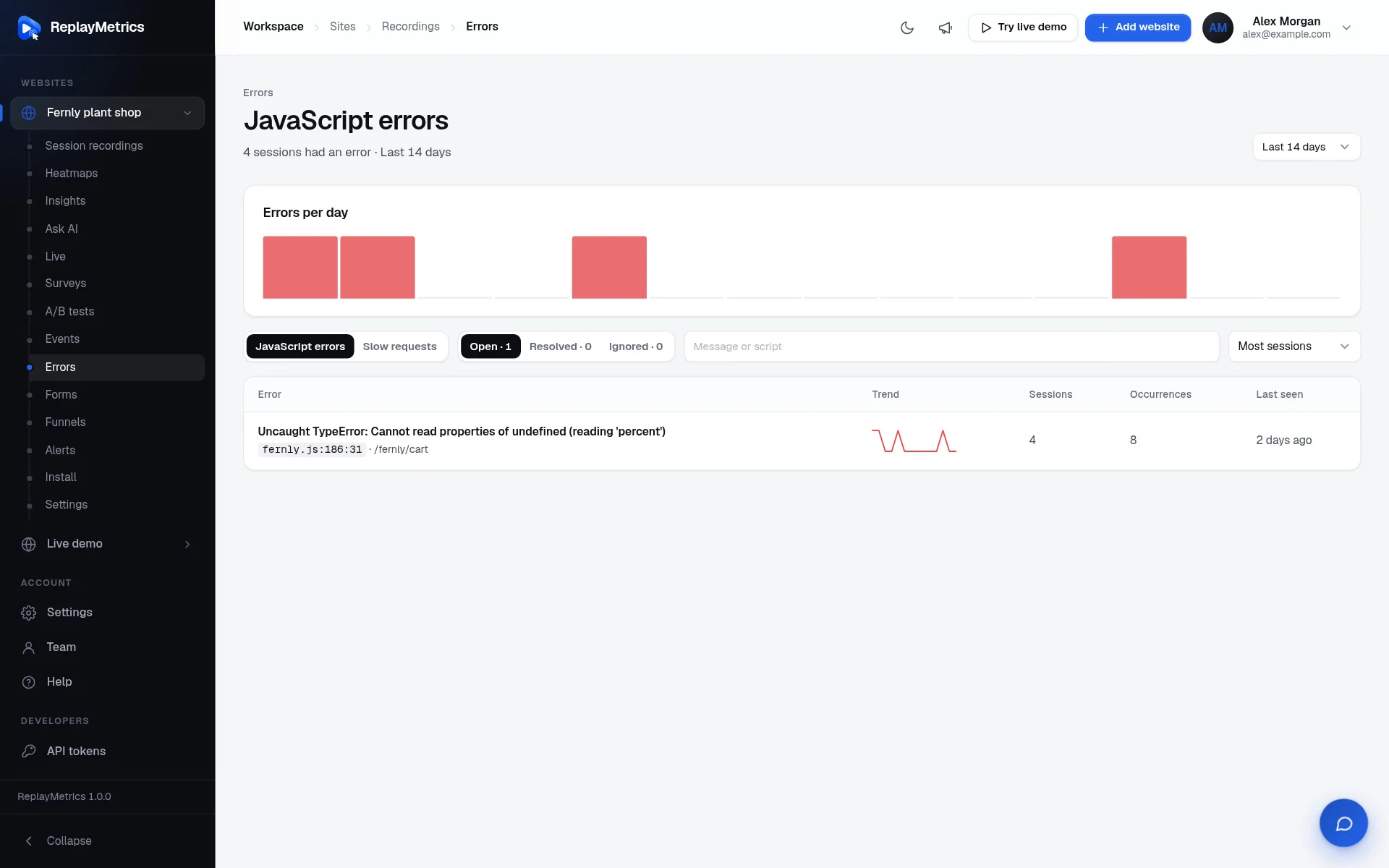
JavaScript error tracking
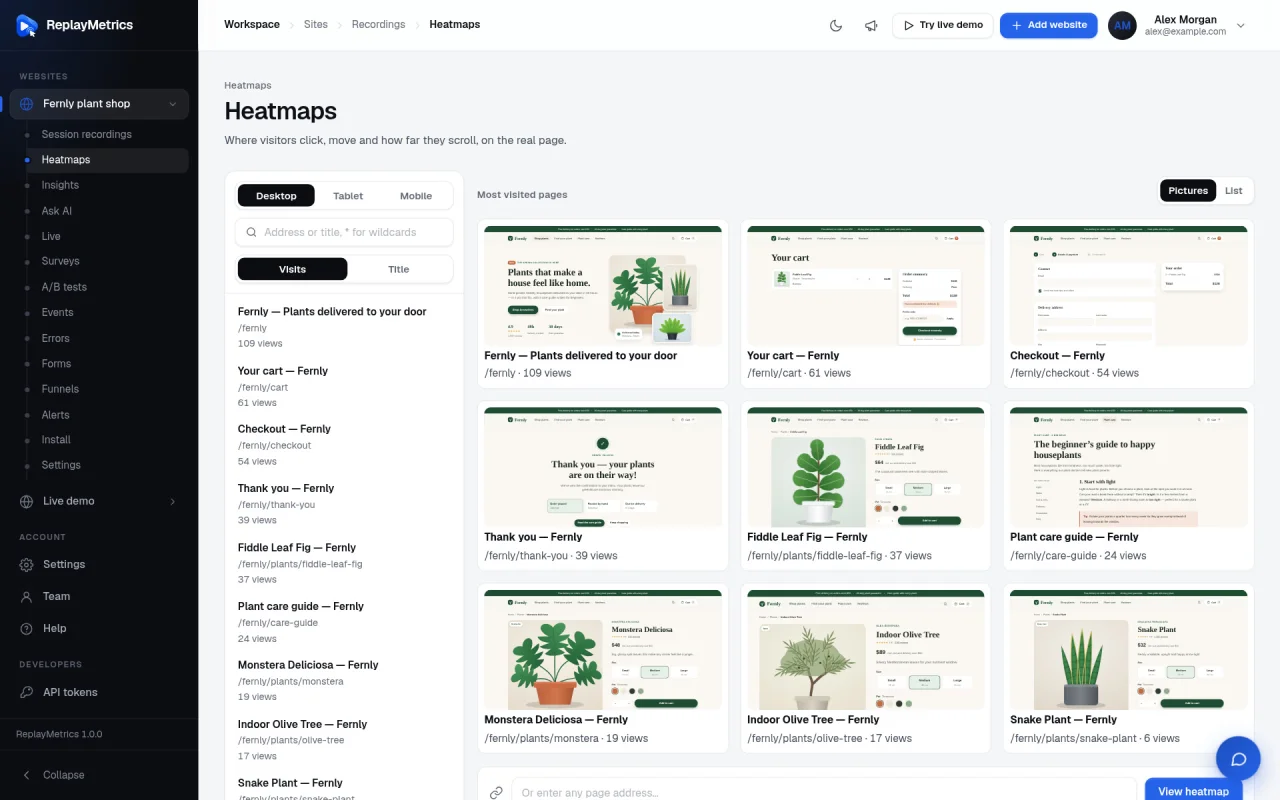
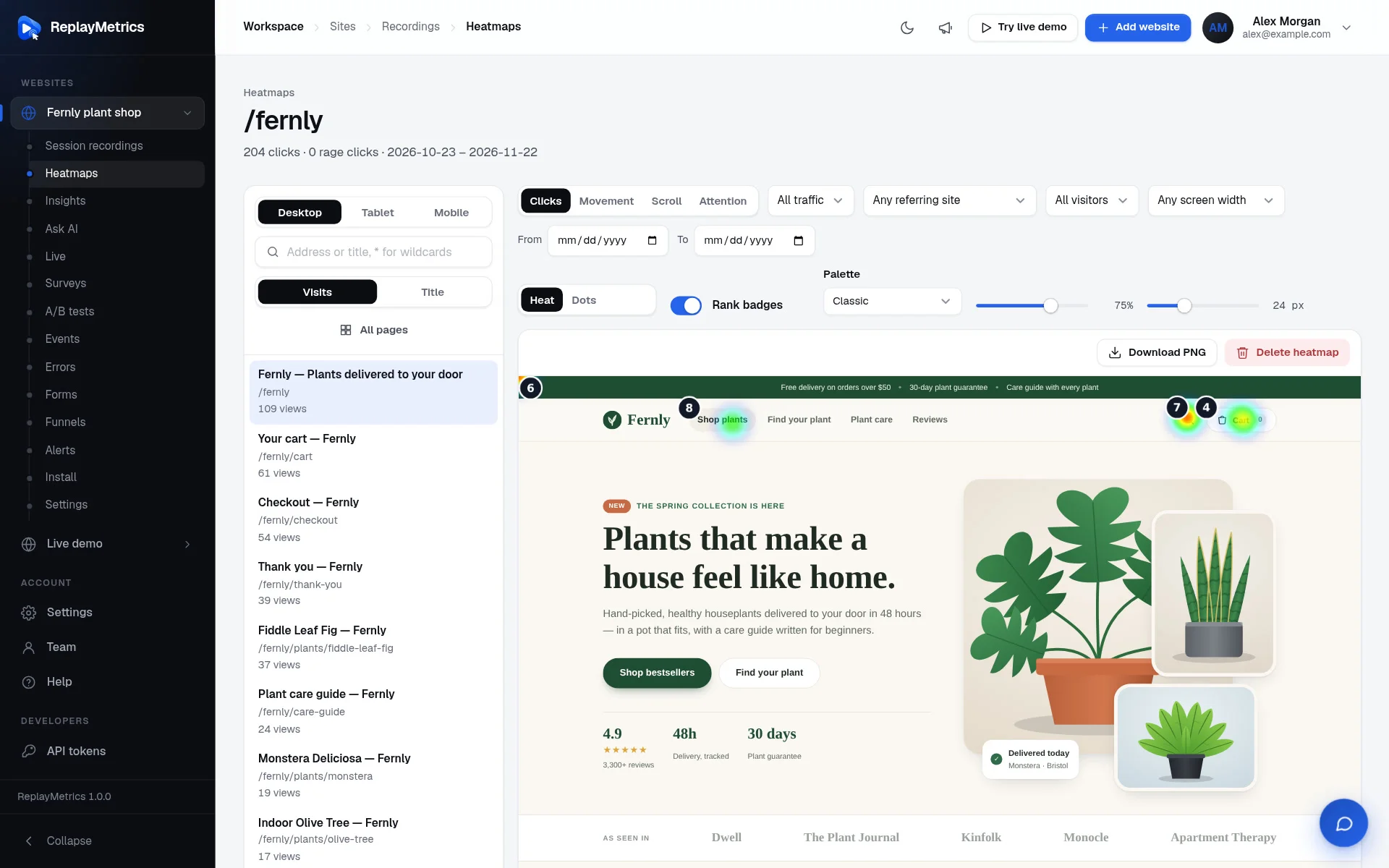
Click heatmaps
Mouse movement heatmaps
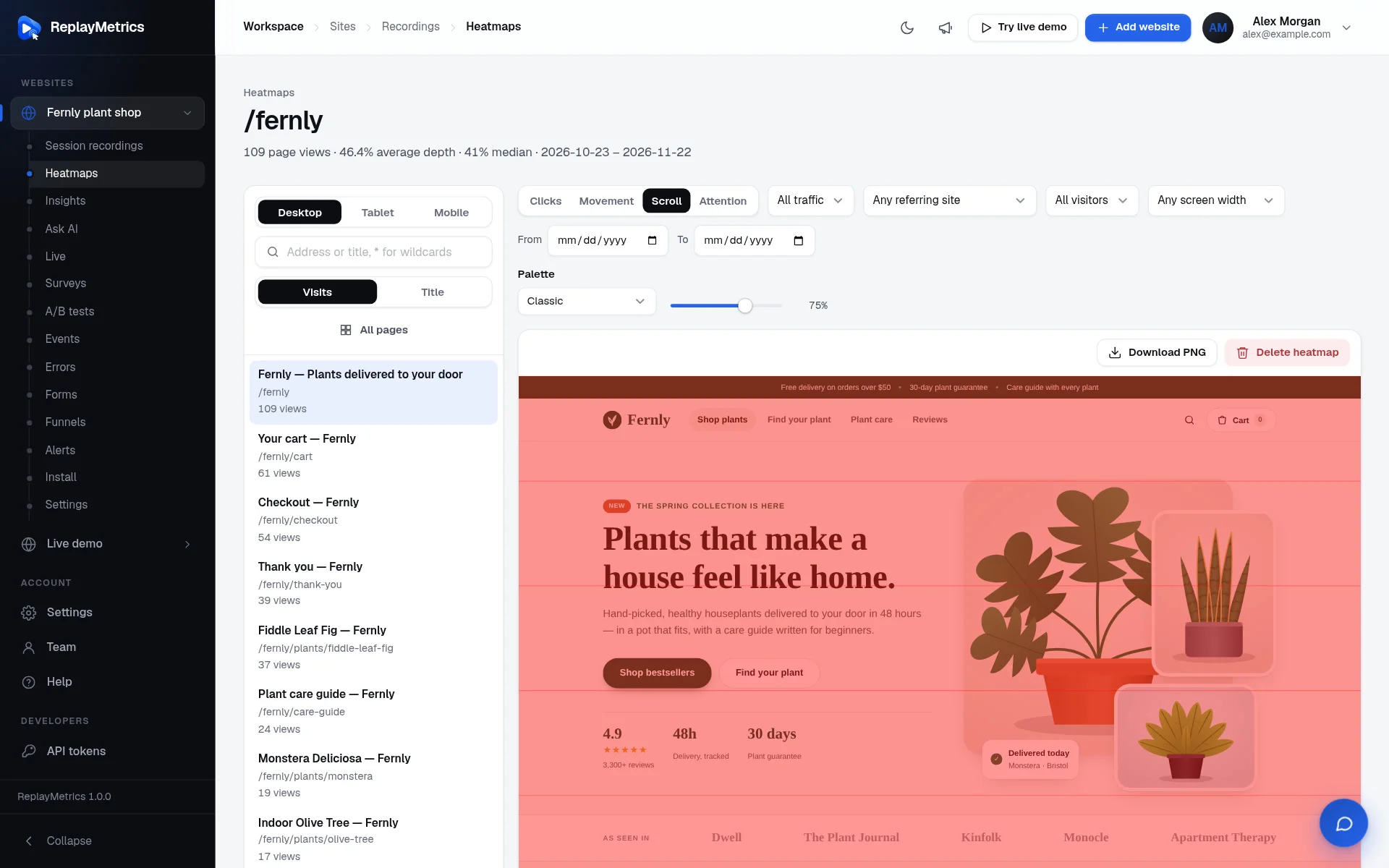
Scroll depth heatmaps
Attention heatmaps
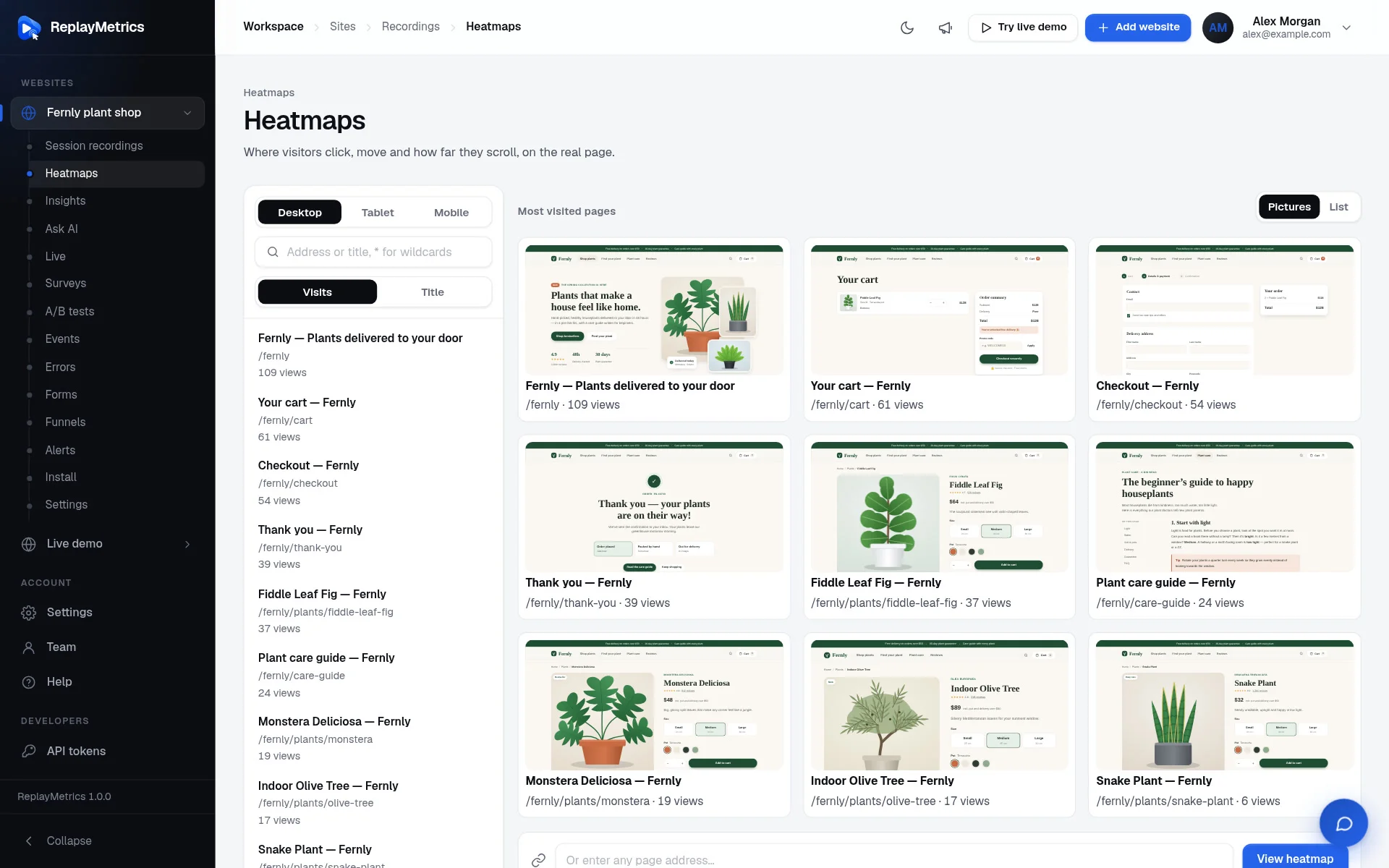
Desktop, tablet, and mobile heatmaps
Page-specific heatmaps
Heatmap overlays
Identify popular and ignored elements
Understand visitor engagement
Heatmap filtering by date and device
Real-time visitor monitoring
Total visitors and page views
Unique visitors
Sessions and engagement metrics
Bounce rate
Average session duration
Traffic sources and referrals
Geographic visitor analytics
Device and browser analytics
Operating system statistics
Most visited pages
Entry and exit pages
New vs. returning visitors
UTM campaign tracking
Traffic trends and historical reports
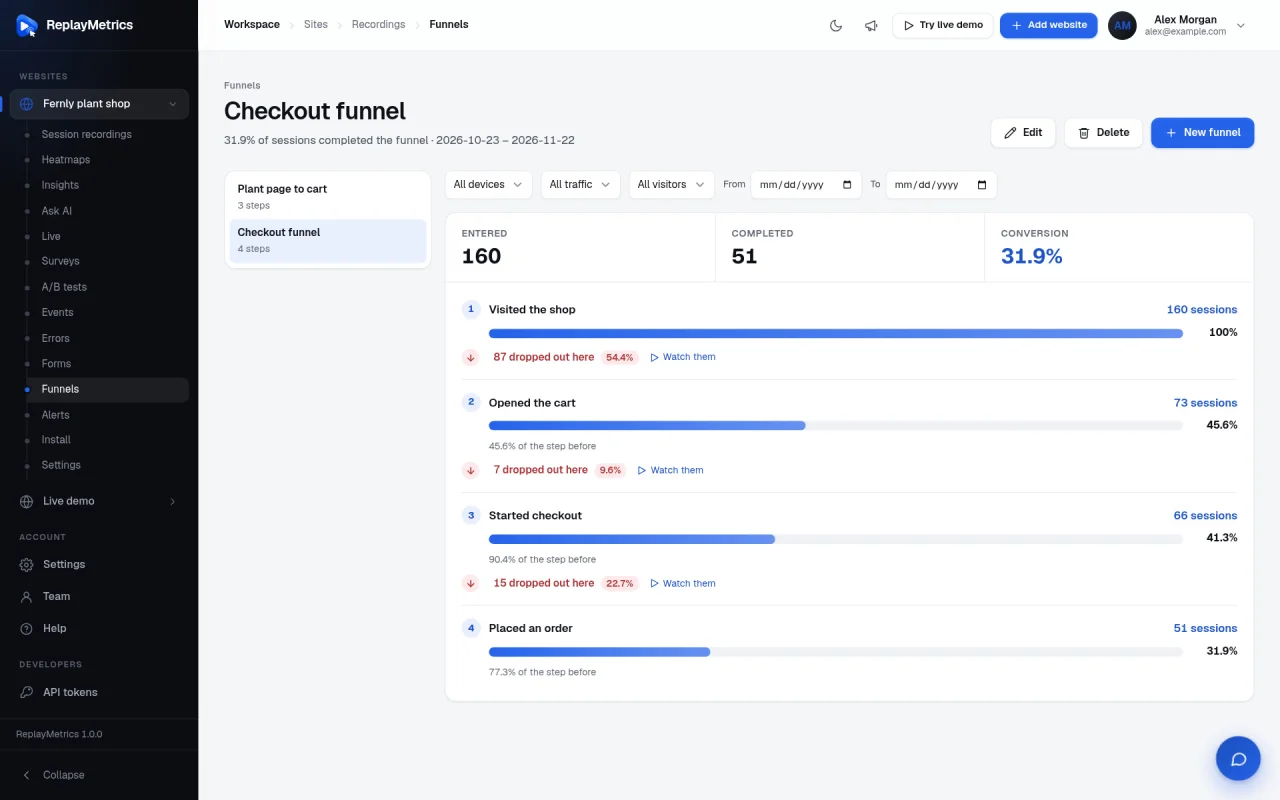
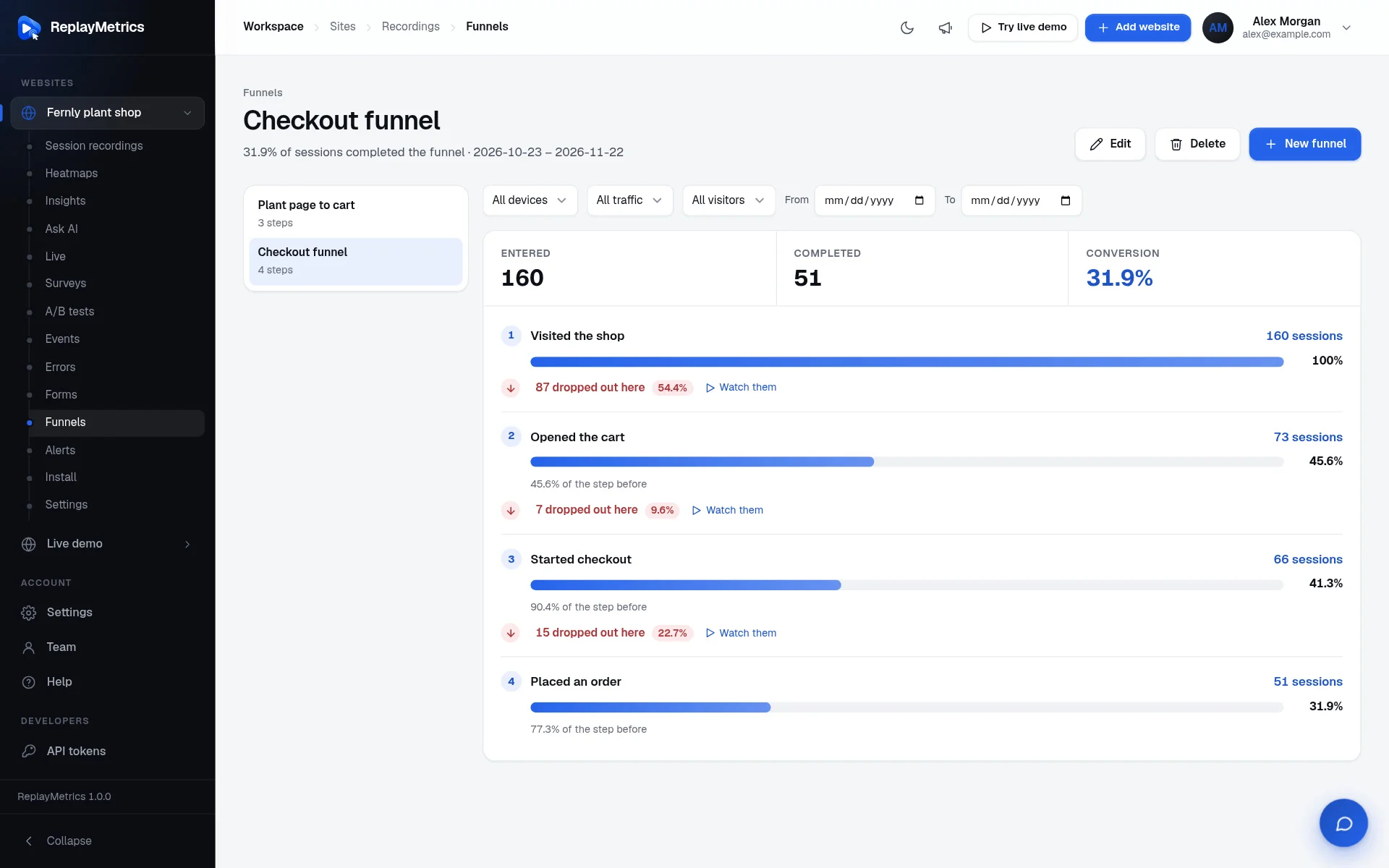
Custom conversion funnels
Multi-step funnel tracking
Conversion and abandonment rates
Funnel drop-off analysis
Identify conversion bottlenecks
Segment funnels by device and traffic source
Compare funnel performance
Watch recordings of users who abandoned a funnel
Track user journeys before conversion
Create A/B experiments
Compare website variations
Split traffic between variants
Configure experiment goals
Track conversion performance
Variant performance reports
Experiment audience targeting
Statistical analysis of results
Compare engagement and conversion rates
Experiment management dashboard
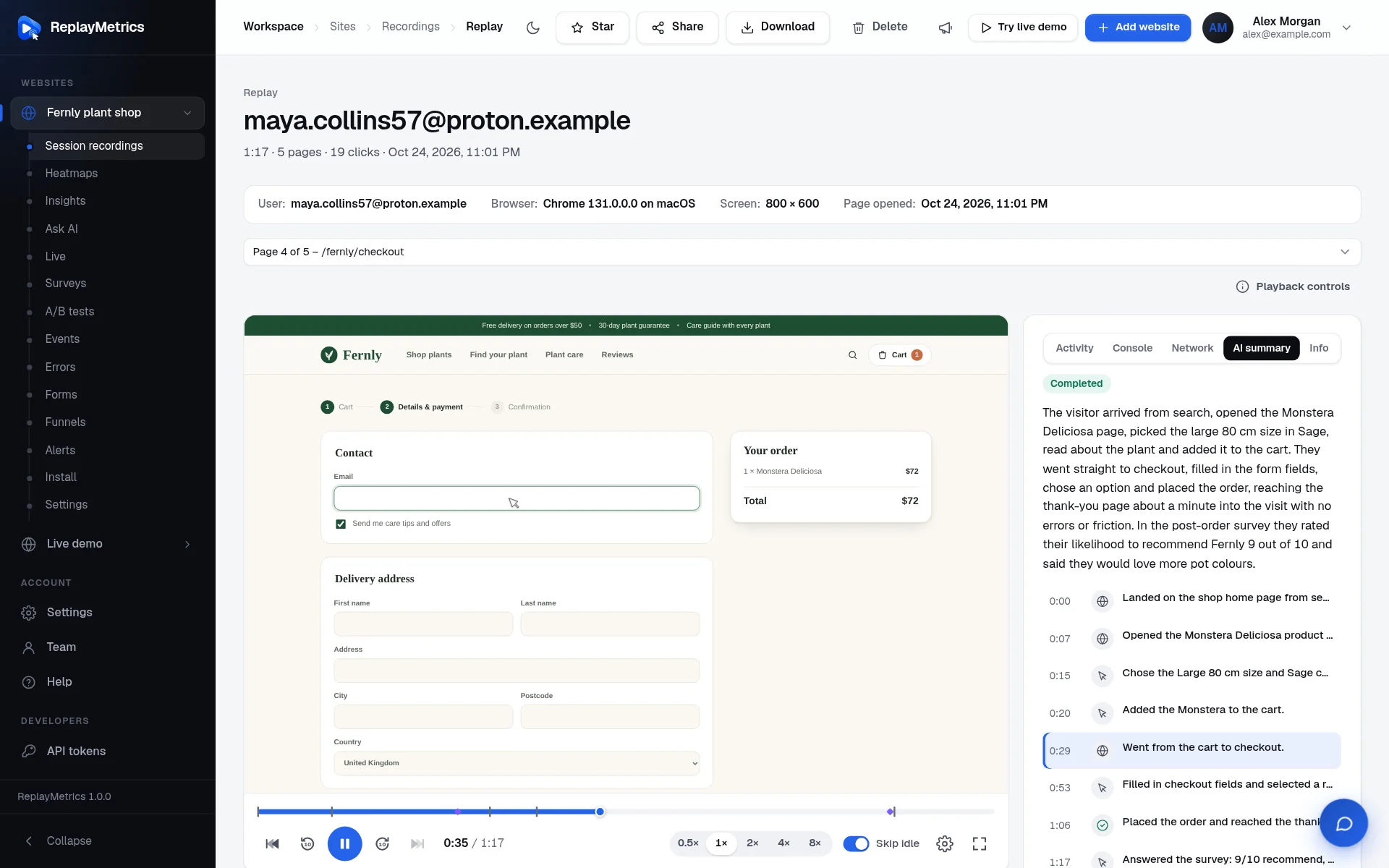
AI analysis of visitor behavior
Automatic identification of usability problems
AI session summaries
Detect unusual user behavior
AI-powered conversion recommendations
Analyze rage clicks and dead clicks
Identify friction points
AI-generated website improvement suggestions
Funnel optimization recommendations
Natural-language analytics insights
User journey tracking
Click event tracking
Scroll depth analytics
Custom event tracking
Page engagement analysis
Interaction timelines
Navigation path analysis
Returning visitor behavior
Session activity scoring
Behavioral segmentation
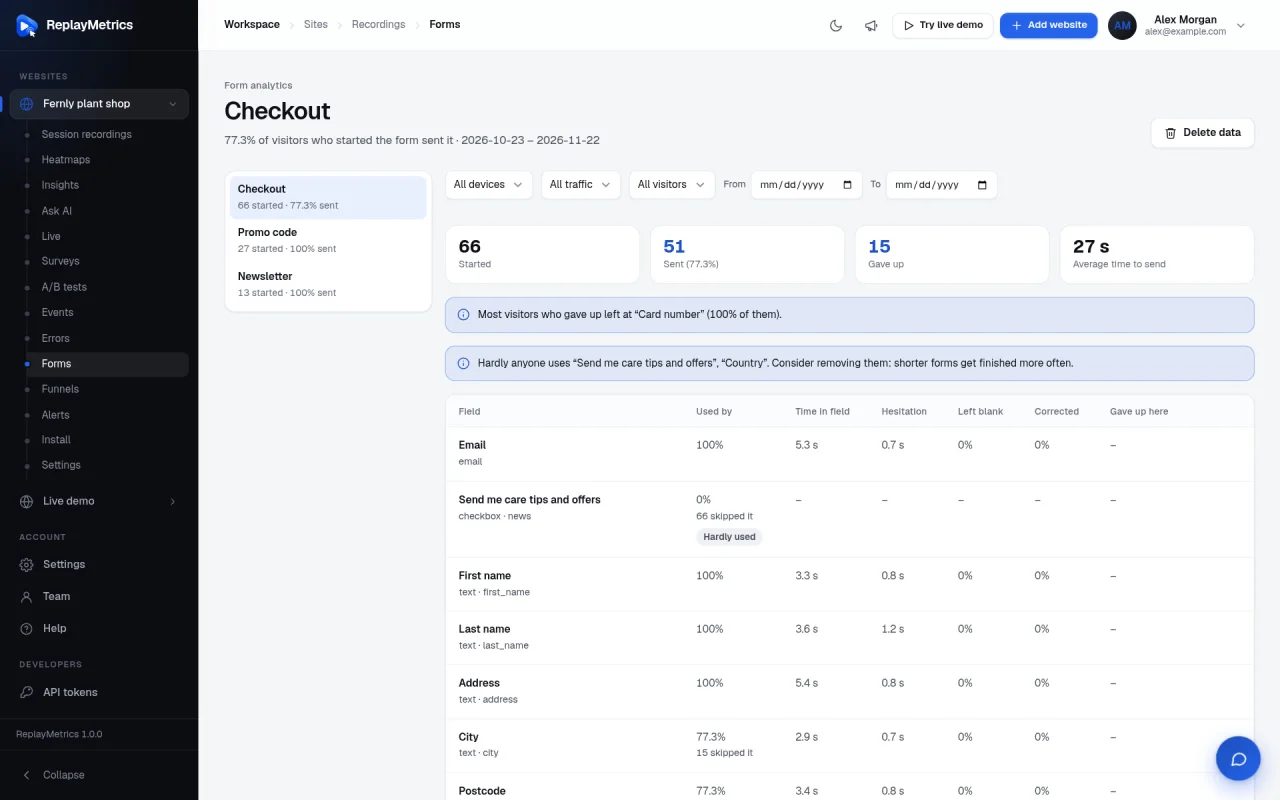
Form interaction monitoring
Field engagement tracking
Form abandonment analysis
Form completion rates
Identify problematic form fields
Form submission tracking
Sensitive input masking
Filter by country and location
Filter by device type
Filter by browser and operating system
Traffic source filtering
Date and time filtering
Session duration filtering
Page URL filtering
Conversion-based segmentation
Custom event filtering
Segment recorded sessions
Analytics overview dashboard
Real-time metrics
Interactive charts
Website performance summaries
Session recording statistics
Heatmap reports
Conversion reports
A/B testing results
Historical data comparisons
Custom date ranges
Multiple website dashboards
Track multiple websites
Individual tracking codes
Project-specific analytics
Website settings
Tracking configuration
Session sampling controls
Data retention configuration
Recording exclusions
Self-hosted data storage
Sensitive information masking
Password and payment field protection
Tracking consent integration
Configurable data retention
Visitor privacy controls
Session exclusion rules
Access permissions
Data deletion options
Self-hosted installation
Standalone single-business deployment
Multi-tenant SaaS architecture
Multiple customer accounts
Subscription plan management
Usage limits and quotas
Workspace management
User roles and permissions
Administrator dashboard
Plan-based feature access
JavaScript website tracking snippet
Custom event tracking API
REST API integration
Webhook support
SPA navigation tracking
Integration with custom websites
Developer tracking configuration
Asynchronous event collection
Multilingual dashboard
13-language support
Responsive dashboard
Modern analytics interface
Dark and light themes
Advanced search and filtering
Mobile-friendly reporting interface

| Category | Scripts & Code / PHP Scripts |
| First Release | 23 November 2026 |
| Files included | .php, .html, .css, Javascript .js |
| Software version | PHP 7.4, PHP 7.4, PHP 7.4 |
| File Size | 30 MB |
| Database version | MySQL 5.x |
| Frameworks | PHP Scripts |