Pour Party | HTML5 Color Sort Game
A Complete, Production-ready HTML5 Water-sort Puzzle Game Built For Commercial Distribution. Zero External JavaScript Dependencies. Runs On Any Modern Browser Straight From A Static File Host With No Build Step Required.
Screenshots
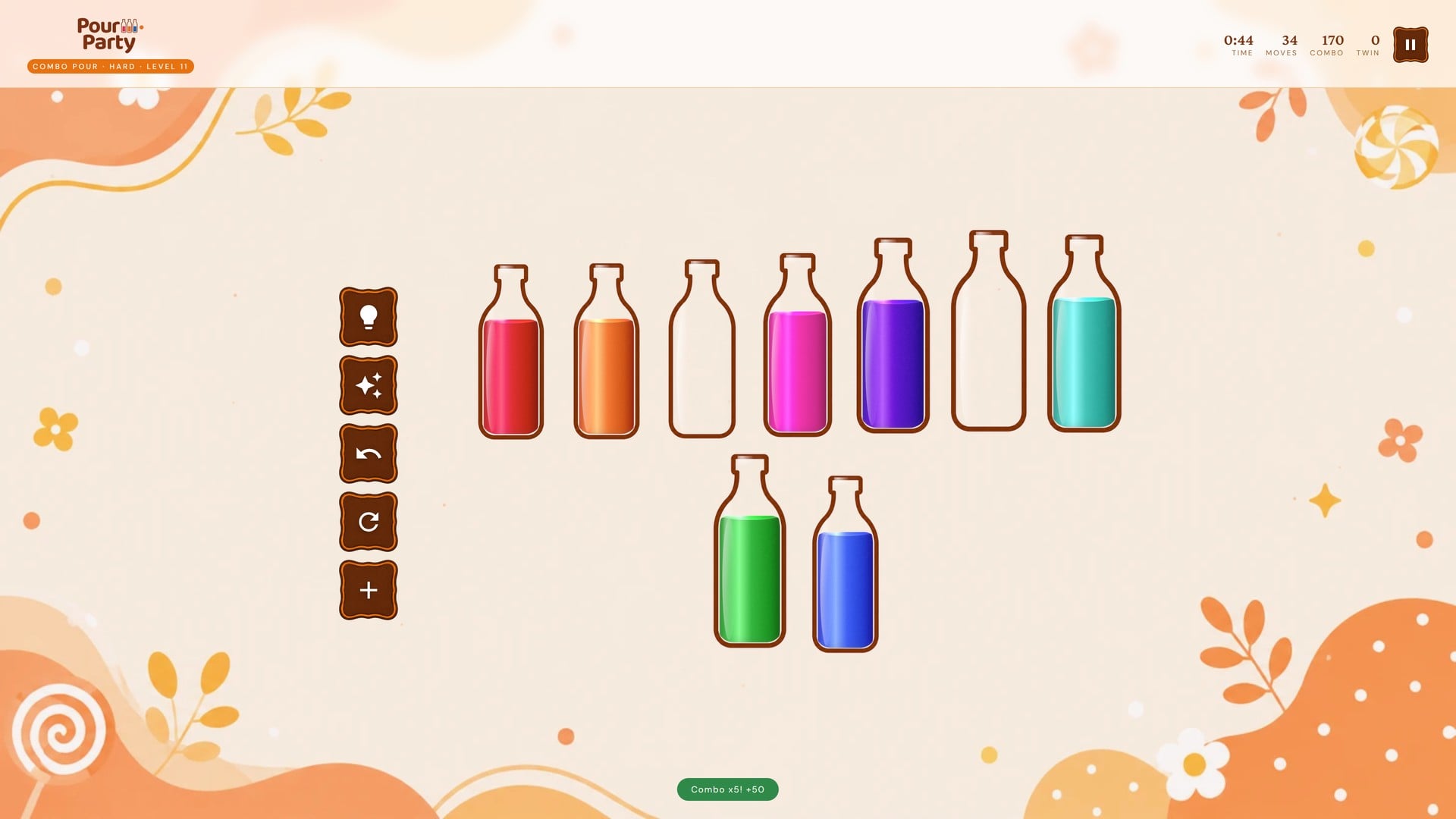
Item Description
Pour Party — Color Sort Bottle Puzzle
A complete, production-ready HTML5 water-sort puzzle game built for commercial distribution. Zero external JavaScript dependencies. Runs on any modern browser straight from a static file host with no build step required.
Overview
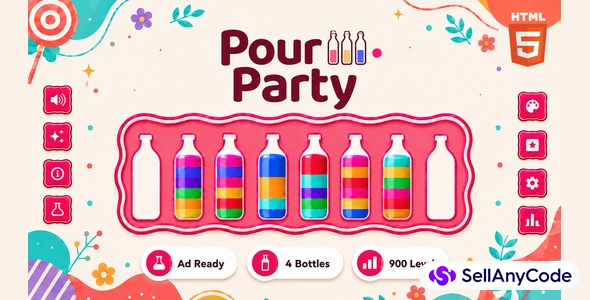
Pour Party is a color-sort bottle puzzle: tap a bottle to lift it, tap another to pour, and sort every color into its own bottle to clear the board. The game bundles three play modes on one shared bottle-pouring engine — Sort Color Puzzle, Combo Pour, and Twin Flow — each with its own set of 100 hand-verified levels across Easy, Medium, and Hard, plus its own seeded Daily Challenge. The game features five selectable board themes (each with its own fixed background image), four bottle skins, an optional Cartoonic Mode visual style, a shared XP progression system with seven rank tiers, a per-mode/per-difficulty local best-times leaderboard, an eight-achievement system, an unlimited in-game hint, and a full sponsor/ad integration framework — all in a single self-contained HTML5 package.
About the Game
- Entry point is
index.html— no build step, no CLI tools, no package manager required - Pure vanilla HTML5, CSS3, and ES6+ JavaScript — zero libraries, zero frameworks
- Game engine and UI are contained in a single IIFE in
scripts/js/game.js - All 900 levels (100 levels × 3 difficulty tiers × 3 modes) ship pre-built in
scripts/js/levels.js— every board is a genuinely mixed random deal, independently verified solvable by an A* water-sort solver before being included, so no two modes ever repeat the same board - All CSS lives in
scripts/css/style.css; sponsor/ad placeholder inscripts/sponsor/sponsor-placeholder.html - Ads are switched on or off from a single file:
scripts/config/ads.js - Five bundled background images, one per theme (
scripts/images/bg-amber.webp,bg-jungle.webp,bg-obsidian.webp,bg-midnight.webp,bg-crimson.webp) and one favicon (favicon.jpg) - Procedural Web Audio API sound engine — no audio files bundled
- All game state persisted to
localStoragewith graceful degradation when storage is unavailable - Browser support check on boot — displays a dedicated "Browser Not Supported" screen if requirements are not met
How to Play
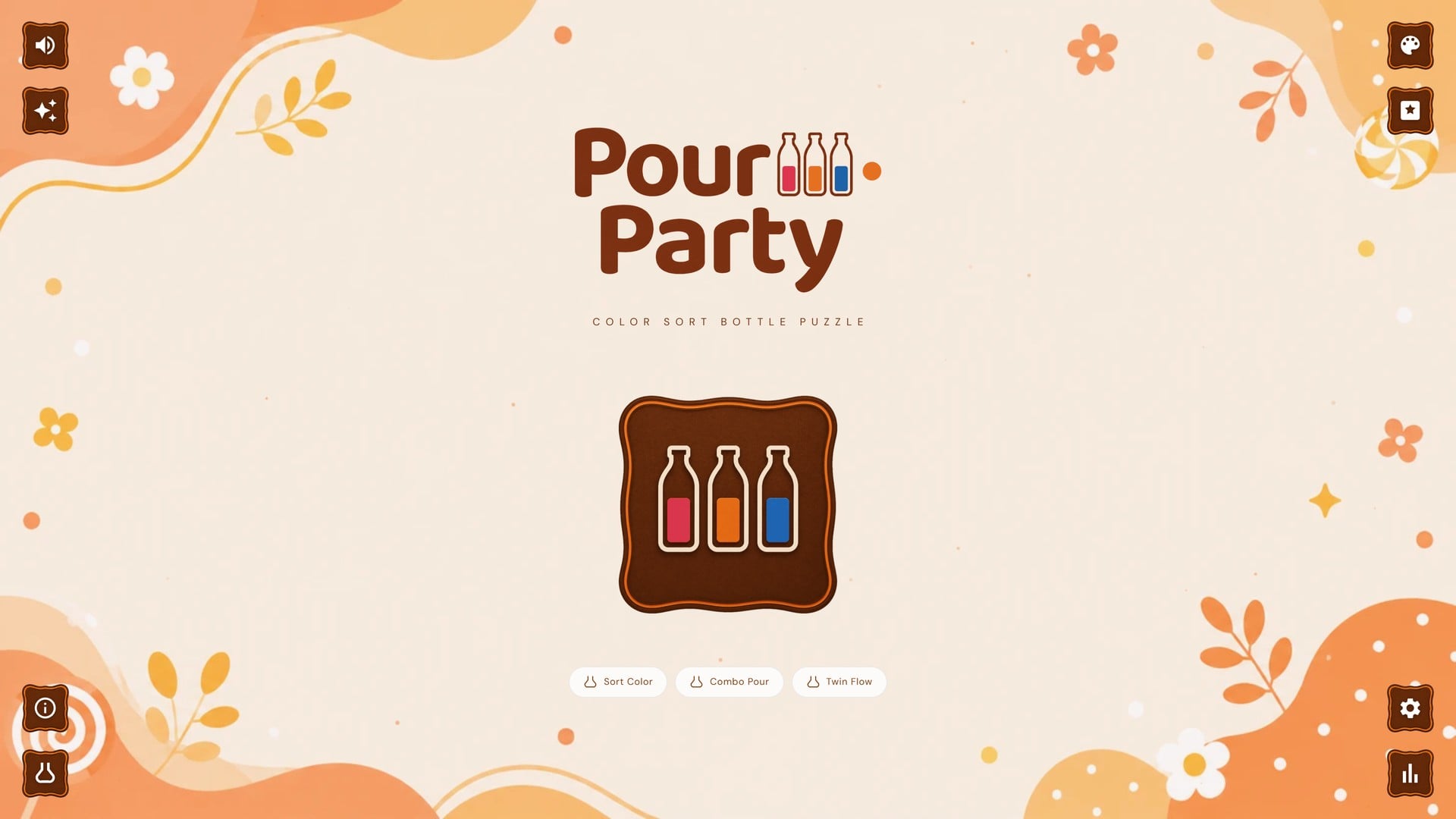
- From the lobby, press Play to go to the Choose a Mode screen.
- Choose Sort Color Puzzle, Combo Pour, or Twin Flow.
- Pick a difficulty tier (Easy/Medium/Hard) and choose a level from the level grid, or select Daily.
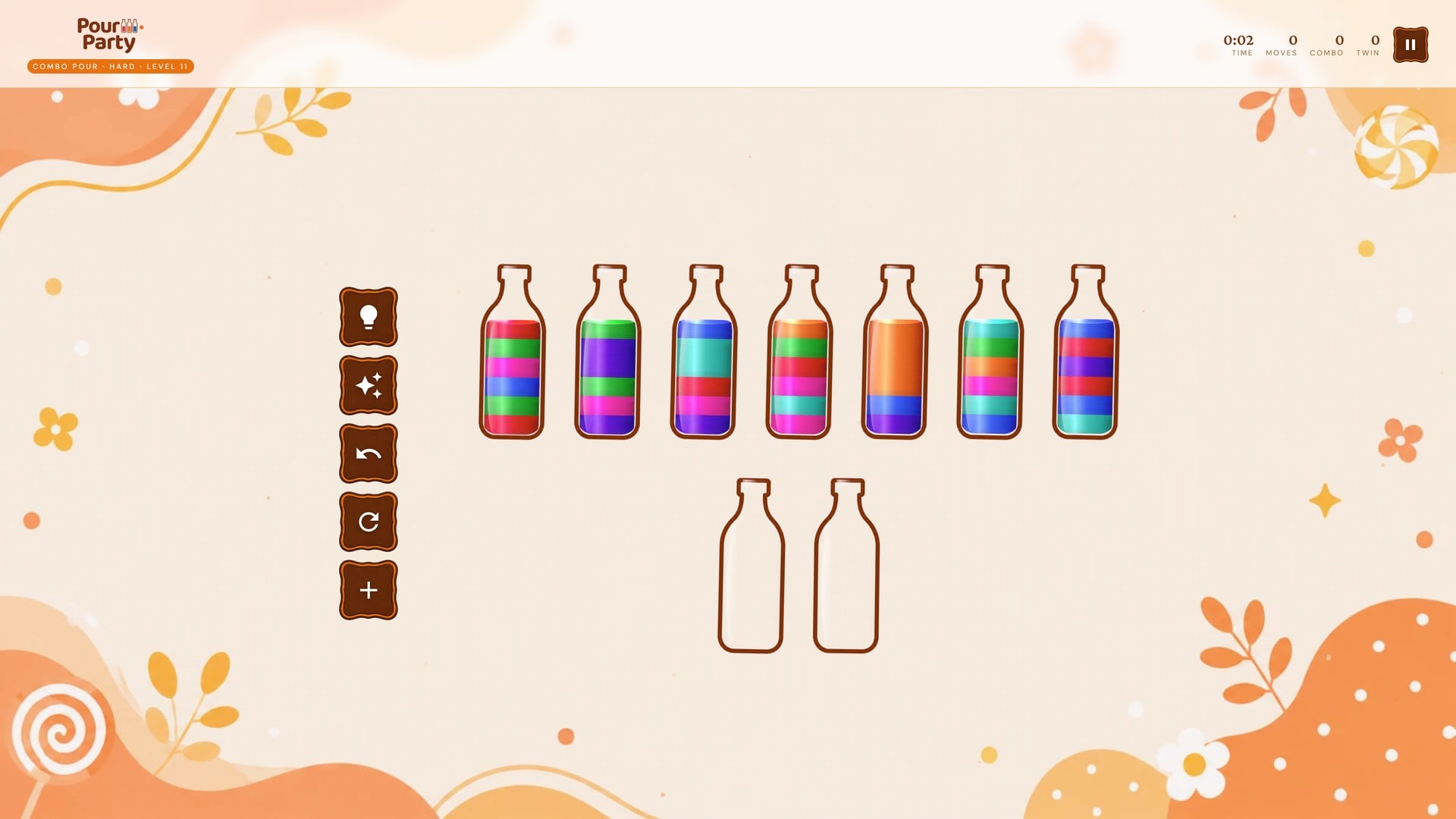
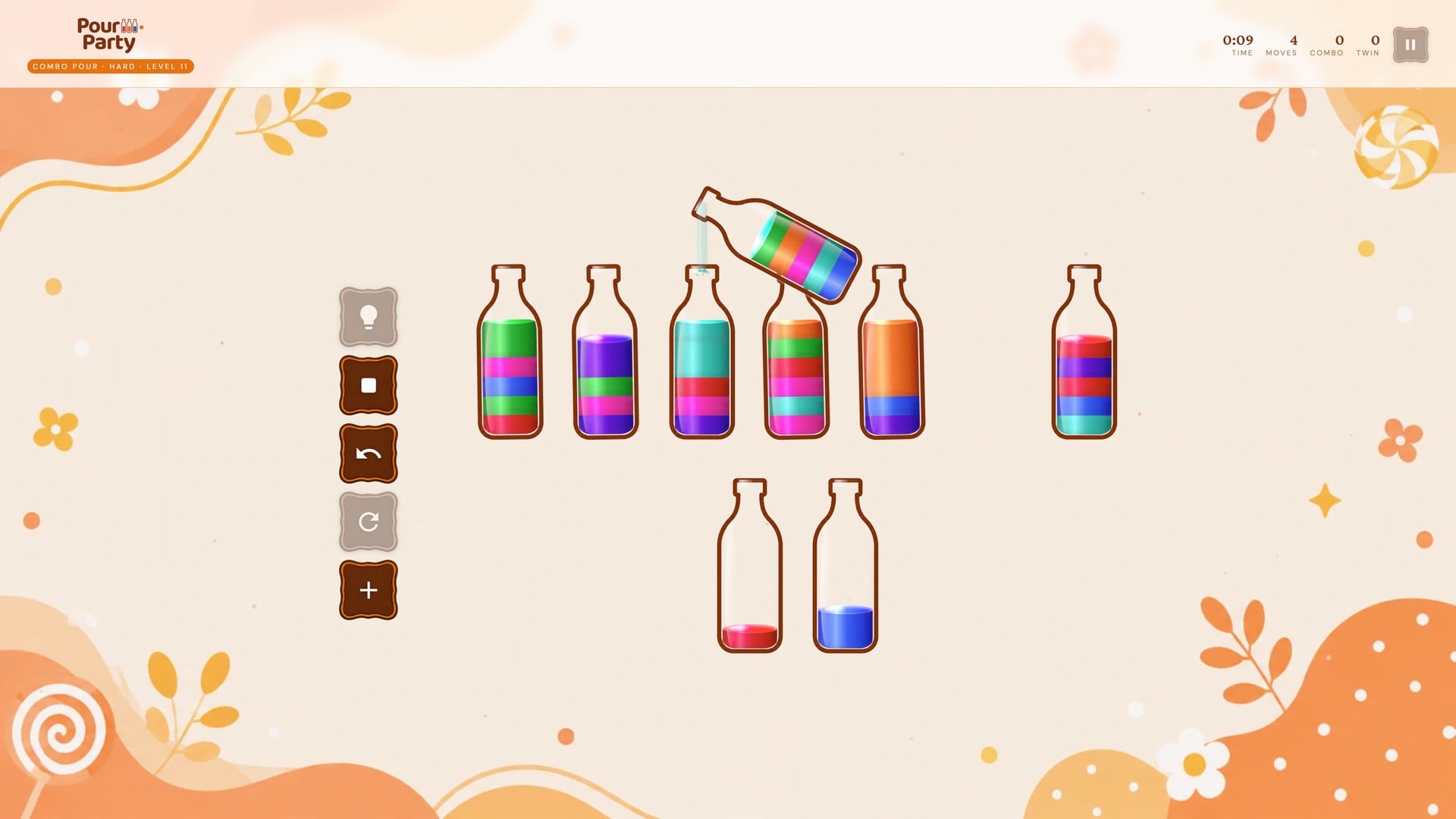
- Tap a bottle to lift it, then tap another bottle to pour into it. A pour only works if the target is empty or its top color matches.
- Keep pouring until every color sits in its own bottle. Use Hint, Undo, and Reset as needed, then complete the puzzle to see your time, moves, mistakes, and XP earned (plus Combo or Twin bonus, in those modes).
Game Screen Controls
The left-side action sidebar in every mode offers:
- Hint — briefly glows two bottles showing a valid next pour. Unlimited use.
- Undo — reverses the last pour.
- Reset — restarts the same puzzle from scratch, with confirmation.
- New Game — returns to the lobby to start a new puzzle, with confirmation.
- Pause — pauses the timer with a popup to Resume, start a New Game, or Quit to Lobby.
There is no numpad and no on-screen "Check" button in these modes — the win condition is detected automatically the moment every bottle is sorted. The only keyboard shortcut is Esc, which opens or closes the pause popup; pouring, undo, and reset are tap/click-only.
XP and Rank System
All three modes award XP toward one shared rank system using the same formula: a base amount per difficulty, plus a bonus for finishing with zero mistakes, plus a bonus for finishing under the par time for that difficulty. Both bonus amounts and all base/par values are configurable.
The seven rank tiers:
- Apprentice — 0 XP
- Solver — 300 XP
- Thinker — 800 XP
- Expert — 1,800 XP
- Master — 3,500 XP
- Sage — 6,000 XP
- Grand Master — 10,000 XP
The current rank and progress toward the next tier are shown as an XP bar in the Stats popup, opened from the lobby's Stats icon.
Achievements
Eight achievements are tracked and shown as badges in the Stats popup (lobby → Stats icon). Once more than 3 are unlocked, a "See All Achievements" button opens a full Achievements page for the rest:
- First Win — complete your first puzzle, in any mode
- Perfect Solve — finish a puzzle with zero mistakes
- Speed Demon — finish a puzzle in under 3 minutes (best time)
- 3-Day Streak — reach a streak of 3
- 7-Day Streak — reach a streak of 7
- Hard Mode — complete a puzzle on Hard difficulty
- 10 Puzzles — complete 10 puzzles
- Daily Champ — complete a Daily Challenge
All three modes count equally toward these achievements and toward the games-played, best-time, and streak stats shown in the Stats popup. The Streak stat increases by one with every puzzle completed and is not reset by a loss or a missed day — despite the "Day Streak" naming, it is a running completed-puzzle count rather than a calendar-day check.
Because an invalid pour attempt only shakes the bottle and does not count as a mistake, the Mistakes stat for these modes always reads zero — so the zero-mistake XP bonus and the Perfect Solve achievement are effectively earned on every completed puzzle.
Leaderboard
A local leaderboard is accessible from the lobby, with tabs for each of the three modes, and Easy / Medium / Hard tabs within each (up to 10 entries per tab by default, configurable). Each entry records time, mistake count, and date. Sort Color Puzzle ranks fastest time first; Combo Pour ranks highest combo bonus first; Twin Flow ranks highest twin bonus first. Daily Challenge wins are recorded under that mode's Medium tab. The leaderboard can be cleared from its own screen.
Settings
All settings are accessible from the lobby settings button. The board Theme, Bottle Skin, and the Cartoonic Mode toggle are saved to localStorage and restored on every visit. The remaining toggles below are session-only — they reset to defaults on page reload and are not written to localStorage.
- Sound Effects — toggle procedural Web Audio API sounds for pours and win sounds. Can also be toggled from the lobby's sound icon. Session-only.
- Animated Particles — toggle the floating background particle animation on the canvas layer. Session-only.
- Cartoonic Mode — adds chunky borders and a playful font on top of every theme. Saved to
localStorage.
Ad Monetization
The game ships with a fully integrated, configurable sponsor/ad system ready to connect to any ad network.
- Ads are displayed in a popup containing an iframe sized to the standard 300×250 Medium Rectangle format
- The placeholder iframe automatically receives the active theme's ink/accent colors and current Cartoonic Mode state as URL parameters, so a placeholder — or a real ad creative built to read them — can match whatever look the player has chosen
- A countdown timer starts at 5 seconds by default (configurable via
ads.preGame.countdown). The Skip button is disabled until the countdown reaches zero - Ad content is loaded from
scripts/sponsor/sponsor-placeholder.html. The file contains clearly markedAD REPLACEMENT STARTandAD REPLACEMENT ENDcomment blocks showing exactly where to paste ad code - The entire ad system can be disabled by setting
ads.enabledorads.preGame.enabledtofalseinscripts/config/ads.js. As shipped,scripts/config/ads.jssetsads.enabled: false, so the sponsor popup is off by default — set it totrueto turn it on - Ad trigger point: before a puzzle starts (New Game / Play Again)
Important: Ad network integrations such as Google AdSense, AdMob, and ironSource are third-party external services not affiliated with or included in this product. Each network operates independently and has its own account registration process, eligibility requirements, approval policies, and potentially associated costs. Pour Party provides the ad slot infrastructure only — buyers are solely responsible for obtaining their own accounts, meeting each network's requirements, and complying with their respective terms of service.
Ad Network Approval FAQ
- Do I need to register with the ad network first? Yes — every ad network requires its own account, registered and approved by that network, before real ads will show in the sponsor slot.
- Who approves my account? The third-party ad network itself, entirely on its own terms. This product only provides the ad placement/integration infrastructure — it has no role in, and no control over, that decision.
- Is approval guaranteed? No. Approval is not guaranteed by this product or its author; each network reviews applications against its own eligibility requirements and policies.
- How long does approval take? Review and approval times vary by provider and are set entirely by that provider.
- What is the buyer responsible for? Meeting the ad network's eligibility requirements, agreeing to its terms of service, and maintaining the account — this product cannot guarantee eligibility on the buyer's behalf.
Configuration System
Game behavior is controlled by a window.EQUATION_CONFIG object, which scripts/config/ads.js creates and adds its ad settings to. Add further keys to that same object (or your own script loaded before game.js) to customize other behavior. All values have built-in defaults so the game runs without any config. Configurable options include:
- Default theme (
defaultTheme) - Show/hide timer (
showTimer) - Difficulty used to build the Daily Challenge puzzle for the legacy grid modes (
dailyDifficulty, default "medium") - Optional Time Attack countdown, any non-Daily puzzle (
timeAttackSeconds, 0 = disabled by default) - XP base values per difficulty and bonuses (
xp.easy,xp.medium,xp.hard,xp.noMistakeBonus,xp.speedBonus) - Par times per difficulty for the speed bonus (
parTime.easy,parTime.medium,parTime.hard) - Difficulty label text per difficulty (
difficulty.easy.label, and matching keys for medium/hard/daily) - Leaderboard max entries per tab (
leaderboardMaxEntries, default 10) - Ad system enable flags and countdown duration (
ads.enabled,ads.preGame.enabled,ads.preGame.countdown) - Confetti and particle enable/count/speed (
confetti.enabled,confetti.count,particles.enabled,particles.count,particles.speed)
Note: the hint system in Sort Color Puzzle, Combo Pour, and Twin Flow is always unlimited — the maxHintsPerGame key exists in the shared engine but only limits hints in the legacy grid-based modes, not the bottle-pouring modes.
Tech Stack
- HTML5 — all screens and markup for all three modes in a single
index.html - CSS3 — custom properties for theming, flexbox, keyframe animations, canvas particle layer
- Vanilla JavaScript ES6+ — single IIFE module, arrow functions, Set/Map, template literals
- A* water-sort solver — every one of the 900 bundled levels, and every Daily Challenge board, is generated as a random deal and verified solvable by this solver before being handed to the player, so every puzzle is guaranteed solvable; a seeded RNG mixes today's date, a per-device player ID, and a per-mode salt to give each mode its own never-repeating Daily Challenge, with no server or puzzle database
- Web Audio API — procedural sound effects; no audio files
- Canvas API — floating background particles, win confetti animation, and the animated pour/splash effects
- Google Fonts CDN — Crimson Pro (400, 600), DM Sans (300, 400, 500), and Baloo 2 (500, 600, 700, 800) for Cartoonic Mode
- localStorage — theme, bottle skin, Cartoonic Mode, stats/XP/achievements, per-mode level progress, and leaderboard state
- No frameworks, no npm, no build tooling
Third-Party / External CDN Dependencies
This project relies on an external CDN for one resource. This dependency is third-party, hosted and operated outside of this project and outside of the seller's control — its uptime, availability, and any future changes to its terms are the responsibility of the provider, not the seller.
- Google Fonts — loaded from
fonts.googleapis.comvia@importrules inscripts/css/style.css, providing the Crimson Pro (400, 600), DM Sans (300, 400, 500), and Baloo 2 (500, 600, 700, 800) font families.
An active internet connection is required for the browser to reach this CDN and load these fonts. Without one, the game still runs normally — text simply falls back to the browser's default system font. Buyers who need a fully offline build can download the font files, host them locally, and replace the @import lines in style.css with local @font-face rules.
No other third-party or CDN-hosted libraries (such as Chart.js, jsPDF, three.js, or html2canvas) are used anywhere in this codebase.
Requirements and Compatibility
- Any modern browser: Chrome, Firefox, Safari, Edge (browser support is checked at boot and requires
localStorage,AudioContext,document.querySelector,Promise,Set, andArray.from) - No server-side code required — deploy to any static file host (GitHub Pages, Netlify, S3, cPanel, etc.)
- Internet connection required for Google Fonts (Crimson Pro, DM Sans, and Baloo 2) to load correctly
- Fully responsive — layout adapts to desktop, tablet, and mobile screen sizes
- Internet Explorer is not supported (the codebase uses ES6+ features such as arrow functions,
Promise, andSet) - All
localStorageaccess is wrapped in try/catch for safe degradation in private browsing mode - Opening
index.htmlviafile://may cause resource-loading issues in some browsers (notably Chrome) — serve through a local web server (python3 -m http.server, VS Code Live Server, etc.) or deploy to any static host for reliable access
Features
Puzzle Modes
The mode is chosen right after the lobby, on its own dedicated "Choose a Mode" screen, before difficulty. All three modes share the same bottle-pouring rules and level structure — only the scoring twist changes.
- Sort Color Puzzle — pour bottles until every color is fully separated into its own bottle. Scored and ranked by completion time.
- Combo Pour — the same pouring rules, but back-to-back pours that each lock a bottle (fill it with one solid color) chain into a combo streak for bonus score; any pour that doesn't lock a bottle breaks the streak back to zero. Ranked on the leaderboard by combo bonus score, not time.
- Twin Flow — bottles are paired up by adjacent position (1st & 2nd, 3rd & 4th, and so on). Locking both bottles of a pair, in either order, earns a one-time Twin Match bonus. Ranked on the leaderboard by twin bonus score, not time.
Each mode has its own independent set of 300 levels (100 Easy + 100 Medium + 100 Hard) and its own separate level-progress save, so playing through one mode's levels does not unlock or affect another mode's levels.
Core Rules
- Every bottle holds a fixed number of liquid units (capacity grows with difficulty — see below). Puzzles always include exactly 2 empty bottles to pour into.
- A pour is only legal if the target bottle is empty, or its top color matches the color being poured
- A bottle filled edge-to-edge with a single color is locked/solved and needs no further touching
- The puzzle is won the moment every bottle is either empty or a single solid color — this is auto-detected; there is no manual "check" step in these modes
Difficulty
Each of the three modes has its own Easy / Medium / Hard level select screen, 100 fixed levels per tier, unlocked in order as you clear them (15 levels per page, with pagination).
- Easy — bottles hold 4 units each; levels ramp from 3 up to 5 colors as you progress through the tier.
- Medium — bottles hold 5 units each; levels ramp from 5 up to 7 colors.
- Hard — bottles hold 6 units each; levels ramp from 7 up to 9 colors.
- Daily — a fresh, solver-verified puzzle every calendar day, seeded from today's date plus a per-device player ID. Bottles hold 5 units (Medium-tier capacity) with 5–7 colors depending on the day. Each of the three modes has its own separate Daily Challenge (its own seed salt), so completing the Sort Color Puzzle Daily does not mark Combo Pour's or Twin Flow's Daily done.
Themes
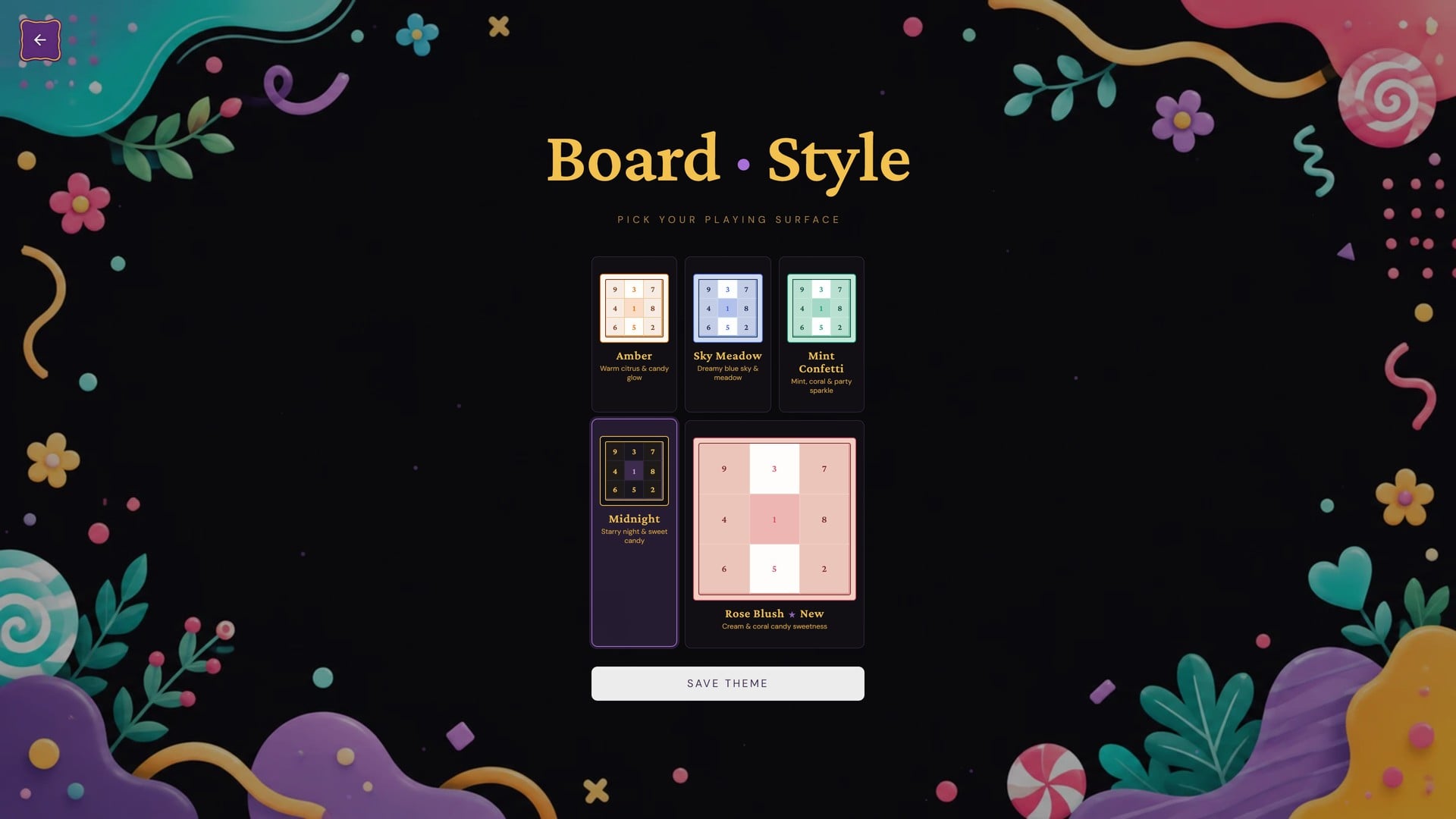
Five board themes are selectable from the "Board · Style" screen, shared across all three modes. Each theme owns one fixed background image — there is no separate background picker. The active theme is saved to localStorage and restored on every visit. The default theme is Amber.
- Amber — warm citrus & candy glow (default)
- Sky Meadow — dreamy blue sky & meadow
- Mint Confetti — mint, coral & party sparkle
- Midnight — starry night & sweet candy
- Rose Blush — cream & coral candy sweetness (marked as new)
A separate Cartoonic Mode toggle (Settings → Appearance) can be layered on top of any theme — it adds chunky sticker-style borders and a playful rounded font to the UI without changing any theme's colors. It is on by default for first-time players and is saved to localStorage.
Bottle Skins
A dedicated Bottle Skins screen (reached from the lobby) lets players pick how the bottles themselves look, independent of the board theme. The choice is saved to localStorage.
- Classic — simple glass silhouette (default)
- Pouch — soft rounded pouch shape
- Hourglass — curved pinched waist
- Test Tube — slim, straight lab tube
Information
| Category | Scripts & Code / JavaScript |
| First Release | 7 August 2026 |
| Files included | .html, .css, .cs, .c |
| File Size | 2 MB |
| Frameworks | JavaScript |