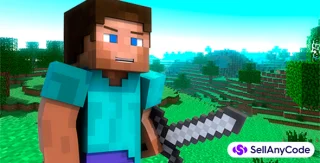
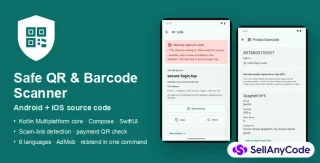
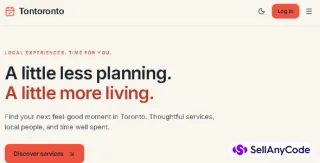
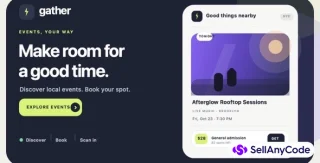
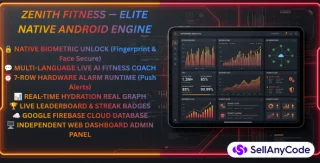
Screenshots
Item Description
You will need to copy and paste code in notepad.
Getting Started: Open File Explorer (Windows + e) and add a folder named Minesweeper. In that folder, add a text document.
Css: Open the text document and paste this code in the notepad
/* (A) MINESWEEPER WRAPPER */#mine-wrap { display: flex; flex-wrap: wrap;}/* (B) MINESWEEPER CELLS */#mine-wrap .cell { box-sizing: border-box; background: #ddd; border: 1px solid #ccc; font-size: 40px; text-align: center; cursor: pointer;}#mine-wrap .cell.mark { background: #fea; }#mine-wrap .cell.reveal { background: #f7f7f7; }#mine-wrap .cell.boom { background: #f00; }/* (X) DOES NOT MATTER */body, html { font-family: arial, sans-serif; }Now Press Save as. Name the file mine.css
Javascirpt: Open the text document and copy and paste this code
var mine = { // (A) PROPERTIES // (A1) GAME SETTINGS total : 10, // TOTAL NUMBER OF MINES height : 10, // NUMBER OF ROWS width : 8, // NUMBER OF COLUMNS // (A2) GAME FLAGS board : [], // CURRENT GAME BOARD rCell : 0, // NUMBER OF REMAINING HIDDEN CELLS // (B) RESET & INITIALIZE GAME reset : () => { // (B1) RESET GAME FLAGS mine.board = []; mine.rCell = mine.height * mine.width; // (B2) GET + RESET HTML WRAPPER let wrap = document.getElementById("mine-wrap"), cssWidth = 100 / mine.width; wrap.innerHTML = ""; // (B3) LOOP THROUGH ROWS & COLUMNS - GENERATE CELLS for (let row=0; row<mine.height; row++) { mine.board.push([]); for (let col=0; col<mine.width; col++) { // ADD CELL TO MINE.BOARD[] mine.board[row].push({ r : false, // CELL IS REVEALED? x : false, // CELL IS MARKED? m : false, // CELL HAS A MINE? a : 0, // NUMBER OF MINES IN ADJACENT CELLS c : document.createElement("div") // HTML REFERENCE }); // ADD CELL TO HTML <DIV> let cell = mine.board[row][col].c; cell.classList.add("cell"); cell.id = "mine-" + row + "-" + col; cell.dataset.row = row; cell.dataset.col = col; cell.onclick = () => { mine.open(cell); }; cell.oncontextmenu = (e) => { e.preventDefault(); mine.mark(cell); }; cell.style.width = cssWidth + "%"; cell.innerHTML = " "; wrap.appendChild(cell); } } // (B4) RANDOMLY LAY MINES let mRow = mine.height - 1, mCol = mine.width - 1, mToLay = mine.total; while (mToLay > 0) { let row = Math.floor(Math.random() * mRow); let col = Math.floor(Math.random() * mCol); if (!mine.board[row][col].m) { mine.board[row][col].m = true; // CHEAT - SHOW MINE ON THE BOARD // mine.board[row][col].c.innerHTML = "*"; mToLay--; } } // (B5) CALCULATE NUMBER OF ADJACENT MINES FOR EACH CELL // LOOP THROUGH ROW-BY-ROW for (let row=0; row<mine.height; row++) { let lastRow = row - 1, nextRow = row + 1; if (nextRow == mine.height) { nextRow = -1; } // LOOP THROUGH CELLS OF EACH ROW for (let col=0; col<mine.width; col++) { let lastCol = col - 1, nextCol = col + 1; if (nextCol == mine.width) { nextCol = -1; } // CALCULATE ONLY IF CELL DOES NOT CONTAIN MINE if (!mine.board[row][col].m) { // ADD NUMBER OF MINES IN LAST ROW if (lastRow != -1) { if (lastCol != -1) { if (mine.board[lastRow][lastCol].m) { mine.board[row][col].a++; } } if (mine.board[lastRow][col].m) { mine.board[row][col].a++; } if (nextCol != -1) { if (mine.board[lastRow][nextCol].m) { mine.board[row][col].a++; } } } // ADD NUMBER OF MINES IN CURRENT ROW if (lastCol != -1) { if (mine.board[row][lastCol].m) { mine.board[row][col].a++; } } if (nextCol != -1) { if (mine.board[row][nextCol].m) { mine.board[row][col].a++; } } // ADD NUMBER OF MINES IN NEXT ROW if (nextRow != -1) { if (lastCol != -1) { if (mine.board[nextRow][lastCol].m) { mine.board[row][col].a++; } } if (mine.board[nextRow][col].m) { mine.board[row][col].a++; } if (nextCol != -1) { if (mine.board[nextRow][nextCol].m) { mine.board[row][col].a++; } } } } // CHEAT - SHOW NUMBER OF ADJACENT MINES ON BOARD // if (mine.board[row][col].a != 0) { mine.board[row][col].c.innerHTML = mine.board[row][col].a ; } } } }, // (C) RIGHT CLICK TO MARK CELL mark : (cell) => { // (C1) GET COORDS OF SELECTED CELL let row = cell.dataset.row, col = cell.dataset.col; // (C2) MARK/UNMARK ONLY IF CELL IS STILL HIDDEN if (!mine.board[row][col].r) { cell.classList.toggle("mark"); mine.board[row][col].x = !mine.board[row][col].x; } }, // (D) LEFT CLICK TO OPEN CELL open : (cell) => { // (D1) GET COORDS OF SELECTED CELL let row = cell.dataset.row, col = cell.dataset.col; // (D2) SELECTED CELL HAS MINE = LOSE if (!mine.board[row][col].x && mine.board[row][col].m) { cell.classList.add("boom"); setTimeout(() => { alert("Opps. You lost."); mine.reset(); }, 1); } // (D3) REVEAL SELECTED CELL + ALL EMPTY ADJACENT CELLS else { // (D3A) FLAGS - WHICH CELLS SHOULD WE AUTOMATICALLY REVEAL? let toReveal = [], // ALL CELLS TO REVEAL toCheck = [], // ALL CELLS TO CHECK checked = []; // ALL CELL THAT HAVE ALREADY BEEN CHECKED for (let i=0; i<mine.height; i++) { checked.push({}); } toCheck.push([row, col]); // (D3B) LOOP & CHECK - ADD CELLS TO REVEAL while (toCheck.length>0) { // CURRENT "CHECK CELL" COORDINATES let thisRow = parseInt(toCheck[0][0]), thisCol = parseInt(toCheck[0][1]); // HAS MINE, ALREADY REVEALED, MARKED - DO NOTHING if (mine.board[thisRow][thisCol].m || mine.board[thisRow][thisCol].r || mine.board[thisRow][thisCol].x) {} else { // ADD CELL TO REVEAL if (!checked[thisRow][thisCol]) { toReveal.push([thisRow, thisCol]); } // CELL DOES NOT HAVE ADJ MINES - CHECK NEIGHBOURS if (mine.board[thisRow][thisCol].a == 0) { // PREVIOUS & NEXT CELL COORDINATES let lastRow = thisRow - 1, nextRow = thisRow + 1, lastCol = thisCol - 1, nextCol = thisCol + 1; if (nextRow == mine.height) { nextRow = -1; } if (nextCol == mine.width) { nextCol = -1; } // LAST ROW if (lastRow != -1) { if (lastCol != -1 && !checked[lastRow][lastCol]) { toCheck.push([lastRow, lastCol]); } if (!checked[lastRow][thisCol]) { toCheck.push([lastRow, thisCol]); } if (nextCol != -1 && !checked[lastRow][nextCol]) { toCheck.push([lastRow, nextCol]); } } // CURRENT ROW if (lastCol != -1 && !checked[thisRow][lastCol]) { toCheck.push([thisRow, lastCol]); } if (nextCol != -1 && !checked[thisRow][nextCol]) { toCheck.push([thisRow, nextCol]); } // NEXT ROW if (nextRow != -1) { if (lastCol != -1 && !checked[nextRow][lastCol]) { toCheck.push([nextRow, lastCol]); } if (!checked[nextRow][thisCol]) { toCheck.push([nextRow, thisCol]); } if (nextCol != -1 && !checked[nextRow][nextCol]) { toCheck.push([nextRow, nextCol]); } } } } // MOVE ON - CHECK NEXT CELL checked[thisRow][thisCol] = true; toCheck.shift(); } // (D3C) AUTOMATICALLY REVEAL CELLS (IF ANY) if (toReveal.length > 0) { for (let cell of toReveal) { let thisRow = parseInt(cell[0]); let thisCol = parseInt(cell[1]); mine.board[thisRow][thisCol].r = true; if (mine.board[thisRow][thisCol].a != 0) { mine.board[thisRow][thisCol].c.innerHTML = mine.board[thisRow][thisCol].a; } mine.board[thisRow][thisCol].c.classList.add("reveal"); mine.rCell = mine.rCell - 1; } } // (D3D) NO CELLS LEFT TO OPEN - WIN! if (mine.rCell == mine.total) { alert("YOU WIN!"); mine.reset(); } } }
};
window.addEventListener("DOMContentLoaded", mine.reset);Press Save as
Name this file mine.js
Html: Finally, go to the text document and copy and paste the code in the notepad
| <!DOCTYPE html> | |
| <html> | |
| <head> | |
| <title>Simple Javascript Minesweeper</title> | |
| <link rel="stylesheet" type="text/css" href="mine.css"> | |
| <script src="mine.js"></script> | |
| </head> | |
| <body> | |
| <!-- GAME WRAPPER --> | |
| <div id="mine-wrap"></div> | |
| </body> | |
| </html> | |
Press Save as
Name the file MineSweeper.html
Try: Double Click the MineSweeper.html file and it will open up minesweeper.
Right Click to mark a mine
Features
Uses css, js and html.
You have to login to leave a review!
All Reviews
What type of support is included?
Verified source code
Free support included
100% Satisfaction guarantee
Download code immediately after purchase
Published by the developer
Quality guarantee for your satisfaction
Support: info@sellanycode.com or live chat
Verified source code
Free support included
100% Satisfaction guarantee
Download code immediately after purchase
Published by the developer
Quality guarantee for your satisfaction
Support: info@sellanycode.com or live chat
You have to login to ask a question!
All Questions
No Question!
Information
| Category | Scripts & Code / VB.NET |
| First Release | 20 September 2022 |
| Last updated | 20 September 2022 |
| Files included | .html, .css, .cs, .c |
| Frameworks | VB.NET |
100% Guarantee For Item! Money back guarantee policy applies.
Similar Items
Start Selling Your Code. Enjoy 80% Revenue Share, Fast Payouts Without Restrictions!
START SELLING NOWItem Purchase
2
MineSweeper ($29.00)
or
*Price does not include processing fee
256-bit encryption